





APIXOAPIXO

Create

AI Video
AI Image
AI Audio

Library

GenerationsAssets

Explore

ModelsAI ToolsPricing
APIXOAPIXO
APIXO
APIXO

Create any content you can imagine. Trusted by millions of creators.

Support@apixo.ai

Models

Claude Sonnet 4.6
Face Swap
Flux 2
FLUX 3
Flux Kontext
Gemini 3.1 Pro Preview
Gemini Omni
GPT-5.5
GPT-Image-1
GPT-Image-2
GPT-Image-2.5
Grok Image
Grok Imagine Video 1.5
Grok Video
Hailuo 2.3
Hailuo 2.3 Fast
HappyHorse
Head Swap
Image Upscaler
Image Watermark Remover
InfiniteTalk
Kling 2.1
Kling 2.5 Turbo Pro
Kling 2.6
Kling 3.0 Omni
Kling 3.0 Std
Kling 3.0 Turbo
LTX-2 19B
Midjourney
MiniMax H3
MiniMax H3 LoRA
MiniMax Image 01
MiniMax Speech 2.8
MiniMax Voice
Nano Banana
Nano Banana 2
Nano Banana Pro
Qwen Image 3.0
Qwen Image 3.0 Pro
Seedance 1.5 Pro
Seedance 2.0
Seedance 2.0 Fast
Seedance 2.0 Mini
Seedance 2.5
Seedream 4.5
Seedream 5.0
Seedream 5.0 Pro
Sora 2
Sora 2 Pro
Suno V6
Veo 3.1
Video Upscaler
Video Watermark Remover
Vidu Q3
Wan 2.2 Animate
Wan 2.5
Wan 2.5 Image
Wan 2.6
Wan 2.6 Image
Wan 2.7
Wan 2.7 Image
Wan 3.0 Video
Wan 3.0 Video LoRA
Wan 3.0 Video Pro LoRA
Z-Image LoRA
Z-Image LoRA Pro

Product

FeaturedImage ModelsVideo ModelsAudio ModelsText Models

Resources

AffiliateCompany InformationTerms of ServicePrivacy PolicyRefund PolicyShipping / Digital Delivery Policy

Other

PricingAPI Docs

© 2026 APIXO. All rights reserved.

MODEL AVAILABILITY, PRICING, AND ROUTING CAN VARY BY PROVIDER AND REGION.

CreateGenerationsAssets
  1. Home
  2. AI Image
  3. Text to Image

Text to Image AI Generator

Text to image AI turns a written visual brief into an original image while keeping model choice, composition controls, and the estimated credit cost in one workspace. Describe the subject, setting, lighting, camera view, and intended use, then compare compatible image models before you create.

APIXOAPIXO

Create

AI Video
AI Image
AI Audio

Library

GenerationsAssets

Explore

ModelsAI ToolsPricing

Make imagination visible.

Make imagination visible.

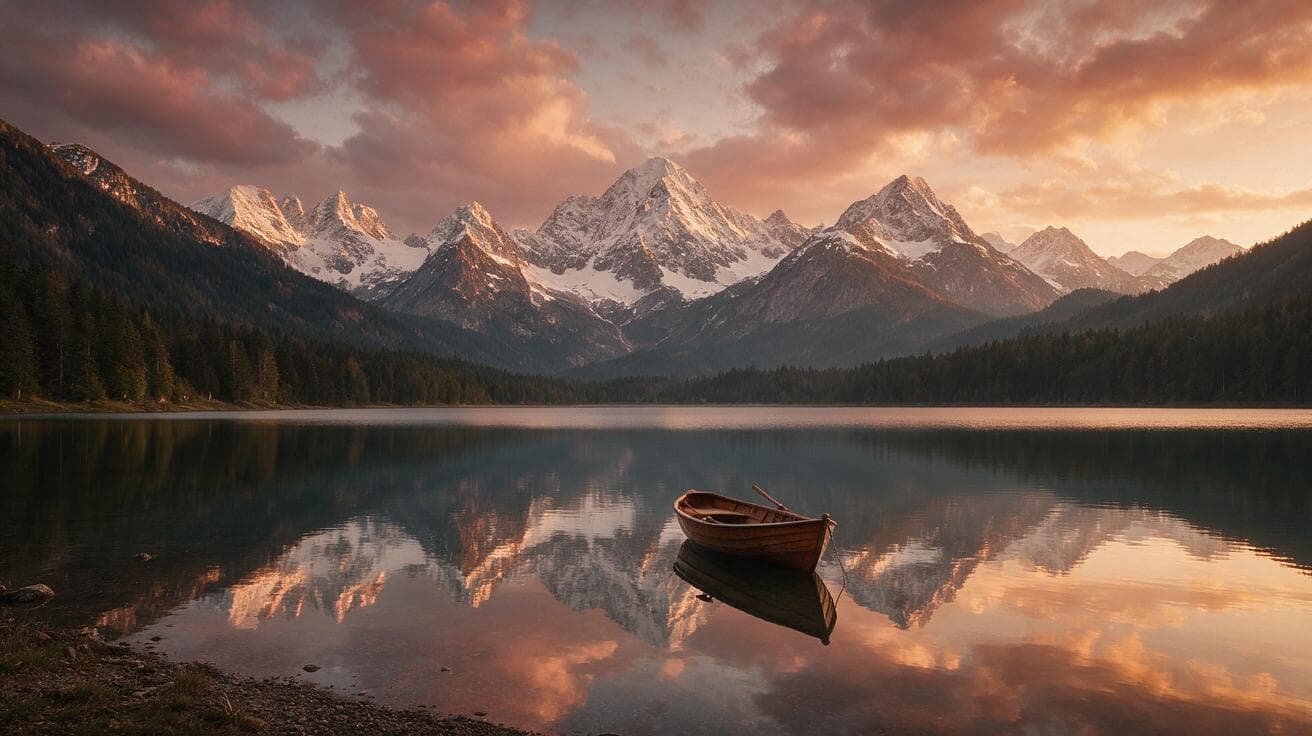
Preset result from Seedream 5.0 Pro
Seedream 5.0 Pro
from $0.045/image
Golden LakeSerene landscape · 16:9
CreateGenerationsAssets
Why use it

Plan original visuals from a written brief

Move from brief to first visual

Start with the information that matters to the composition: who or what appears, where the scene happens, how it is framed, and what mood it should communicate. The generator gives that brief a visible form you can review before investing in photography, illustration, or a larger campaign.

Try it now

Compare models without rebuilding the prompt

Compatible image models share the same workspace, so you can keep the creative direction and change the rendering engine when you need a different balance of prompt adherence, typography, texture, or visual style. Model-specific controls remain visible instead of being flattened into invented universal settings.

Try it now

Review the cost before submission

The composer shows the estimate produced from the selected model and its current parameters before a task is sent. That makes exploration easier to budget and avoids promising one fixed price across models whose resolution, output count, and provider contracts differ.

Try it now

Continue into connected image workflows

A generated image can become the source for Image to Image, Background Changer, or AI Image Upscaler. These related APIXO paths support a practical sequence: establish the idea, revise the selected frame, prepare alternate placements, and enlarge the approved result without starting the creative direction again.

Try it now
Capabilities

What this text to image AI helps you direct

Subject and environment

Describe people, products, objects, architecture, or imaginary subjects together with the setting that gives them context and scale.

Composition and viewpoint

Specify distance, angle, focal emphasis, foreground relationships, negative space, and layout needs for a more intentional frame.

Lighting and atmosphere

Guide time of day, contrast, color temperature, weather, and emotional tone instead of relying on vague style labels alone.

Multiple rendering approaches

Move among compatible models when a concept needs another interpretation, stronger instruction following, or a different finish.

Placement-aware outputs

Use the aspect and size controls exposed by the chosen model to prepare imagery for the layout you actually intend to build.

API-aligned experimentation

Explore the same model family available through APIXO APIs, then carry a validated model and parameter direction into an application workflow.

Where text-led image creation fits
Who it is for

Where text-led image creation fits

Campaign teams

Explore art directions for landing pages, social posts, and advertising concepts before a team commits to final production assets.

Product storytellers

Visualize product settings, launch themes, and lifestyle concepts, then move selected ideas into product staging or background workflows.

Design and illustration teams

Build mood boards, composition studies, character directions, and editorial roughs that make review conversations more concrete.

Developers prototyping media features

Compare supported models interactively before selecting the API contract that best matches a product experience or automated content pipeline.

Models

Models behind this tool

  • Google logoNano Banana 2Google
  • OpenAI logoGPT-Image-2OpenAI
  • ByteDance logoSeedream 5.0ByteDance
  • ByteDance logoSeedream 5.0 ProByteDance
  • Google logoNano Banana ProGoogle
  • Black Forest Labs logoFlux 2Black Forest Labs
  • Midjourney logoMidjourneyMidjourney
  • OpenAI logoGPT-Image-2.5OpenAI
  • OpenAI logoGPT-Image-1OpenAI
  • Google logoNano BananaGoogle
  • ByteDance logoSeedream 4.5ByteDance
  • Black Forest Labs logoFlux KontextBlack Forest Labs
  • MiniMax logoMiniMax Image 01MiniMax
  • Alibaba logoQwen Image 3.0Alibaba
  • Alibaba logoQwen Image 3.0 ProAlibaba
  • Alibaba logoWan 2.7 ImageAlibaba
  • Alibaba logoWan 2.6 ImageAlibaba
  • Alibaba logoWan 2.5 ImageAlibaba
  • xAI logoGrok ImagexAI
  • AXZ-Image LoRAAPIXO
  • AXZ-Image LoRA ProAPIXO
How it works

Create with text to image AI

Try it now
01

Write a concrete visual brief

Describe the subject, action, environment, framing, lighting, and desired visual treatment in language that can be checked against the result.

02

Choose a compatible model

Compare the available image models and adjust only the controls shown for the model you select.

03

Review, create, and refine

Check the estimate, submit the task, inspect important details, and refine one instruction or setting at a time.

Tips & FAQ

Get better results

Tips

01

Write the central subject and action first, then add environment, composition, lighting, and finish in a deliberate order.

02

Name the intended placement so the prompt and available aspect controls work toward a banner, portrait, card, or editorial frame.

03

Change one important direction between attempts; simultaneous changes make it difficult to learn which instruction improved the result.

04

Treat generated words, logos, hands, reflections, and factual details as review points rather than assuming they are production accurate.

05

Save the prompt, model, and parameter combination behind an approved result before recreating the workflow through the API.

Frequently Asked Questions

An AI Image Generator interprets a written prompt as visual direction and produces a new image. It can help with concept art, product scenes, editorial illustrations, campaign drafts, and other exploratory visuals. The result is generated rather than retrieved from a stock library, so every output still needs human review for accuracy and suitability.

Begin with the main subject and what is happening, then describe the environment, framing, light, mood, and intended finish. Concrete relationships are more useful than a long list of adjectives. If a result misses the goal, revise the most important instruction first so you can tell what changed.

There is no universal choice for every brief. Compatible models can differ in instruction following, typography, texture, supported dimensions, and creative interpretation. Start with the default, inspect the result against your actual criteria, and compare another model when a specific weakness matters more than stylistic continuity.

Text is the core input for this route. Aspect, size, output, and advanced options depend on the selected model and are displayed directly in the composer. Use those visible controls as the current contract instead of assuming that every provider accepts the same fields or returns the same format.

Usage is charged according to the chosen model and the parameters that affect its request. The composer shows an estimate before submission, allowing you to compare a different model or setting first. The page does not claim one permanent price because provider contracts and selectable output options can vary.

Image generation predicts a visual result rather than constructing a verified scene model. Small text, anatomy, repeated objects, reflections, exact product geometry, and factual symbols may drift. Use clearer constraints, simplify crowded compositions, compare models, and inspect every result before it enters a public or customer-facing asset.

Commercial suitability depends on the model terms, your account terms, the prompt, and the material represented in the output. Confirm that you have rights to any names, brands, characters, or reference concepts you use. Review generated assets for resemblance, trademark, privacy, and other legal risks before publication.

More tools

  • Image to Image
  • Image Upscaler
  • Image Enhancer
  • Photo Restoration
  • Unblur Image
  • Image Sharpener
  • Denoise Image
  • Face Enhancer
  • Photo Retouching
  • Unpixelate Image
  • Face Swap
  • Head Swap
  • Colorize Photo
  • Camera Angle Changer
  • Image Relight
  • Change Color of Image
  • Face Editor
  • Edit Text in Image
  • Image Translator
  • Background Changer
  • Background Remover
  • Image Layer Decomposition
  • White Background
  • Blur Background
  • Change Background Color
  • Product Staging
  • Product Beautifier
  • Flat Lay Generator
  • Ghost Mannequin
  • Product Photo Generator
  • Clone Product Image
  • Watermark Remover
  • Object Remover
  • Remove Text from Image
  • People Remover
  • Photo to Anime
  • Photo to Sketch
  • Photo to Cartoon
  • Photo to Painting
  • AI Filter
  • Vintage Filter
  • Black and White Filter
  • Glitch Effect
  • Photo to 3D Cartoon
  • Cartoon Avatar Maker

Create your next image with text to image AI

Write a focused prompt, compare compatible image models, review the current estimate, and create an image you can evaluate and refine above.

Try it now

Describe the subject, composition, style, and light…

$0.045