





APIXOAPIXO

Create

AI Video
AI Image
AI Audio

Library

GenerationsAssets

Explore

ModelsAI ToolsPricing
APIXOAPIXO
APIXO
APIXO

Create any content you can imagine. Trusted by millions of creators.

Support@apixo.ai

Models

Claude Sonnet 4.6
Face Swap
Flux 2
FLUX 3
Flux Kontext
Gemini 3.1 Pro Preview
Gemini Omni
GPT-5.5
GPT-Image-1
GPT-Image-2
GPT-Image-2.5
Grok Image
Grok Imagine Video 1.5
Grok Video
Hailuo 2.3
Hailuo 2.3 Fast
HappyHorse
Head Swap
Image Upscaler
Image Watermark Remover
InfiniteTalk
Kling 2.1
Kling 2.5 Turbo Pro
Kling 2.6
Kling 3.0 Omni
Kling 3.0 Std
Kling 3.0 Turbo
LTX-2 19B
Midjourney
MiniMax H3
MiniMax H3 LoRA
MiniMax Image 01
MiniMax Speech 2.8
MiniMax Voice
Nano Banana
Nano Banana 2
Nano Banana Pro
Qwen Image 3.0
Qwen Image 3.0 Pro
Seedance 1.5 Pro
Seedance 2.0
Seedance 2.0 Fast
Seedance 2.0 Mini
Seedance 2.5
Seedream 4.5
Seedream 5.0
Seedream 5.0 Pro
Sora 2
Sora 2 Pro
Suno V6
Veo 3.1
Video Upscaler
Video Watermark Remover
Vidu Q3
Wan 2.2 Animate
Wan 2.5
Wan 2.5 Image
Wan 2.6
Wan 2.6 Image
Wan 2.7
Wan 2.7 Image
Wan 3.0 Video
Wan 3.0 Video LoRA
Wan 3.0 Video Pro LoRA
Z-Image LoRA
Z-Image LoRA Pro

Product

FeaturedImage ModelsVideo ModelsAudio ModelsText Models

Resources

AffiliateCompany InformationTerms of ServicePrivacy PolicyRefund PolicyShipping / Digital Delivery Policy

Other

PricingAPI Docs

© 2026 APIXO. All rights reserved.

MODEL AVAILABILITY, PRICING, AND ROUTING CAN VARY BY PROVIDER AND REGION.

CreateGenerationsAssets
  1. Home
  2. AI Image
  3. Image to Image

Image to Image AI

Image to Image AI uses an uploaded visual as context for a newly generated version shaped by your written direction. Keep the useful subject or composition, describe what should change, compare compatible models, and review the estimated cost before creating a transformed result.

APIXOAPIXO

Create

AI Video
AI Image
AI Audio

Library

GenerationsAssets

Explore

ModelsAI ToolsPricing

Make imagination visible.

Make imagination visible.

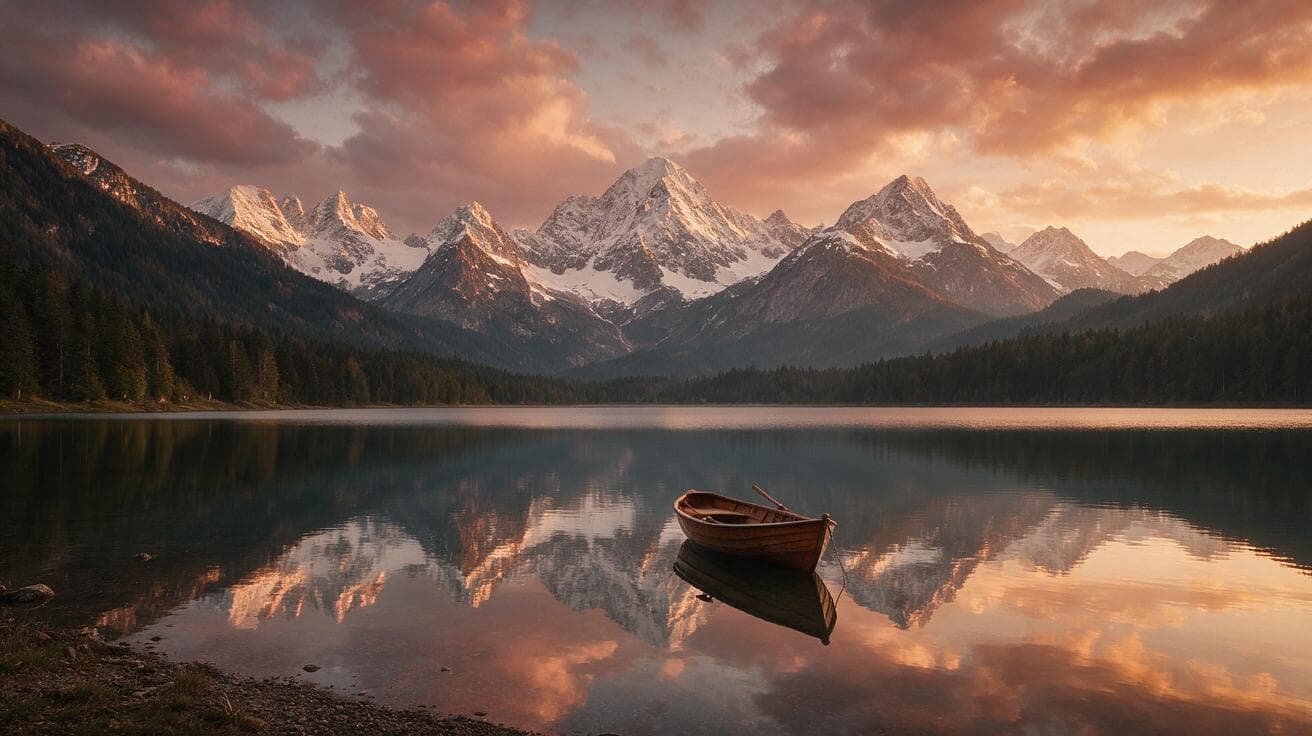
Preset result from Seedream 5.0 Pro
Seedream 5.0 Pro
from $0.045/image
Golden LakeSerene landscape · 16:9
CreateGenerationsAssets
Why use it

Shape revisions with Image to Image AI

Anchor the idea in a real source

An uploaded image gives the model concrete information about the subject, broad layout, color relationships, and visual identity. That is useful when a blank prompt would leave too many decisions open, but the existing asset still needs a new scene, treatment, or direction.

Try it now

Describe changes instead of repainting manually

State what must remain recognizable and what may change, such as the background, lighting, wardrobe, material, illustration style, or atmosphere. A clear revision brief helps the model distinguish protected visual anchors from areas where creative interpretation is welcome.

Try it now

Test alternate model interpretations

Switch among image models that expose image-led modes and keep the same source available for comparison. Each model can weigh the reference and text differently, so a second interpretation may solve identity, composition, detail, or style problems without changing the whole workflow.

Try it now

Move into focused editing tools

Use Text to Image when no source should constrain the composition, or continue a chosen result through Background Changer and AI Image Upscaler. Those related paths turn broad generative revision into a connected sequence of creation, targeted editing, and delivery preparation.

Try it now
Capabilities

Image to Image AI revision controls

Style exploration

Reinterpret an authorized source as a different photographic, illustrative, editorial, or conceptual direction while retaining useful visual cues.

Scene changes

Place a subject in another environment and describe how surrounding light, weather, props, and atmosphere should respond.

Composition variations

Ask for another crop, viewpoint, balance, or amount of negative space when the selected model supports the intended change.

Product concept revisions

Explore campaign settings and presentation directions while checking every result for accurate product shape, labels, and distinguishing details.

Character and asset continuity

Use a clear reference to guide recognizable traits, then verify faces, clothing, accessories, and repeated design elements across outputs.

Model-specific source handling

See the actual upload slots and controls for the selected model rather than assuming every image generator accepts identical reference inputs.

Teams that revise from visual references
Who it is for

Teams that revise from visual references

Brand and campaign teams

Explore seasonal, regional, or channel-specific directions from an approved source while preserving the elements that make the campaign recognizable.

Photographers and art directors

Prototype lighting, set, wardrobe, or treatment changes before deciding which ideas justify a reshoot or detailed manual composite.

Ecommerce content teams

Draft contextual product scenes and placement variants, then verify the item carefully or move to purpose-built product editing tools.

Application developers

Evaluate how supported models balance prompt instructions and reference fidelity before implementing the corresponding API workflow in a product.

Models

Models behind this tool

  • Google logoNano Banana 2Google
  • OpenAI logoGPT-Image-2OpenAI
  • ByteDance logoSeedream 5.0ByteDance
  • ByteDance logoSeedream 5.0 ProByteDance
  • Google logoNano Banana ProGoogle
  • Black Forest Labs logoFlux 2Black Forest Labs
  • Midjourney logoMidjourneyMidjourney
  • OpenAI logoGPT-Image-2.5OpenAI
  • OpenAI logoGPT-Image-1OpenAI
  • Google logoNano BananaGoogle
  • ByteDance logoSeedream 4.5ByteDance
  • Black Forest Labs logoFlux KontextBlack Forest Labs
  • MiniMax logoMiniMax Image 01MiniMax
  • Alibaba logoQwen Image 3.0Alibaba
  • Alibaba logoQwen Image 3.0 ProAlibaba
  • Alibaba logoWan 2.7 ImageAlibaba
  • Alibaba logoWan 2.6 ImageAlibaba
  • Alibaba logoWan 2.5 ImageAlibaba
  • xAI logoGrok ImagexAI
How it works

Run an Image to Image AI revision

Try it now
01

Upload an authorized source

Choose a clear image you own or have permission to transform, with the important subject easy to inspect.

02

Define what stays and what changes

Write a revision brief that protects essential identity and composition while naming the requested transformation.

03

Select, estimate, and review

Choose a compatible model, review its visible inputs and estimate, create the result, and inspect critical details.

Tips & FAQ

Get better results

Tips

01

Use the clearest authorized source available; compression, blur, tiny subjects, and obstructed details give every model weaker evidence.

02

Separate preservation instructions from requested changes so the model can identify the visual anchors that matter most.

03

Keep the first revision focused on one major change before combining new lighting, environment, style, and composition directions.

04

Inspect faces, hands, logos, labels, product geometry, and small repeated patterns before approving a transformed image.

05

Compare models with the same source and brief when reference fidelity matters more than discovering unrelated creative variations.

Frequently Asked Questions

Image to Image AI generates a new visual using an uploaded image and written instructions as context. The source can guide subject identity, composition, color, or style, while the prompt explains the desired change. It is a generative revision workflow, not a guarantee that every source pixel remains unchanged.

Text-led generation begins without a source image, so the prompt carries nearly all of the visual direction. Image-led generation adds reference context that can anchor a subject or layout. Use Text to Image for a fresh composition and Image to Image when an existing visual should influence the new result.

Choose a sharp, well-exposed source where the important subject is large enough to inspect and not heavily obstructed. A simpler composition usually gives clearer guidance than a crowded collage. Upload requirements vary by model, so follow the file controls shown after selecting the model.

No generative model guarantees exact preservation. Identity, text, logos, fine accessories, geometry, and repeated patterns may drift, especially under large pose or scene changes. State the protected elements clearly, keep transformations plausible, compare compatible models, and review the full output before publishing or delivering it.

The charge depends on the chosen model and request parameters. APIXO displays the current estimate in the composer before submission, so you can compare another model or option. A single permanent amount is not stated because providers and supported output settings can change independently.

Commercial use depends on the model terms and on your rights to both the uploaded source and the requested subject matter. Only transform content you own or are authorized to edit. Review the result for privacy, likeness, trademark, copyright, and product accuracy concerns before using it publicly.

The page helps developers evaluate model behavior and visible parameters before integrating. Supported model pages link to API information for their contracts. Preserve the tested model identifier, mode, file requirements, and parameter values when moving from interactive exploration into a production request pipeline.

More tools

  • Text to Image
  • Image Upscaler
  • Image Enhancer
  • Photo Restoration
  • Unblur Image
  • Image Sharpener
  • Denoise Image
  • Face Enhancer
  • Photo Retouching
  • Unpixelate Image
  • Face Swap
  • Head Swap
  • Colorize Photo
  • Camera Angle Changer
  • Image Relight
  • Change Color of Image
  • Face Editor
  • Edit Text in Image
  • Image Translator
  • Background Changer
  • Background Remover
  • Image Layer Decomposition
  • White Background
  • Blur Background
  • Change Background Color
  • Product Staging
  • Product Beautifier
  • Flat Lay Generator
  • Ghost Mannequin
  • Product Photo Generator
  • Clone Product Image
  • Watermark Remover
  • Object Remover
  • Remove Text from Image
  • People Remover
  • Photo to Anime
  • Photo to Sketch
  • Photo to Cartoon
  • Photo to Painting
  • AI Filter
  • Vintage Filter
  • Black and White Filter
  • Glitch Effect
  • Photo to 3D Cartoon
  • Cartoon Avatar Maker

Give an existing image a new direction with Image to Image AI

Upload a source you may edit, explain the intended transformation, compare compatible models, and create a revision you can inspect above.

Try it now

Describe the subject, composition, style, and light…

$0.045