





APIXOAPIXO

Create

AI Video
AI Image
AI Audio

Library

GenerationsAssets

Explore

ModelsAI ToolsPricing
APIXOAPIXO
APIXO
APIXO

Create any content you can imagine. Trusted by millions of creators.

Support@apixo.ai

Models

Claude Sonnet 4.6
Face Swap
Flux 2
FLUX 3
Flux Kontext
Gemini 3.1 Pro Preview
Gemini Omni
GPT-5.5
GPT-Image-1
GPT-Image-2
GPT-Image-2.5
Grok Image
Grok Imagine Video 1.5
Grok Video
Hailuo 2.3
Hailuo 2.3 Fast
HappyHorse
Head Swap
Image Upscaler
Image Watermark Remover
InfiniteTalk
Kling 2.1
Kling 2.5 Turbo Pro
Kling 2.6
Kling 3.0 Omni
Kling 3.0 Std
Kling 3.0 Turbo
LTX-2 19B
Midjourney
MiniMax H3
MiniMax H3 LoRA
MiniMax Image 01
MiniMax Speech 2.8
MiniMax Voice
Nano Banana
Nano Banana 2
Nano Banana Pro
Qwen Image 3.0
Qwen Image 3.0 Pro
Seedance 1.5 Pro
Seedance 2.0
Seedance 2.0 Fast
Seedance 2.0 Mini
Seedance 2.5
Seedream 4.5
Seedream 5.0
Seedream 5.0 Pro
Sora 2
Sora 2 Pro
Suno V6
Veo 3.1
Video Upscaler
Video Watermark Remover
Vidu Q3
Wan 2.2 Animate
Wan 2.5
Wan 2.5 Image
Wan 2.6
Wan 2.6 Image
Wan 2.7
Wan 2.7 Image
Wan 3.0 Video
Wan 3.0 Video LoRA
Wan 3.0 Video Pro LoRA
Z-Image LoRA
Z-Image LoRA Pro

Product

FeaturedImage ModelsVideo ModelsAudio ModelsText Models

Resources

AffiliateCompany InformationTerms of ServicePrivacy PolicyRefund PolicyShipping / Digital Delivery Policy

Other

PricingAPI Docs

© 2026 APIXO. All rights reserved.

MODEL AVAILABILITY, PRICING, AND ROUTING CAN VARY BY PROVIDER AND REGION.

CreateGenerationsAssets
  1. Home
  2. Image Tools
  3. Object Remover

AI Object Remover

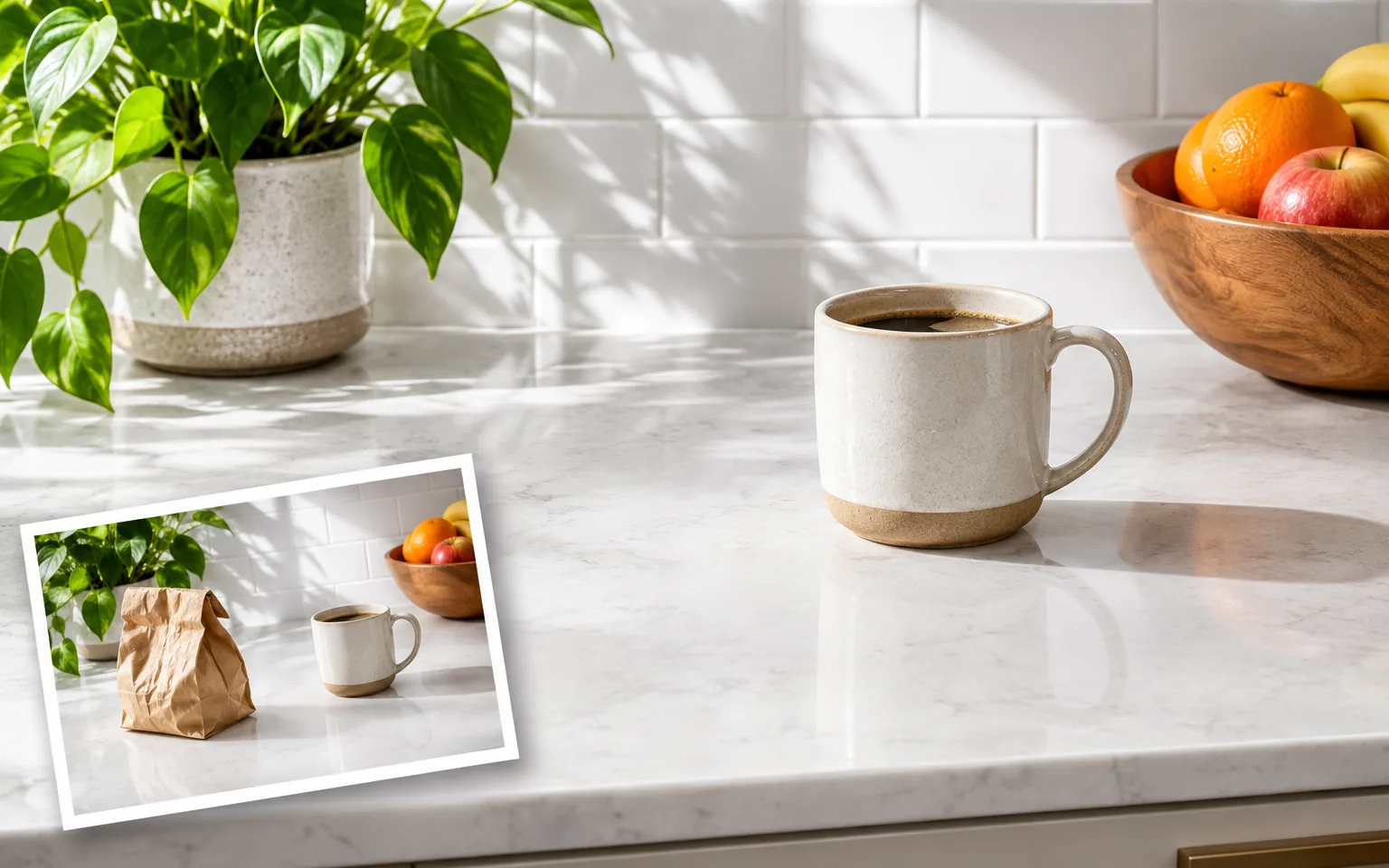
AI Object Remover helps you remove unwanted objects from a photo while rebuilding the space they covered. Upload one image, identify the distraction in ordinary language, and generate a cleaner version that keeps the main subject, framing, light and visual character of the source.

  • Image Upscaler
  • Image Enhancer
  • Unblur Image
  • Denoise Image
  • Face Swap
  • Camera Angle Changer
  • Image Relight
  • Background Changer
  • Watermark Remover
  • Object Remover
  • All Tools
Object Remover
Why use it

Why use AI Object Remover for photo cleanup

Target the distraction, not the whole scene

Describe the item that should disappear, such as a loose cable, sign, bag or piece of background clutter. The editing instruction limits the change to that area while asking the model to preserve the main subject, other objects, composition and overall photographic style.

Try it now

Reconstruct the hidden area

Removing an object exposes pixels that were never visible in the source. The model infers a plausible continuation from nearby texture, perspective, light and color, which can produce a more integrated result than simply covering the unwanted item with a flat patch.

Try it now

Keep recognizable content stable

The system prompt tells the model to retain the main subject, people, framing and illumination. That boundary matters when cleaning product images, travel photographs or interiors where a broad restyle would solve the distraction but also change details you intended to keep.

Try it now

Compare models for difficult repairs

APIXO binds this tool to several image editing models. Fine textures, repeated patterns and partially hidden edges can be interpreted differently, so another supported model may produce a better reconstruction when the first result invents an implausible seam or shape.

Try it now
Capabilities

What AI Object Remover can clean up

Product photo clutter

Remove stands, packaging scraps or unrelated props while keeping the merchandise shape, materials, color and labels consistent.

Travel distractions

Clear bins, cones, signs or loose items from a scene without intentionally replacing the landmark, traveler or surrounding atmosphere.

Interior cleanup

Simplify rooms by removing temporary clutter while asking the model to continue floors, walls, furniture edges and shadows naturally.

Portrait distractions

Erase small foreground or background items that pull attention away from a portrait while preserving the person and identity.

Creative asset cleanup

Prepare a cleaner visual before using Background Changer or Image Relight, giving the next edit fewer competing elements to interpret.

Repeatable API workflows

Prototype the instruction in the workbench, then use a supported model API when a product pipeline needs the same cleanup pattern.

Who uses AI Object Remover
Who it is for

Who uses AI Object Remover

Online sellers

Clean listing photographs by removing setup debris or irrelevant props before publishing products across a catalog or marketplace.

Photographers

Produce an alternate composition when a strong frame contains one removable distraction but does not justify rebuilding the edit manually.

Property teams

Reduce temporary room clutter in images you are authorized to edit while keeping permanent features and proportions represented honestly.

Content designers

Simplify source images before adding campaign copy, changing the background or adapting a visual for a different placement.

Models

Models behind this tool

  • OpenAI logoGPT-Image-2.5OpenAI
  • OpenAI logoGPT-Image-2OpenAI
  • ByteDance logoSeedream 5.0 ProByteDance
  • ByteDance logoSeedream 5.0ByteDance
  • ByteDance logoSeedream 4.5ByteDance
  • Google logoNano Banana ProGoogle
  • Google logoNano Banana 2Google
  • Google logoNano BananaGoogle
  • Alibaba logoQwen Image 3.0 ProAlibaba
  • Alibaba logoQwen Image 3.0Alibaba
  • Black Forest Labs logoFlux 2Black Forest Labs
  • Black Forest Labs logoFlux KontextBlack Forest Labs
  • Midjourney logoMidjourneyMidjourney
  • MiniMax logoMiniMax Image 01MiniMax
  • Alibaba logoWan 2.6 ImageAlibaba
  • Alibaba logoWan 2.5 ImageAlibaba
  • xAI logoGrok ImagexAI
How it works

How to use AI Object Remover

Try it now
01

Upload the source image

Choose a clear photo where the unwanted item and enough of its surrounding area are visible for reconstruction.

02

Describe what should disappear

Identify the object and location precisely, and mention nearby details that must stay unchanged if the scene is busy.

03

Generate and inspect the repair

Review edges, patterns and shadows in the rebuilt area, then download the strongest result or refine the instruction.

Tips & FAQ

Get better results

Tips

01

Name the unwanted object and its location, especially when similar items appear elsewhere and should remain.

02

Leave visible context around the object so the model can infer texture, depth, perspective and shadow continuity.

03

Remove one visually connected distraction at a time when several objects overlap different background surfaces.

04

Inspect repeated lines, tiles, railings and text after generation because structured patterns expose reconstruction errors quickly.

05

Try another supported model when the first result changes a nearby edge or invents an unsuitable background detail.

Frequently Asked Questions

AI Object Remover is a prompt-guided image editing workflow that removes a described item and generates a plausible replacement for the area it occupied. It is designed for one uploaded image and works without a separate mask, so a precise description and visible surrounding context are important.

Upload the image, describe the object and where it appears, then submit the generation. Review whether the hidden surface was continued naturally and whether nearby content stayed stable. If not, narrow the instruction, clarify what must remain, or compare another available model.

The model must imagine information hidden behind the removed item. Results can be uncertain when an object covers a face, important product detail, complex lettering or a large part of a unique scene. Treat the output as a generated reconstruction and check critical details before use.

Use a clear image accepted by the upload control. A well-lit source with visible edges and enough surrounding context gives the model more information to preserve important details. Very small, heavily compressed, blocked or ambiguous areas can make reconstruction and fine lettering less consistent.

Generation uses credits based on the model and parameters selected for the task. The workbench shows an estimate before submission, so you can review the expected charge before starting. Switching models or output settings can change that estimate without changing the purpose of the tool.

Yes. The models that power the workbench are also available through APIXO APIs for developers building repeatable image workflows. The related model pages explain current request fields and response handling. Use the workbench for visual testing, then choose the matching model documentation for integration.

Commercial use depends on your rights to the source image, its people, logos, artwork and other protected material, together with the terms that apply to your selected model and destination. Only upload content you are authorized to edit, and review relevant permissions before publishing or selling the result.

More tools

  • Text to Image
  • Image to Image
  • Image Upscaler
  • Image Enhancer
  • Photo Restoration
  • Unblur Image
  • Image Sharpener
  • Denoise Image
  • Face Enhancer
  • Photo Retouching
  • Unpixelate Image
  • Face Swap
  • Head Swap
  • Colorize Photo
  • Camera Angle Changer
  • Image Relight
  • Change Color of Image
  • Face Editor
  • Edit Text in Image
  • Image Translator
  • Background Changer
  • Background Remover
  • Image Layer Decomposition
  • White Background
  • Blur Background
  • Change Background Color
  • Product Staging
  • Product Beautifier
  • Flat Lay Generator
  • Ghost Mannequin
  • Product Photo Generator
  • Clone Product Image
  • Watermark Remover
  • Remove Text from Image
  • People Remover
  • Photo to Anime
  • Photo to Sketch
  • Photo to Cartoon
  • Photo to Painting
  • AI Filter
  • Vintage Filter
  • Black and White Filter
  • Glitch Effect
  • Photo to 3D Cartoon
  • Cartoon Avatar Maker

Clear the distraction with AI Object Remover

Upload one image, say what should disappear, and get a cleaner composition that keeps the rest of the scene recognizable.

Try it now
  • Image Upscaler
  • Image Enhancer
  • Unblur Image
  • Denoise Image
  • Face Swap
  • Camera Angle Changer
  • Image Relight
  • Background Changer
  • Watermark Remover
  • Object Remover
  • All Tools