

Both models share the same modes and request format. Flash outputs 480p or 720p at a lower per-second rate and accepts up to 10 images, 5 videos, and 5 audio clips as references. Choose Seedance 2.5 when you need higher resolutions, larger reference sets, or Draft-to-Final workflows.
我们注意到您可能偏好使用 简体中文. 要切换语言吗?
Il semble que vous préfériez Français. Souhaitez-vous changer de langue ?
Es scheint, Sie bevorzugen Deutsch. Möchten Sie die Sprache wechseln?
Parece que prefieres Español. ¿Te gustaría cambiar de idioma?
Sembra che tu preferisca Italiano. Vuoi cambiare lingua?
優先言語は次のようです 日本語. 言語を切り替えますか?
선호하시는 언어는 다음과 같습니다 한국어. 언어를 변경하시겠습니까?
Похоже, вы предпочитаете Русский. Хотите сменить язык?
Tercih ettiğiniz dil Türkçe. Dili değiştirmek ister misiniz?
Wygląda na to, że wolisz Polski. Czy chcesz zmienić język?
Black Friday: Up to 66% off most AI models.
Explore the dealsSeedance 2.5 Flash is the lighter, lower-cost member of the Seedance 2.5 family from ByteDance. It keeps the three Seedance 2.5 creation modes, text-to-video, first-and-last-frames, and omni-reference, along with synchronized sound and long single generations, and focuses output on the resolutions most teams use for drafts, social clips, and high-volume production.
Create with Seedance 2.5 Flash
Capabilities
What you can direct with Seedance 2.5 Flash
Text-to-Video
Describe subjects, motion, camera moves, and sound in a prompt of up to 10,000 characters, then choose a fixed length from 4 to 30 seconds or let the model pick the duration.
First & Last Frames
Anchor a shot with a starting image, or give both a first and a last frame so the clip moves between two exact compositions. The output keeps the aspect ratio of your frames.
Omni Reference
Combine up to 10 images, 5 video clips, and 5 audio clips in a single request to guide characters, products, locations, motion, and sound.
Synchronized Sound
Sound is generated with the picture by default, so ambience, effects, and dialogue cues arrive in the same file. Turn it off when you plan to score the clip yourself.
Dynamic Duration
Let the model choose the length that fits the action. APIXO reserves 30 output seconds up front and refunds the difference once the actual length is known.
Lower Per-Second Rate
On APIXO, Flash costs less per second than Seedance 2.5 at the same resolution, which makes it easier to run many variations before choosing a final direction.
Model Details
Seedance 2.5 Flash on APIXO
ByteDance
Provider
Text / Image / Video / Audio
Input
Video + Audio
Output
480p / 720p
Resolution
4–30 s or Dynamic
Duration
3 Generation Modes
APIXO Controls
Workflow
Build a Seedance 2.5 Flash request step by step
Decide what you are starting from, describe the shot, set the output, then iterate on the drafts that work.
01
Pick the mode that matches your material
Start with text-to-video when you only have an idea, first-and-last-frames when you already have the opening or closing shot, and omni-reference when characters, products, motion, or sound should come from your own files.
02
Describe subject, action, camera, and sound
Say who or what is on screen, what happens in order, how the camera moves, and what the viewer should hear. Prompts can run up to 10,000 characters, so you can spell out timing beat by beat instead of relying on a single sentence.
03
Set resolution, duration, and aspect ratio
Use 480p while exploring prompts and 720p for clips you plan to publish. Choose a fixed length from 4 to 30 seconds when the edit needs exact timing, or dynamic duration when the action should decide.
04
Review, adjust, and scale up
Generation runs asynchronously, so poll the task status or receive a webhook callback. Change one variable at a time between drafts, and move a locked direction to Seedance 2.5 when the final delivery needs a higher resolution.
Prompt Tips
Writing prompts for Seedance 2.5 Flash
Short, concrete prompts with a clear order of events usually need fewer retries than long lists of adjectives.
Lead with subject and action
Open with the main subject and what it does, such as
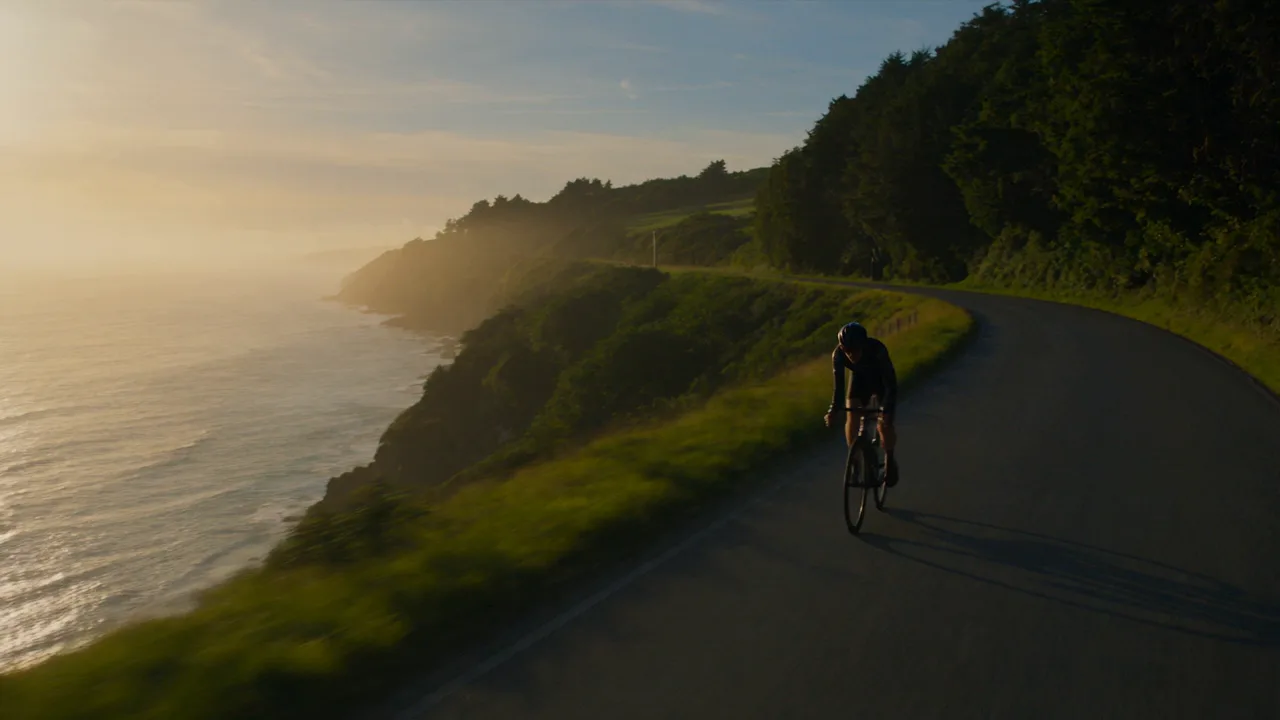
a cyclist rides along a coastal road at sunrise, before adding style or mood.Name one camera move per shot
Phrases like
tracking shot,slow push-in, orstatic wide shotgive the clip a clear point of view. Combining several moves in one short clip tends to blur the result.Spell out the sound
With sound on, list what should be heard, for example
wind, waves, and the hum of the tires. Mention dialogue or music only when you actually want it.Put events in order
For longer clips, write the beats in sequence with words like
first,then, andfinally, so actions happen one after another instead of all at once.Give every reference a job
In omni-reference mode, say which image is the character, which clip sets the motion, and which audio sets the rhythm, instead of uploading files without context.
End with what to avoid
Close the prompt with constraints such as
no text, no logos, no watermarkto keep the frame clean for editing and reuse.
Where Flash Fits
Projects that benefit from a lower per-second rate
Seedance 2.5 Flash is built for work where many drafts are made and only a few are kept.
Prompt Exploration
Run several versions of the same idea at 480p to compare framing, motion, and sound before spending on a final render.
Social and Feed Clips
Deliver short-form posts, stories, and in-app placements where 720p with synchronized sound is the size you publish.
Ad Variations
Keep the same product images in omni-reference mode and change the setting, hook, or aspect ratio to build a set of variations for testing.
Storyboards and Previs
Turn a script beat into a moving draft with first-and-last-frames, so a team can review pacing and blocking before committing to full production.
Draft-and-Final Pipelines
The request format matches Seedance 2.5, so an application can send drafts to Flash and finals to Seedance 2.5 without maintaining two integrations.
Predictable Budgets
Without reference video, a fixed duration bills exactly the seconds you choose, and dynamic duration settles to the actual length after success, which keeps batch costs easy to forecast.
Notes & FAQ
Seedance 2.5 Flash generation guidance
Notes
01
APIXO supports fixed Seedance 2.5 Flash durations from 4 to 30 seconds and dynamic duration. Dynamic requests reserve 30 output seconds and settle to the actual successful result.
02
Reference videos and audio clips must each be 2–30 seconds, with a combined length of up to 30 seconds per media type.
03
First-and-last-frames mode always uses the aspect ratio of your frames. Choose a fixed ratio only for text-to-video or omni-reference requests.
04
References guide identity, appearance, movement, and sound, but do not guarantee exact preservation of people, products, typography, or logos. Review every clip before publishing.
Frequently Asked Questions
Choose any whole number of seconds from 4 to 30, or use dynamic duration and let the model decide, capped at 30 seconds.
Billing is per second and depends on resolution and on whether an omni-reference request includes reference video. Images and audio references do not add billable seconds. See the Pricing tab for current rates.
Yes. Sound is on by default and is generated together with the video. You can also guide it with reference audio in omni-reference mode, or turn sound off.
Text-to-video and omni-reference requests accept 6 fixed ratios: 16:9, 4:3, 1:1, 3:4, 9:16, 21:9. First-and-last-frames requests use Auto, so the clip follows the shape of your frames.
Not at the moment. Flash currently outputs 480p or 720p. Choose Seedance 2.5 when a project needs a higher delivery resolution; prompts and references carry over unchanged.
Yes. Submit an asynchronous generation task with your APIXO API key, then poll the task status or receive a webhook callback. The API tab shows a request example built from the default Playground settings.
You are responsible for the prompts and reference files you submit and for how you publish the output. Use references you have the rights to, and review every clip for people, brands, and text before commercial release.
Explore Other Models
Discover more AI models for your next creative workflow
ByteDance


Seedance 2.5
Explore Seedance 2.5 for longer audiovisual storytelling, timeline direction, multimodal references, multilingual scenes, and selective video revision.
VideoNew
85 Credits/sec Video
ByteDance

Seedance 2.0 Fast
Generate 4–15 second Seedance 2.0 videos through APIXO using prompts, keyframes, mixed references, optional sound, and 480p or 720p output.
VideoNew
33 Credits/secByteDance
Seedance 2.0 Mini
Create 4–15 second Seedance 2.0 videos through APIXO’s Mini route using prompts, keyframes, mixed references, sound, and 480p or 720p output.
VideoNew
11 Credits/secByteDance
Seedance 2.0
Use Seedance 2.0 API on APIXO for text, keyframe, and multimodal video generation with audio, mixed references, 4–15 second clips, and up to 4K output.
VideoNew
56 Credits/secByteDance
Seedance 1.5 Pro
Generate 4–12 second text- or image-led videos with Seedance 1.5 Pro on APIXO, including optional native audio and start-to-end frame control.
VideoNew
11 Credits/secAlibaba

HappyHorse
Use Alibaba HappyHorse through APIXO for text, first-frame, multi-reference, and video-edit workflows with audio and 720p or 1080p output.
VideoNew
125 Credits/sec
MiniMax
MiniMax H3
Call MiniMax H3 through the APIXO API for 768p or 2K video with native stereo audio, from text, images, or mixed image and video references. Text-to-video, image-to-video, and reference-to-video from one endpoint. Also known as Hailuo 3.0.
VideoNew
100 Credits/secGoogle

Gemini Omni
Use Gemini Omni on APIXO for multimodal video generation with image, source-video, reusable audio, and character references plus output up to 4K.
VideoNew
100 Credits/sec