





APIXOAPIXO

Create

AI Video
AI Image
AI Audio

Library

GenerationsAssets

Explore

ModelsAI ToolsPricing
APIXOAPIXO
APIXO
APIXO

Create any content you can imagine. Trusted by millions of creators.

Support@apixo.ai

Models

Claude Sonnet 4.6
Face Swap
Flux 2
FLUX 3
Flux Kontext
Gemini 3.1 Pro Preview
Gemini Omni
GPT-5.5
GPT-Image-1
GPT-Image-2
GPT-Image-2.5
Grok Image
Grok Imagine Video 1.5
Grok Video
Hailuo 2.3
Hailuo 2.3 Fast
HappyHorse
Head Swap
Image Upscaler
Image Watermark Remover
InfiniteTalk
Kling 2.1
Kling 2.5 Turbo Pro
Kling 2.6
Kling 3.0 Omni
Kling 3.0 Std
Kling 3.0 Turbo
LTX-2 19B
Midjourney
MiniMax H3
MiniMax H3 LoRA
MiniMax Image 01
MiniMax Speech 2.8
MiniMax Voice
Nano Banana
Nano Banana 2
Nano Banana Pro
Qwen Image 3.0
Qwen Image 3.0 Pro
Seedance 1.5 Pro
Seedance 2.0
Seedance 2.0 Fast
Seedance 2.0 Mini
Seedance 2.5
Seedream 4.5
Seedream 5.0
Seedream 5.0 Pro
Sora 2
Sora 2 Pro
Suno V6
Veo 3.1
Video Upscaler
Video Watermark Remover
Vidu Q3
Wan 2.2 Animate
Wan 2.5
Wan 2.5 Image
Wan 2.6
Wan 2.6 Image
Wan 2.7
Wan 2.7 Image
Wan 3.0 Video
Wan 3.0 Video LoRA
Wan 3.0 Video Pro LoRA
Z-Image LoRA
Z-Image LoRA Pro

Product

FeaturedImage ModelsVideo ModelsAudio ModelsText Models

Resources

AffiliateCompany InformationTerms of ServicePrivacy PolicyRefund PolicyShipping / Digital Delivery Policy

Other

PricingAPI Docs

© 2026 APIXO. All rights reserved.

MODEL AVAILABILITY, PRICING, AND ROUTING CAN VARY BY PROVIDER AND REGION.

CreateGenerationsAssets
  1. Home
  2. Image Tools
  3. Denoise Image

AI Image Denoiser

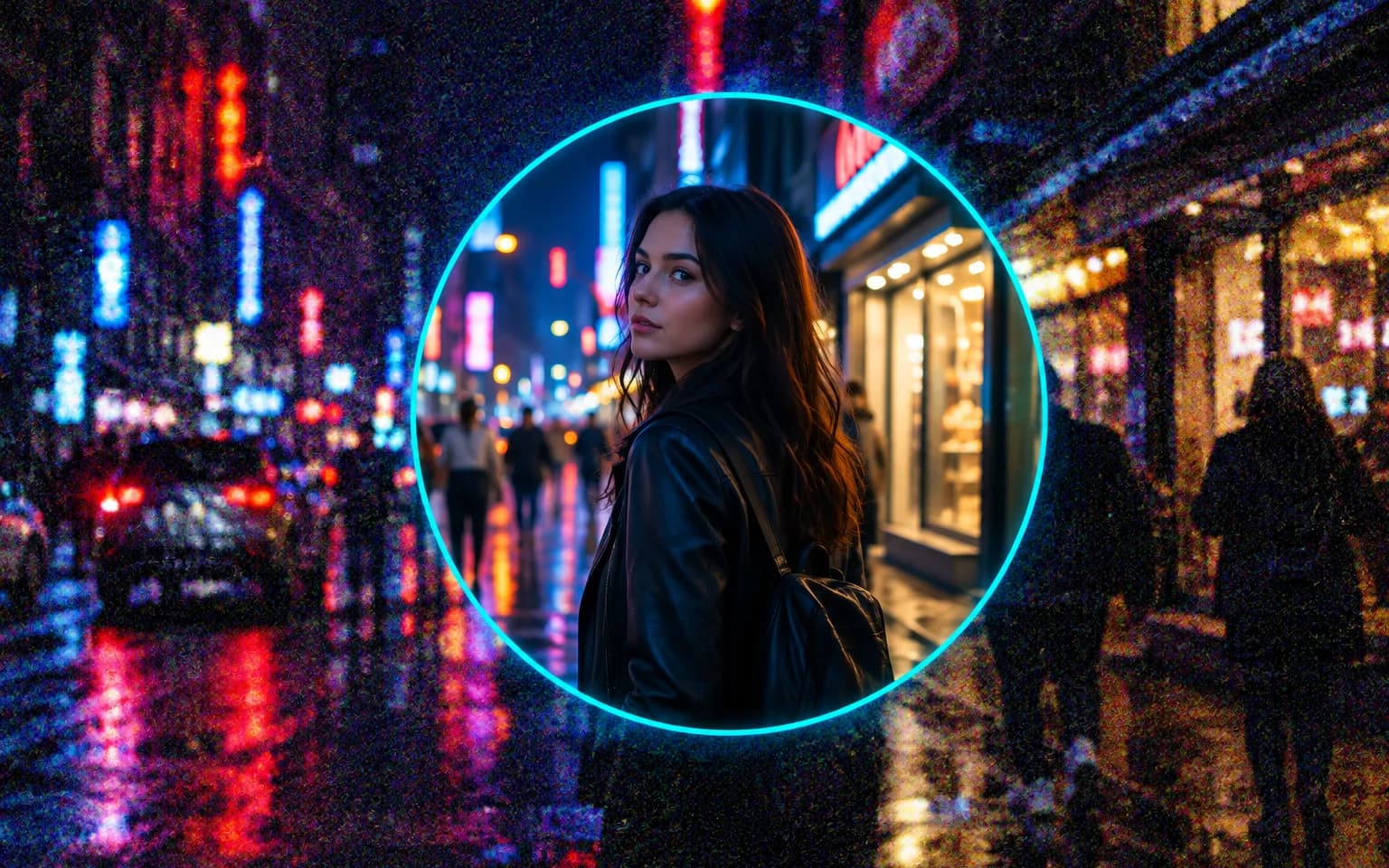
AI Image Denoiser removes the grain and color speckles that creep into low-light photos, while keeping real texture in skin, fabric and stone. It is a quick fix for night streets, dim restaurants and indoor events shot on a phone.

  • Image Upscaler
  • Image Enhancer
  • Unblur Image
  • Denoise Image
  • Face Swap
  • Camera Angle Changer
  • Image Relight
  • Background Changer
  • Watermark Remover
  • Object Remover
  • All Tools
Denoise Image
Why use it

Clean photos from dim light

Removes grain

Smooth out the speckled noise that shows up when a camera pushes its sensitivity at night or indoors. The fine salt-and-pepper texture spread across the frame is calmed without flattening the scene.

Try it now

Keeps real texture

Skin, fabric and surfaces avoid the waxy, painted look that heavy noise reduction usually leaves behind. The AI Image Denoiser is asked to separate grain from genuine surface detail, so brick, knitwear and stubble keep their character.

Try it now

Fixes color speckles

Clean up the red, green and blue dots that gather in shadows and dark skies. These blotches are often more distracting than the grain itself, and removing them leaves calm, even shadows.

Try it now

Exposure and mood are kept

Noise reduction is not a brightening tool. The photo keeps its exposure, colors and atmosphere, so a candlelit dinner still looks candlelit and a night street keeps its deep shadows. If you want the scene brighter, make that as a separate edit rather than expecting it here.

Try it now
Capabilities

Where AI Image Denoiser helps most

Night photos

Clean cityscapes, street lights and night skies, keeping the glow of lamps and signs without the speckled sky around them.

Indoor events

Tidy up photos from parties, concerts and venues where stage lighting or dim rooms forced a high sensitivity.

Phone camera noise

Reduce grain from small sensors in dim light, including the smudgy texture phones leave after their own processing.

Scanned film grain

Soften heavy grain in scans when you want a cleaner look, or calm it only slightly to keep the film character.

Brightened shadows

Clean the noise that appears after lifting an underexposed photo, where dark areas were pushed far beyond what the camera captured.

Pets and wildlife at dusk

Tidy fur and feathers photographed in fading light, where grain tends to blend into fine hair and blur the texture.

For photos taken when the light was low
Who it is for

For photos taken when the light was low

Photographers

Rescue high-sensitivity shots from events and night sessions without spending an evening in dedicated noise-reduction software.

Real estate and hospitality

Clean interior photos taken without extra lighting, where corners and ceilings often collect the heaviest noise.

Social media creators

Post clean night-out and concert photos that still carry the atmosphere of the room.

Families

Improve dim photos from birthdays and holidays, often taken indoors by candlelight or a single lamp.

Models

Models behind this tool

  • OpenAI logoGPT-Image-2.5OpenAI
  • OpenAI logoGPT-Image-2OpenAI
  • ByteDance logoSeedream 5.0 ProByteDance
  • ByteDance logoSeedream 5.0ByteDance
  • ByteDance logoSeedream 4.5ByteDance
  • Google logoNano Banana ProGoogle
  • Google logoNano Banana 2Google
  • Google logoNano BananaGoogle
  • Alibaba logoQwen Image 3.0 ProAlibaba
  • Alibaba logoQwen Image 3.0Alibaba
  • Black Forest Labs logoFlux 2Black Forest Labs
  • Black Forest Labs logoFlux KontextBlack Forest Labs
  • Midjourney logoMidjourneyMidjourney
  • MiniMax logoMiniMax Image 01MiniMax
  • Alibaba logoWan 2.6 ImageAlibaba
  • Alibaba logoWan 2.5 ImageAlibaba
  • xAI logoGrok ImagexAI
How it works

Clean a photo with AI Image Denoiser

Try it now
01

Upload your photo

Add the noisy photo you want to clean.

02

Add details if you like

Optionally say how strong the cleanup should be, or leave the box empty.

03

Generate and download

Start the task and download the clean photo.

Tips & FAQ

Get better results

Tips

01

If some grain is part of the look you want, ask for light noise reduction in the details box. A little texture often reads as more natural than a perfectly smooth result.

02

Denoise first, then sharpen if needed, rather than the other way round. Sharpening a noisy file makes every speck more pronounced.

03

Upload the original file; messaging apps add compression that looks like noise.

04

Brighten a dark photo before denoising rather than after, so the cleanup also handles the noise that brightening reveals.

05

Check the finest detail after cleanup, such as eyelashes, distant text or grass, because heavy noise can hide texture that then has to be guessed.

Frequently Asked Questions

It is instructed to keep pores, hair and fabric weave rather than smoothing everything flat. If you still prefer more grain, ask for a lighter touch in the details box. Portraits are the most sensitive case, since skin smoothed too far quickly stops looking like a photograph.

It can soften heavy grain in scanned film and prints. If the grain is part of the charm, ask for a light touch; for scratches, tears or fading, Photo Restoration is the better tool.

They clean different kinds of damage. Noise is random grain and colored specks produced by the camera sensor in low light, spread across the whole frame. Pixelation and compression damage are regular blocks, jagged steps and smudges created later by enlarging or repeatedly saving a file. Pick this tool for grainy night and indoor shots, and Unpixelate Image for blocky downloads, screenshots and over-compressed pictures.

When the noise is stronger than the detail beneath it, such as a face in near darkness or small print in a dim corner, the two cannot be separated and the area has to be rebuilt. Expect a softer or partly invented result there, and keep the original if accuracy matters. Fine patterns such as mesh fabric or distant foliage can also lose some crispness in the process.

It is designed to improve quality only; people, objects and composition stay the same.

It uses pay-as-you-go credits. The price is shown next to the Generate button before you start.

You can explore the page without signing in. Sign in when you are ready to generate.

More tools

  • Text to Image
  • Image to Image
  • Image Upscaler
  • Image Enhancer
  • Photo Restoration
  • Unblur Image
  • Image Sharpener
  • Face Enhancer
  • Photo Retouching
  • Unpixelate Image
  • Face Swap
  • Head Swap
  • Colorize Photo
  • Camera Angle Changer
  • Image Relight
  • Change Color of Image
  • Face Editor
  • Edit Text in Image
  • Image Translator
  • Background Changer
  • Background Remover
  • Image Layer Decomposition
  • White Background
  • Blur Background
  • Change Background Color
  • Product Staging
  • Product Beautifier
  • Flat Lay Generator
  • Ghost Mannequin
  • Product Photo Generator
  • Clone Product Image
  • Watermark Remover
  • Object Remover
  • Remove Text from Image
  • People Remover
  • Photo to Anime
  • Photo to Sketch
  • Photo to Cartoon
  • Photo to Painting
  • AI Filter
  • Vintage Filter
  • Black and White Filter
  • Glitch Effect
  • Photo to 3D Cartoon
  • Cartoon Avatar Maker

Clear the grain with AI Image Denoiser

Upload a noisy photo above and get a cleaner version that still looks natural, with its colors and lighting intact.

Try it now
  • Image Upscaler
  • Image Enhancer
  • Unblur Image
  • Denoise Image
  • Face Swap
  • Camera Angle Changer
  • Image Relight
  • Background Changer
  • Watermark Remover
  • Object Remover
  • All Tools