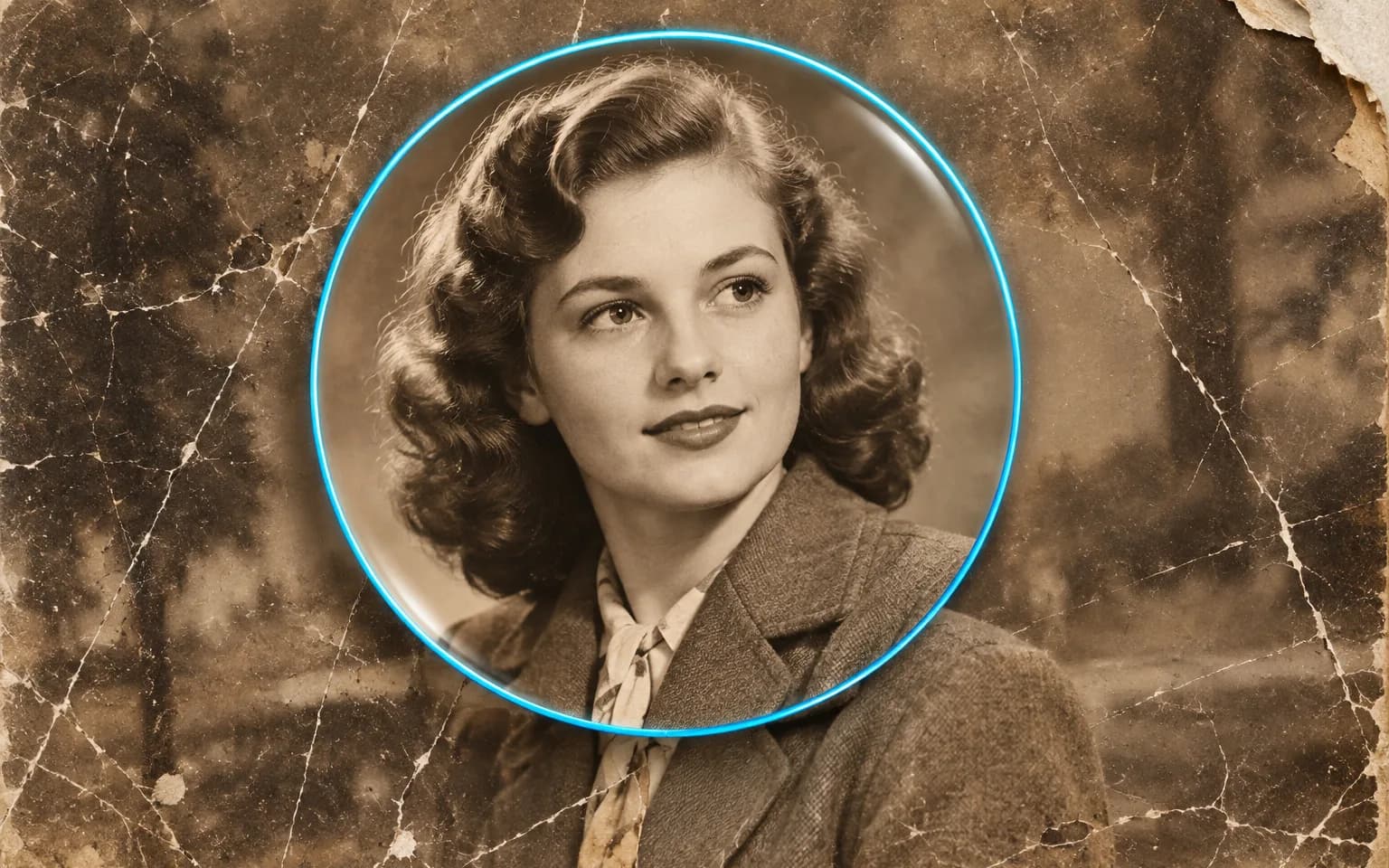

It is instructed to keep the same people, features and expressions. Where damage runs straight across a face, the missing part has to be reconstructed, so compare the result with the original before you print it.


Scratched, creased and faded prints get a second chance through AI Photo Restoration, which repairs the damage while keeping the people and the moment as they were. Scan the print, upload it, and dust, tears and lost contrast are dealt with in a single pass.
Scratches, dust, creases and water stains are cleaned from scanned prints and negatives. Marks that sit on top of the image, such as mold spots or tape residue, are treated as damage rather than as part of the scene.
Try it nowContrast and sharpness that faded over the years are brought back without an artificial, over-processed look. Washed-out blacks become deep again and highlights regain their separation, while the tone of the original print is kept.
Try it nowThe people, their expressions and the scene are kept as they were, not reimagined. Hairstyles, clothing and props from the period are left alone, so the photo still belongs to its era.
Try it nowOld prints rarely have a single problem. AI Photo Restoration handles scratches, fading, softness and stains together, so a typical album photo does not have to go through a chain of separate cleanup tools.
Try it nowClean spots and lines from scanned prints and negatives, including the fine white hairs left by a dusty scanner.
Fill in folded or torn areas so they blend with the photo, as long as the surrounding content is still visible.
Bring back depth to washed-out prints and to photos that faded after decades on a sunny wall.
Black-and-white photos stay black-and-white unless you ask for color, and sepia prints keep their warm tone.
Reduce tide lines, yellowed patches and discoloration left by damp storage or spilled liquid.
Tighten the softness of old lenses and calm heavy grain as part of the same restoration.
Repair scanned family albums before sharing or printing them, so relatives receive copies without cracks and stains.
Make faces and details in old portraits easier to see when documenting a family tree.
Prepare cleaner copies of historical images for display, while the untouched scan remains the record.
Restore a treasured photo for a frame or anniversary gift that will be looked at every day.
 GPT-Image-2.5OpenAIGPT-Image-2OpenAI
 Seedream 5.0 ProByteDanceSeedream 5.0ByteDanceSeedream 4.5ByteDance
 Nano Banana ProGoogleNano Banana 2GoogleNano BananaGoogle
 Qwen Image 3.0 ProAlibabaQwen Image 3.0Alibaba
 Flux 2Black Forest LabsFlux KontextBlack Forest Labs
 MidjourneyMidjourney
 MiniMax Image 01MiniMaxWan 2.6 ImageAlibabaWan 2.5 ImageAlibaba
 Grok ImagexAI
Add a scan or clear photo of the damaged print.
Optionally point out damage to focus on, or leave the box empty.
Start the task and download the restored photo.
Scan the print flat and evenly lit rather than photographing it at an angle. Glare and skewed perspective from a phone photo are harder to correct than the damage itself.
Crop away the scanner bed and album page before uploading. Borders and corner mounts left in the frame can be treated as part of the picture.
Want color too? Restore first, then run the result through Colorize Photo.
Scan at the highest resolution your scanner offers, since a small print holds more detail than a quick phone snapshot captures.
Keep the original scan untouched and save the restored version as a separate file; the repair is an interpretation, not a replacement.
It is instructed to keep the same people, features and expressions. Where damage runs straight across a face, the missing part has to be reconstructed, so compare the result with the original before you print it.
It handles scratches, dust, creases, stains, small tears and fading well. When a large part of the picture is missing, the tool has to invent what was there, so check those areas carefully and keep the original scan safe.
Those tools each fix one kind of problem on photos that are otherwise intact: Denoise Image removes sensor grain, Unblur Image and Image Sharpener deal with softness, and Face Enhancer clarifies faces. This tool is built for aged prints where the damage is mixed, such as scratches, creases, stains and fading together, and it keeps the look of the era. Start here with an old photo, and reach for a single-purpose tool afterwards only if one problem remains.
Only as a guess. When a torn corner, a hole or a stain has erased part of the picture, whatever appears there is generated to fit the surroundings, not recovered from the original. This matters most for faces, so if the features of a relative were badly damaged, show the result to people who knew them before treating it as a likeness.
Not by default. Use Colorize Photo, or ask for color in the details box.
It uses pay-as-you-go credits. The price is shown next to the Generate button before you start.
You can explore the page without signing in. Sign in when you are ready to generate.
Upload a scan above and repair the damage in one step.
Try it now