





APIXOAPIXO

Create

AI Video
AI Image
AI Audio

Library

GenerationsAssets

Explore

ModelsAI ToolsPricing
APIXOAPIXO
APIXO
APIXO

Create any content you can imagine. Trusted by millions of creators.

Support@apixo.ai

Models

Claude Sonnet 4.6
Face Swap
Flux 2
FLUX 3
Flux Kontext
Gemini 3.1 Pro Preview
Gemini Omni
GPT-5.5
GPT-Image-1
GPT-Image-2
GPT-Image-2.5
Grok Image
Grok Imagine Video 1.5
Grok Video
Hailuo 2.3
Hailuo 2.3 Fast
HappyHorse
Head Swap
Image Upscaler
Image Watermark Remover
InfiniteTalk
Kling 2.1
Kling 2.5 Turbo Pro
Kling 2.6
Kling 3.0 Omni
Kling 3.0 Std
Kling 3.0 Turbo
LTX-2 19B
Midjourney
MiniMax H3
MiniMax H3 LoRA
MiniMax Image 01
MiniMax Speech 2.8
MiniMax Voice
Nano Banana
Nano Banana 2
Nano Banana Pro
Qwen Image 3.0
Qwen Image 3.0 Pro
Seedance 1.5 Pro
Seedance 2.0
Seedance 2.0 Fast
Seedance 2.0 Mini
Seedance 2.5
Seedream 4.5
Seedream 5.0
Seedream 5.0 Pro
Sora 2
Sora 2 Pro
Suno V6
Veo 3.1
Video Upscaler
Video Watermark Remover
Vidu Q3
Wan 2.2 Animate
Wan 2.5
Wan 2.5 Image
Wan 2.6
Wan 2.6 Image
Wan 2.7
Wan 2.7 Image
Wan 3.0 Video
Wan 3.0 Video LoRA
Wan 3.0 Video Pro LoRA
Z-Image LoRA
Z-Image LoRA Pro

Product

FeaturedImage ModelsVideo ModelsAudio ModelsText Models

Resources

AffiliateCompany InformationTerms of ServicePrivacy PolicyRefund PolicyShipping / Digital Delivery Policy

Other

PricingAPI Docs

© 2026 APIXO. All rights reserved.

MODEL AVAILABILITY, PRICING, AND ROUTING CAN VARY BY PROVIDER AND REGION.

CreateGenerationsAssets
  1. Home
  2. Image Tools
  3. Face Enhancer

AI Face Enhancer

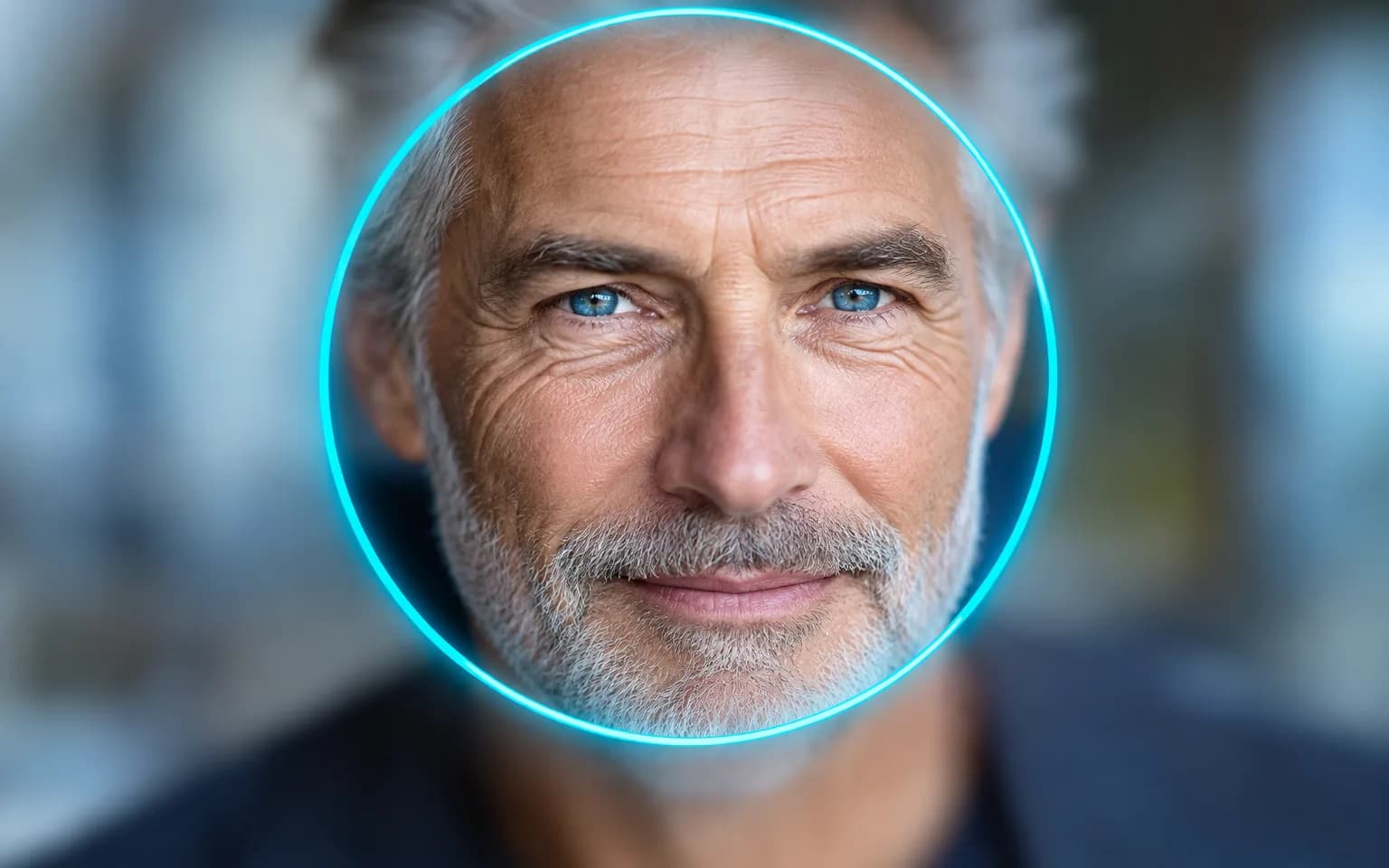
Soft, blurry or low-resolution faces regain clear, natural detail with the AI Face Enhancer, and nobody ends up looking like someone else. Eyes, skin and hair get sharper definition while face shape, age and expression stay put. Only use photos you have the right to edit.

  • Image Upscaler
  • Image Enhancer
  • Unblur Image
  • Denoise Image
  • Face Enhancer
  • Face Swap
  • Camera Angle Changer
  • Image Relight
  • Background Changer
  • Watermark Remover
  • Object Remover
  • All Tools
Face Enhancer
Why use it

Clearer faces, same people

Sharper eyes and features

Blurry or soft faces gain natural definition around the eyes, brows, lips and hairline. Catchlights, individual lashes and the rim of the iris are what make a face read as in focus, and that is where the difference shows most.

Try it now

Identity is kept

Face shape, age, expression and makeup stay as they were; there is no beautifying or reshaping. Wrinkles, scars and natural asymmetry are part of a real face and are meant to survive the enhancement.

Try it now

For photos you may edit

Only process photos of yourself or of people who agreed to it.

Try it now

Faces first, scene untouched

The AI Face Enhancer concentrates on faces and leaves the background, clothing and composition as they were. A group photo or street portrait still looks like the same picture, only with people who are easier to make out.

Try it now
Capabilities

Photos the AI Face Enhancer can rescue

Low-resolution portraits

Improve faces from small thumbnails or heavily cropped images, such as a single person cut from a wider shot.

Group photos

Clarify small faces in the background of a group shot, either everyone or only the person you name.

Old photos

Make faces in scanned prints and faded snapshots easier to see once the physical damage has been repaired with Photo Restoration.

Video stills and screenshots

Clean up faces in frames you captured yourself, where motion and compression softened the features.

Video call captures

Improve faces in screenshots of your own calls, where small webcams and poor room light leave features soft.

Front camera selfies

Recover definition lost to the small lenses and heavy smoothing of front-facing phone cameras in dim rooms.

For portraits you are allowed to edit
Who it is for

For portraits you are allowed to edit

Families

Clarify faces in treasured family photos, including relatives who appear in only a handful of pictures.

Professionals

Improve your own profile photo for work sites when the best expression happened to come out soft.

Social media creators

Polish selfies and portraits before posting while keeping the face recognizably your own, with pores and freckles intact.

Event photographers

Rescue soft faces in client photos you are hired to edit, such as guests caught slightly out of focus or faces at the edge of a wide frame.

Models

Models behind this tool

  • OpenAI logoGPT-Image-2.5OpenAI
  • OpenAI logoGPT-Image-2OpenAI
  • ByteDance logoSeedream 5.0 ProByteDance
  • ByteDance logoSeedream 5.0ByteDance
  • ByteDance logoSeedream 4.5ByteDance
  • Google logoNano Banana ProGoogle
  • Google logoNano Banana 2Google
  • Google logoNano BananaGoogle
  • Alibaba logoQwen Image 3.0 ProAlibaba
  • Alibaba logoQwen Image 3.0Alibaba
  • Black Forest Labs logoFlux 2Black Forest Labs
  • Black Forest Labs logoFlux KontextBlack Forest Labs
  • Midjourney logoMidjourneyMidjourney
  • MiniMax logoMiniMax Image 01MiniMax
  • Alibaba logoWan 2.6 ImageAlibaba
  • Alibaba logoWan 2.5 ImageAlibaba
  • xAI logoGrok ImagexAI
How it works

Sharpen faces with the AI Face Enhancer

Try it now
01

Upload your photo

Add a photo you have the right to edit.

02

Add details if you like

Optionally say which face to focus on, or leave the box empty.

03

Generate and download

Start the task and download the enhanced photo.

Tips & FAQ

Get better results

Tips

01

Faces that fill more of the frame give the most reliable results.

02

Name the person to focus on in the details box when there are several faces.

03

Fix heavy blur, grain or scratches with the matching tool first, then enhance faces as the final step. Enhancing a face that is still scratched or grainy can sharpen the damage along with the features.

04

Compare eyes, teeth and jewelry with the original at full size, since these small details are the most likely to be reconstructed rather than recovered.

05

Only upload photos of yourself or of people who agreed to it.

Frequently Asked Questions

No. It improves clarity only and is instructed not to beautify, slim or reshape anyone. Makeup, freckles and wrinkles that were in the photo are meant to stay there. If a result looks subtly unlike the person, try another model or a sharper source rather than accepting it.

Yes. It can clarify faces in scanned prints and the small faces at the back of a group shot. The larger a face is in the frame, the more reliable the result, so crop tightly when only one person matters. Faces turned far to the side or partly covered by hands or hair are harder and may improve less.

Only if you have that person’s permission to edit their photo.

They fix different problems. This tool improves clarity: it recovers definition in faces that are blurry, noisy or low in resolution, and deliberately leaves skin as it is. Photo Retouching assumes the face is already sharp and works on appearance, such as shine, temporary blemishes and uneven tone. If a portrait is both soft and blotchy, enhance it first and then retouch the clearer result.

Not reliably. When a face is little more than a smudge, there is too little information to rebuild it faithfully, and the output may look sharp while resembling someone else. Treat such results as a clearer impression of the moment and never use them to identify a person. Heavily compressed faces behave the same way, even when the image itself is large.

It uses pay-as-you-go credits. The price is shown next to the Generate button before you start.

You can explore the page without signing in. Sign in when you are ready to generate.

More tools

  • Text to Image
  • Image to Image
  • Image Upscaler
  • Image Enhancer
  • Photo Restoration
  • Unblur Image
  • Image Sharpener
  • Denoise Image
  • Photo Retouching
  • Unpixelate Image
  • Face Swap
  • Head Swap
  • Colorize Photo
  • Camera Angle Changer
  • Image Relight
  • Change Color of Image
  • Face Editor
  • Edit Text in Image
  • Image Translator
  • Background Changer
  • Background Remover
  • Image Layer Decomposition
  • White Background
  • Blur Background
  • Change Background Color
  • Product Staging
  • Product Beautifier
  • Flat Lay Generator
  • Ghost Mannequin
  • Product Photo Generator
  • Clone Product Image
  • Watermark Remover
  • Object Remover
  • Remove Text from Image
  • People Remover
  • Photo to Anime
  • Photo to Sketch
  • Photo to Cartoon
  • Photo to Painting
  • AI Filter
  • Vintage Filter
  • Black and White Filter
  • Glitch Effect
  • Photo to 3D Cartoon
  • Cartoon Avatar Maker

Bring faces into focus with the AI Face Enhancer

Upload a photo you are allowed to edit above.

Try it now
  • Image Upscaler
  • Image Enhancer
  • Unblur Image
  • Denoise Image
  • Face Enhancer
  • Face Swap
  • Camera Angle Changer
  • Image Relight
  • Background Changer
  • Watermark Remover
  • Object Remover
  • All Tools