
No. The result is a flat image rendered in an animated-movie style, not a rigged model you can pose or animate in other software. It cannot be turned around to show the back of the head or imported into a game engine.


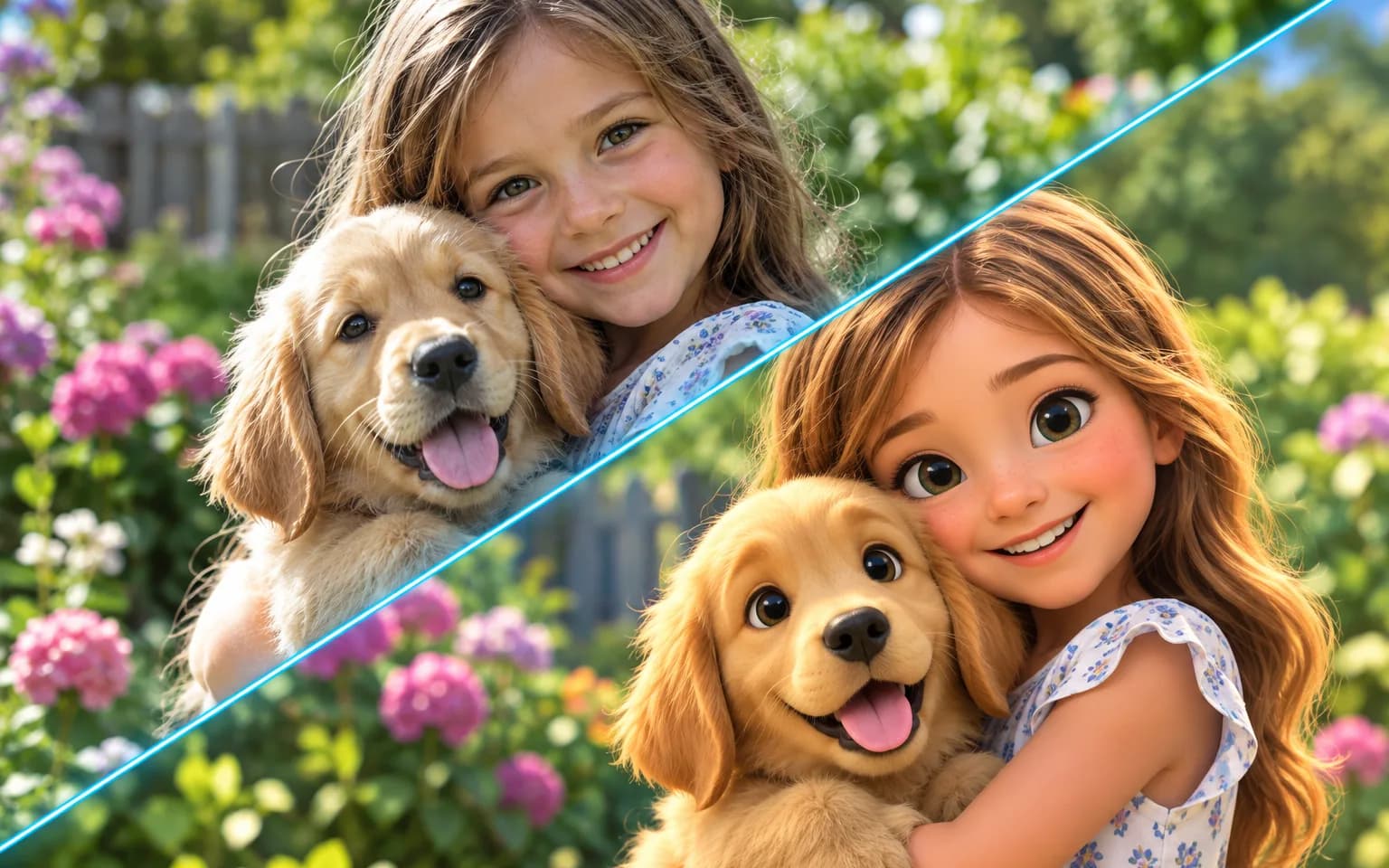
AI Photo to 3D Cartoon conversion turns a picture of a person, pet or scene into a polished render that looks lifted from a family animated film. Soft materials, rounded proportions and cinematic light are added, while pose, expression and outfit colors follow your photo. The output is a finished still image with a dimensional, rendered look, not a model file you can rotate, rig or animate.
Smooth materials, soft proportions and cinematic lighting give every subject a big-screen finish. Skin, fur and fabric become clean, slightly glossy surfaces with gentle shadows, so the image reads as a frame from a family film rather than a drawing.
Try it nowPose, expression, hairstyle and outfit colors follow the photo, so friends can tell who the character is. Eyes grow larger and shapes rounder as part of the style, so expect a charming caricature rather than a precise likeness.
Try it nowThe style is generic; it does not copy characters from existing films. The tool is instructed not to add borrowed characters, logos or studio designs, so your subject becomes a new character of its own.
Try it nowSoft key light, rim highlights and a clear separation between subject and background give AI Photo to 3D Cartoon renders a sense of volume that flat cartoon styles lack. That dimensional finish suits posters, greeting cards and hero images where the character should feel present in a scene.
Try it nowTurn a selfie into a stylized animated character with expressive eyes and soft, rounded features.
Give a dog, cat or rabbit an animated-movie makeover that keeps its markings and coat color.
Convert everyone in a photo at once, as long as each face is large and clearly visible.
Describe a new background, such as a snowy village or a sunny beach, rendered in the same polished style.
Ask for knight armor, a space suit or a festive sweater while the face and pose still follow your photo.
Picture the whole family as animated characters for a holiday card or party poster, then add greetings in your own layout.
Make animated versions of yourself for posts, profile headers and reaction images that still match your real look.
Create fun pictures of kids and pets for birthday cards, party invitations and bedroom posters.
Print an animated-style portrait as a unique gift, framed or on a mug, after checking every face up close.
Create friendly animated mascots from team or shop photos for menus, signage and social posts.
 GPT-Image-2.5OpenAIGPT-Image-2OpenAI
 Seedream 5.0 ProByteDanceSeedream 5.0ByteDanceSeedream 4.5ByteDance
 Nano Banana ProGoogleNano Banana 2GoogleNano BananaGoogle
 Qwen Image 3.0 ProAlibabaQwen Image 3.0Alibaba
 Flux 2Black Forest LabsFlux KontextBlack Forest Labs
 MidjourneyMidjourney
 MiniMax Image 01MiniMaxWan 2.6 ImageAlibabaWan 2.5 ImageAlibaba
 Grok ImagexAI
Add the photo you want to convert. A clear, front-lit face and a visible outfit give the render the most to work with.
Optionally describe a scene, outfit or season, or leave the box empty for the standard animated look.
Start the task, compare the character with your photo, and download your animated cartoon.
Use a well-lit photo where faces are clearly visible.
Describe a background or outfit in the details box to set the scene.
Only upload photos of people who agree to being converted.
AI Photo to 3D Cartoon works best when the face fills a good share of the frame; tiny or partly hidden faces lose likeness once proportions are stylized.
Describe costumes and scenes in your own words instead of naming a film or a trademarked character, which the tool will not copy.
No. The result is a flat image rendered in an animated-movie style, not a rigged model you can pose or animate in other software. It cannot be turned around to show the back of the head or imported into a game engine.
Photo to Cartoon makes flat, outlined illustrations, closer to a comic panel, and Cartoon Avatar Maker crops to a head-and-shoulders profile picture on a solid background. This tool makes soft, shaded renders with depth and lighting, closer to a frame from an animated feature, and keeps the full composition of your photo. Choose it for posters, cards and scenes, Photo to Cartoon for stickers and bold graphics, and Cartoon Avatar Maker when you only need a profile icon.
No. The style is a generic animated look, and the tool does not reproduce characters, logos or designs from existing movies. Your subject becomes an original character.
Stylization enlarges eyes and rounds out faces, so the result is a caricature of your subject rather than an exact portrait. Hands, lettering on clothing, small accessories and people at the back of a group are the details most likely to change. Check faces before printing, and use Image Upscaler if a large print needs more pixels than the render provides.
It uses pay-as-you-go credits. The price is shown next to the Generate button before you start.
You can explore the page without signing in. Sign in when you are ready to generate.
Upload a photo above, add a scene or costume if you like, and download a polished animated character that still looks like your subject.
Try it now