
The default is black and white graphite. Ask for colored pencil in the details box if you want color, and name a palette if you have one in mind. Because the tool is tuned for graphite, requested color can come back light or only partly applied.


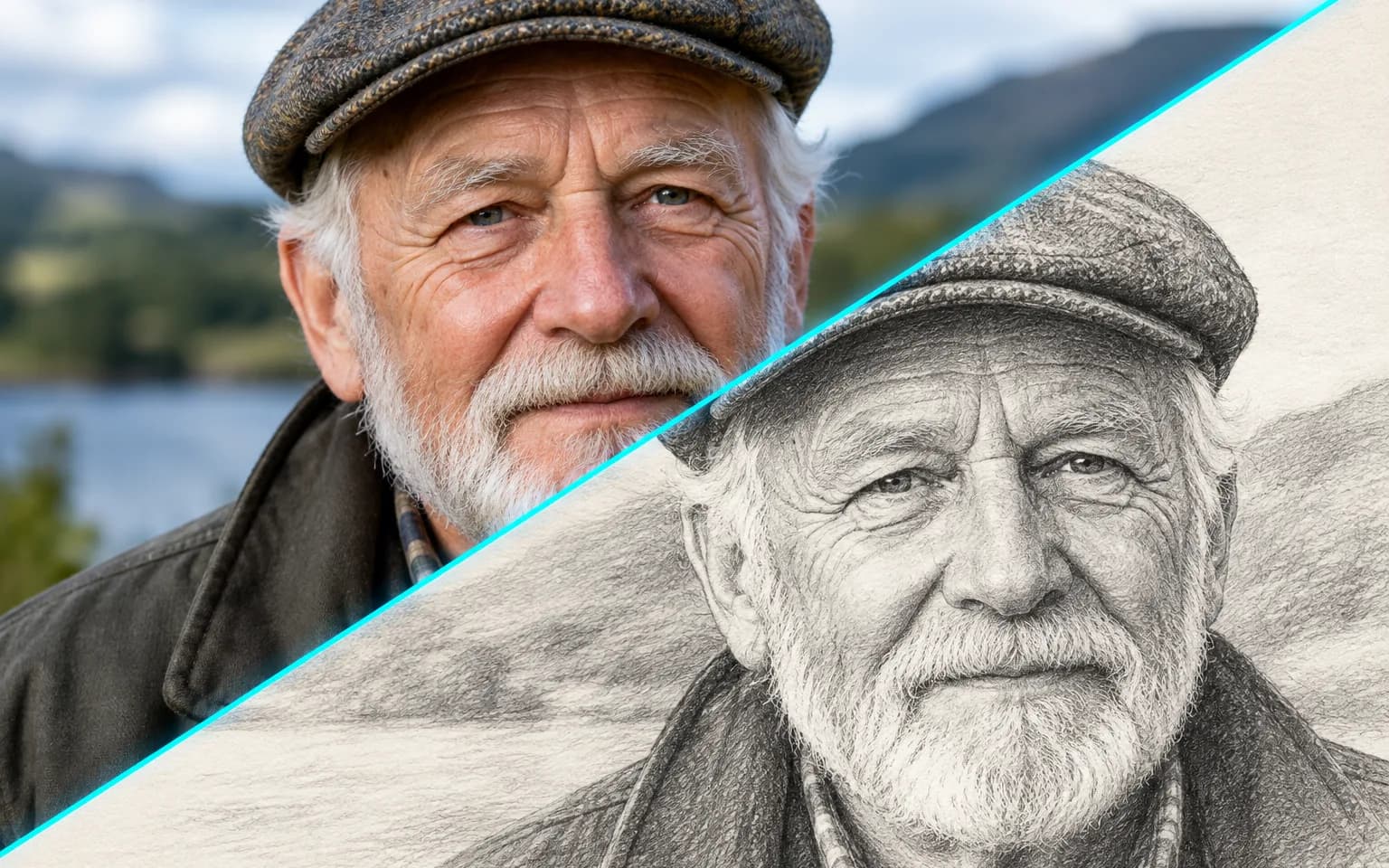
Skip the hours at the drawing table: the AI Photo to Sketch Converter redraws your photo as a pencil sketch with clean lines and soft graphite shading. Faces, buildings and pets stay recognizable, and a few words switch the medium to charcoal, ink or colored pencil. The drawing lands on plain white paper without text, logos or watermarks, so it drops straight into a card or print layout.
Clean lines and graphite shading on a paper-white background, with lighter strokes where a real artist would ease off. Tone is built from soft pencil marks rather than photographic gradients, so skin, fabric and sky turn into the hatching and smudging you would see in a sketchbook.
Try it nowPose, features and composition follow the original photo. Because a sketch leaves areas of paper blank on purpose, small or low-contrast details may be reduced to a few lines rather than drawn in full.
Try it nowThe sketch style is built in, so the details box is only for changes such as charcoal or looser lines. Leave it empty for classic graphite, or add one short direction about medium, line weight or level of detail.
Try it nowThe AI Photo to Sketch Converter keeps the background a clean paper white and adds no signature or frame. That neutral ground is easy to print on cards, frame behind glass or place on a light page layout next to your own lettering.
Try it nowTurn selfies and portraits into drawn likenesses with soft shading around the eyes and hair.
Sketch buildings, streets and interiors with crisp perspective lines for house portraits and travel journals.
Draw animals, products and still life from photos, keeping fur direction and silhouettes readable.
Ask for lighter lines, charcoal shading or a simpler outline.
Request charcoal for deep, smudged blacks or ink for crisp, high-contrast line work.
Ask for loose, minimal lines when you need a light outline for invitations, coloring pages or early design drafts.
Post artistic versions of your photos, or pair a sketch with the original for a before-and-after post.
Make a sketch of a person, pet or home for a card or frame, where the neutral paper suits any room.
Use a sketch as a reference for your own drawing and study how tone and edges translate into line.
Create hand-drawn style visuals for menus, invitations, packaging and posters.
 GPT-Image-2.5OpenAIGPT-Image-2OpenAI
 Seedream 5.0 ProByteDanceSeedream 5.0ByteDanceSeedream 4.5ByteDance
 Nano Banana ProGoogleNano Banana 2GoogleNano BananaGoogle
 Qwen Image 3.0 ProAlibabaQwen Image 3.0Alibaba
 Flux 2Black Forest LabsFlux KontextBlack Forest Labs
 MidjourneyMidjourney
 MiniMax Image 01MiniMaxWan 2.6 ImageAlibabaWan 2.5 ImageAlibaba
 Grok ImagexAI
Add the photo you want drawn. A clear subject against a simple background gives the drawing clean edges to follow.
Optionally describe the medium or level of detail, or leave the box empty for classic graphite.
Start the task, compare the likeness with your photo, and download your sketch.
Photos with a clear subject and simple background give the cleanest line work.
Use the details box to ask for a specific medium, such as charcoal or ink.
Only upload photos of people who agree to being drawn.
The AI Photo to Sketch Converter relies on light and shadow to decide where lines go, so brighten a dim photo before uploading.
Ask for looser, minimal lines if the first result feels too dense, especially for busy street scenes or patterned clothing.
The default is black and white graphite. Ask for colored pencil in the details box if you want color, and name a palette if you have one in mind. Because the tool is tuned for graphite, requested color can come back light or only partly applied.
Well-lit photos with a clear subject and an uncluttered background. Busy scenes turn into a tangle of lines, so crop close to the person, pet or building you care about.
A filter traces edges mechanically, which often leaves noisy lines and blotchy shading. This tool redraws the image, choosing which lines matter and shading the rest the way a pencil would, so the result reads as a drawing rather than an effect.
Choose by whether color matters. This tool draws in line and graphite tone on white paper, which suits portraits, architecture and designs that need a clean, hand-drawn feel. Photo to Painting builds the image from color and brushstrokes, with oil as the default and watercolor or gouache on request. For a portrait that feels like a study, sketch it; for rich color on a framed print, paint it.
A sketch simplifies the photo, so fine text, logos, jewelry and textured backgrounds may be reduced to a few strokes or left out. Very dark or low-contrast photos give the drawing few edges to follow. The result is a raster image of a drawing rather than vector line art, so plotters and cutting machines need a traced version first.
It uses pay-as-you-go credits. The price is shown next to the Generate button before you start.
You can explore the page without signing in. Sign in when you are ready to generate.
Upload a photo above, name a medium if you want something other than graphite, and download a pencil sketch on clean white paper.
Try it now