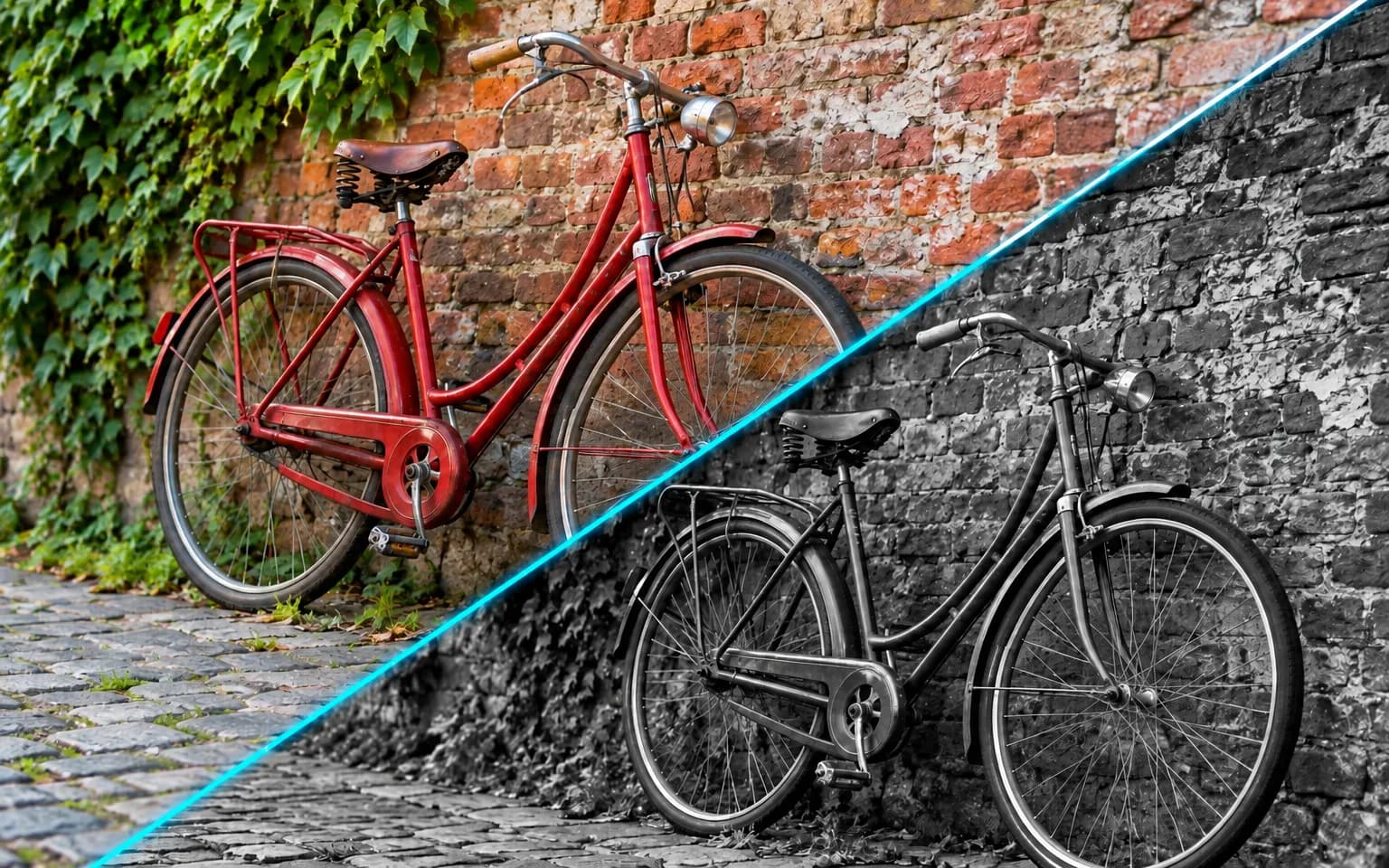

Desaturation simply strips the color and often leaves a muddy, low-contrast result. This tool rebalances tones and contrast across the frame, so the image looks like it was meant to be monochrome.


The AI Black and White Photo Filter turns a color picture into a finished monochrome image with deep blacks, clean whites and a full range of grays. Ask for high-contrast drama or a soft matte finish, or leave the details empty for a balanced fine-art look. It is designed for photos you want to present in monochrome, not just a quick grayscale copy.
Tones are rebalanced across the frame, so skies, skin and shadows each keep their own shade of gray instead of collapsing into a flat copy. Colors that happen to share the same brightness, such as a red coat against green grass, are given different grays where possible so they stay distinguishable.
Try it nowAsk for high-contrast drama, a soft matte look or a faint sepia tint in the details box. You can also describe where the weight should sit, for example bright and airy for a wedding or dark and brooding for a stormy street.
Try it nowColor, tone and mood change; subjects and composition stay the same. Nothing is added, removed or cropped, so the monochrome version lines up with the color original if you want to show them side by side.
Try it nowFilm photographers once used colored glass to shape monochrome tones. Describe the same idea in words: a red filter look darkens blue skies and makes clouds stand out, while a green filter look lightens foliage. The AI Black and White Photo Filter applies that effect without any physical filter.
Try it nowTimeless monochrome portraits with flattering contrast that draws attention to eyes and expression.
Emphasize light, shadow and strong lines once color stops competing for attention, from wet pavements to glass facades.
Dramatic skies, textured rock and layered hills with plenty of tonal separation.
Ask for a subtle sepia or cool selenium-style tone on top of the gray scale.
Turn scenes with clashing orange streetlights and blue daylight into clean, consistent monochrome, where the color casts simply become different grays.
Push a frame toward bright, airy whites or toward deep blacks with only a few highlights.
Create fine-art monochrome versions of shots for a portfolio or print sale, with a tonal look that suits each frame.
Give a feed or series a consistent monochrome style by reusing the same short description.
Make wedding and family photos feel timeless for albums and framed prints, especially when mixed indoor lighting made the colors unflattering.
Create elegant monochrome visuals for print and web that sit calmly beside bold brand colors.
 GPT-Image-2.5OpenAIGPT-Image-2OpenAI
 Seedream 5.0 ProByteDanceSeedream 5.0ByteDanceSeedream 4.5ByteDance
 Nano Banana ProGoogleNano Banana 2GoogleNano BananaGoogle
 Qwen Image 3.0 ProAlibabaQwen Image 3.0Alibaba
 Flux 2Black Forest LabsFlux KontextBlack Forest Labs
 MidjourneyMidjourney
 MiniMax Image 01MiniMaxWan 2.6 ImageAlibabaWan 2.5 ImageAlibaba
 Grok ImagexAI
Add the color photo you want to convert, ideally a sharp one with clear light.
Optionally describe the contrast or tone, or leave the box empty.
Start the task, check skin and sky tones, then download the black-and-white photo.
Photos with strong light and shadow make the most striking black and white.
Ask for high contrast or a soft matte finish in the details box.
Want to go the other way? Use Colorize Photo to add color to a black-and-white image.
If two areas turn into the same gray, say which one should be lighter, such as a lighter dress against a darker wall.
Keep your color original; the monochrome file is a new image, and colorizing it later will not bring back the real colors.
Desaturation simply strips the color and often leaves a muddy, low-contrast result. This tool rebalances tones and contrast across the frame, so the image looks like it was meant to be monochrome.
Yes, monochrome suits ceremony shots and portraits because it puts the focus on expressions and light. Faces and composition are kept, but check close-ups before printing, since generated tones can soften fine skin texture.
The AI Photo Filter is open-ended: it can produce monochrome when asked, but it defaults to a soft cinematic color grade and treats black and white as one style among many. This page is dedicated to monochrome, so even an empty details box gives a tuned fine-art conversion. For faded film color with grain, the Vintage Filter is the closer match.
Not numerically. You steer the conversion with words, such as darker sky or brighter skin, rather than exact slider values, and the same description can vary slightly between runs. If you need a precise, repeatable conversion for technical or archival work, a manual editor is still the better choice.
No. The AI Black and White Photo Filter changes color, tone and mood only; subjects and composition are kept. Very fine texture can soften slightly, so zoom in on faces and fabric before printing large.
It uses pay-as-you-go credits. The price is shown next to the Generate button before you start.
You can explore the page without signing in. Sign in when you are ready to generate.
Upload a color photo above and get a rich monochrome version in one pass.
Try it now