





APIXOAPIXO

Create

AI Video
AI Image
AI Audio

Library

GenerationsAssets

Explore

ModelsAI ToolsPricing
APIXOAPIXO
APIXO
APIXO

Create any content you can imagine. Trusted by millions of creators.

Support@apixo.ai

Models

Claude Sonnet 4.6
Face Swap
Flux 2
FLUX 3
Flux Kontext
Gemini 3.1 Pro Preview
Gemini Omni
GPT-5.5
GPT-Image-1
GPT-Image-2
GPT-Image-2.5
Grok Image
Grok Imagine Video 1.5
Grok Video
Hailuo 2.3
Hailuo 2.3 Fast
HappyHorse
Head Swap
Image Upscaler
Image Watermark Remover
InfiniteTalk
Kling 2.1
Kling 2.5 Turbo Pro
Kling 2.6
Kling 3.0 Omni
Kling 3.0 Std
Kling 3.0 Turbo
LTX-2 19B
Midjourney
MiniMax H3
MiniMax H3 LoRA
MiniMax Image 01
MiniMax Speech 2.8
MiniMax Voice
Nano Banana
Nano Banana 2
Nano Banana Pro
Qwen Image 3.0
Qwen Image 3.0 Pro
Seedance 1.5 Pro
Seedance 2.0
Seedance 2.0 Fast
Seedance 2.0 Mini
Seedance 2.5
Seedream 4.5
Seedream 5.0
Seedream 5.0 Pro
Sora 2
Sora 2 Pro
Suno V6
Veo 3.1
Video Upscaler
Video Watermark Remover
Vidu Q3
Wan 2.2 Animate
Wan 2.5
Wan 2.5 Image
Wan 2.6
Wan 2.6 Image
Wan 2.7
Wan 2.7 Image
Wan 3.0 Video
Wan 3.0 Video LoRA
Wan 3.0 Video Pro LoRA
Z-Image LoRA
Z-Image LoRA Pro

Product

FeaturedImage ModelsVideo ModelsAudio ModelsText Models

Resources

AffiliateCompany InformationTerms of ServicePrivacy PolicyRefund PolicyShipping / Digital Delivery Policy

Other

PricingAPI Docs

© 2026 APIXO. All rights reserved.

MODEL AVAILABILITY, PRICING, AND ROUTING CAN VARY BY PROVIDER AND REGION.

CreateGenerationsAssets
  1. Home
  2. Image Tools
  3. Image Relight

AI Image Relighting

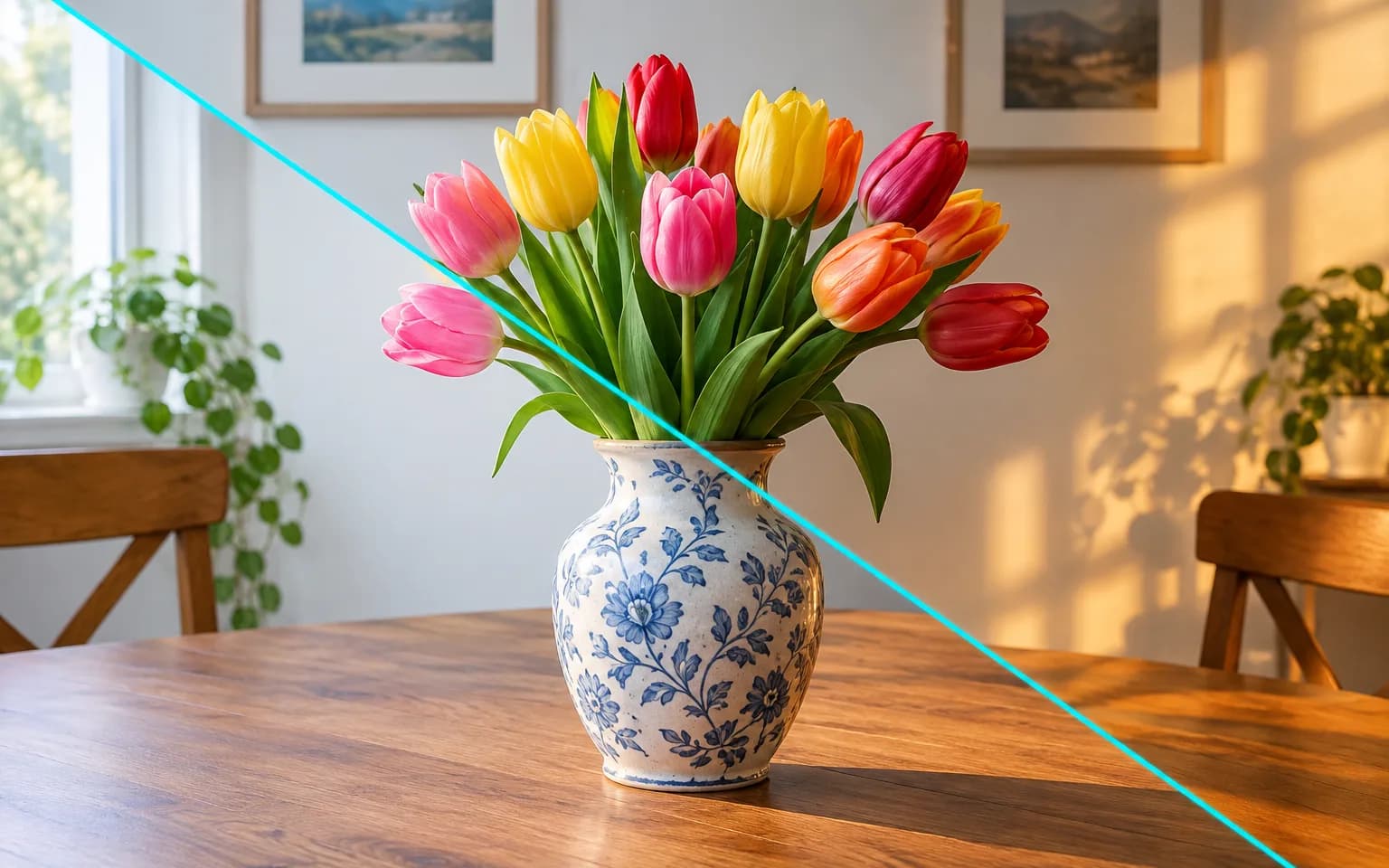
AI Image Relighting moves the light in a finished photo, turning flat midday shade into golden hour or a dim portrait into soft studio light. Shadows and highlights follow the new direction, while people, objects and composition are left as they were. It suits photos where the moment was right but the light was not, and it works from a plain description instead of lighting sliders.

  • Image Upscaler
  • Image Enhancer
  • Unblur Image
  • Denoise Image
  • Face Swap
  • Camera Angle Changer
  • Image Relight
  • Background Changer
  • Watermark Remover
  • Object Remover
  • All Tools
Image Relight
Why use it

New light, same moment

Describe the light

Ask for warm sunset, cool moonlight, soft window light or dramatic side light, and say where it comes from. Intensity and color temperature can be described too, such as a faint cool rim light or a strong warm glow from behind.

Try it now

Realistic shadows

Shadows and highlights follow the new light direction, so faces and products gain believable shape. Cast shadows on floors and walls are moved to match, which is usually what gives away a quick brightness fix.

Try it now

Scene stays the same

People, objects and composition are untouched; only the way they are lit changes. The camera position, crop and background layout also stay put, so the relit version can sit next to the original in a comparison or a carousel.

Try it now

More than a brightness slider

Exposure and curve adjustments make every area lighter or darker by the same logic. AI Image Relighting instead decides which surfaces face the new light and which fall into shade, so a cheek, a bottle or a doorway is modeled rather than simply brightened.

Try it now
Capabilities

Lighting fixes with AI Image Relighting

Fix flat lighting

Add shape and depth to dull, overcast photos by giving the light a clear direction.

Change time of day

Make midday shots feel like golden hour or dusk, with longer, warmer shadows.

Studio-style portraits

Give portraits soft key light and gentle fill, even when the original was lit by an overhead bulb.

Colored mood lighting

Add neon or colored gels for a creative look, with the color falling on the side you name.

Tame harsh sun

Soften hard noon shadows under eyes and noses into the diffuse look of an overcast sky.

Match a product set

Bring photos shot on different days closer to one shared light direction and warmth; it narrows the gap rather than guaranteeing an identical match.

For photos with the wrong light
Who it is for

For photos with the wrong light

Photographers

Rescue shots taken in harsh or flat light when the moment itself cannot be repeated. The relit file is a new render, so keep the original for your archive.

E-commerce sellers

Give product photos consistent, flattering light across a catalog without booking a studio day, then check product colors against the physical item.

Real estate and hospitality

Show rooms in warm evening or bright daylight, as long as the listing still represents the space honestly.

Social media creators

Add cinematic mood to everyday photos taken under ceiling lights or grey skies.

Models

Models behind this tool

  • OpenAI logoGPT-Image-2.5OpenAI
  • OpenAI logoGPT-Image-2OpenAI
  • ByteDance logoSeedream 5.0 ProByteDance
  • ByteDance logoSeedream 5.0ByteDance
  • ByteDance logoSeedream 4.5ByteDance
  • Google logoNano Banana ProGoogle
  • Google logoNano Banana 2Google
  • Google logoNano BananaGoogle
  • Alibaba logoQwen Image 3.0 ProAlibaba
  • Alibaba logoQwen Image 3.0Alibaba
  • Black Forest Labs logoFlux 2Black Forest Labs
  • Black Forest Labs logoFlux KontextBlack Forest Labs
  • Midjourney logoMidjourneyMidjourney
  • MiniMax logoMiniMax Image 01MiniMax
  • Alibaba logoWan 2.6 ImageAlibaba
  • Alibaba logoWan 2.5 ImageAlibaba
  • xAI logoGrok ImagexAI
How it works

Set up new light in AI Image Relighting

Try it now
01

Upload your photo

Add the photo you want to relight, ideally one that is sharp and not heavily compressed.

02

Describe the change

Describe the light type, direction and warmth you want, or leave it empty for golden-hour light.

03

Generate and download

Start the task, compare the result with the original and download the relit photo.

Tips & FAQ

Get better results

Tips

01

Name both the light type and direction, such as warm light from the left window.

02

Moderate changes look most natural; turning night into full daylight can look artificial.

03

Leave the box empty for soft, warm golden-hour side light.

04

If a lamp or window is visible in the frame, ask for light coming from that side so the result stays physically believable.

05

Check glasses, mirrors, glossy packaging and windows afterwards, because reflections do not always update to match the new light.

Frequently Asked Questions

No. Only light, shadows and highlights are adjusted. Faces, products and the layout of the scene are kept, although a very dramatic lighting change can shift fine surface detail slightly. If a label, logo or facial feature drifts, try a gentler description or another supported model.

It can push a scene toward dusk or moonlight, and moderate moves look the most convincing. Jumping from bright noon straight to deep night often looks staged, so step toward the mood rather than the opposite extreme.

Relighting keeps the camera exactly where it was and moves the light. Camera Angle Changer does the opposite: it moves the camera to a new viewpoint and keeps the existing lighting. Choose relighting when the framing is right but the mood is wrong, and the angle tool when you need a different view of the subject.

It cannot recover real detail lost in blown-out highlights or pure black shadows; anything filled in there is generated. Blurry or noisy photos stay blurry or noisy, and scenes with many overlapping light sources may end up only partly consistent, so compare the result with the original before publishing.

You get soft, warm golden-hour side light from one side of the frame. It is a flattering starting point for portraits and products; AI Image Relighting follows your own description whenever you write one, so you can run the photo again with a different direction or color.

It uses pay-as-you-go credits. The price is shown next to the Generate button before you start.

You can explore the page without signing in. Sign in when you are ready to generate.

More tools

  • Text to Image
  • Image to Image
  • Image Upscaler
  • Image Enhancer
  • Photo Restoration
  • Unblur Image
  • Image Sharpener
  • Denoise Image
  • Face Enhancer
  • Photo Retouching
  • Unpixelate Image
  • Face Swap
  • Head Swap
  • Colorize Photo
  • Camera Angle Changer
  • Change Color of Image
  • Face Editor
  • Edit Text in Image
  • Image Translator
  • Background Changer
  • Background Remover
  • Image Layer Decomposition
  • White Background
  • Blur Background
  • Change Background Color
  • Product Staging
  • Product Beautifier
  • Flat Lay Generator
  • Ghost Mannequin
  • Product Photo Generator
  • Clone Product Image
  • Watermark Remover
  • Object Remover
  • Remove Text from Image
  • People Remover
  • Photo to Anime
  • Photo to Sketch
  • Photo to Cartoon
  • Photo to Painting
  • AI Filter
  • Vintage Filter
  • Black and White Filter
  • Glitch Effect
  • Photo to 3D Cartoon
  • Cartoon Avatar Maker

Find better light with AI Image Relighting

Upload a photo above and describe the lighting you want, including where it should come from.

Try it now
  • Image Upscaler
  • Image Enhancer
  • Unblur Image
  • Denoise Image
  • Face Swap
  • Camera Angle Changer
  • Image Relight
  • Background Changer
  • Watermark Remover
  • Object Remover
  • All Tools