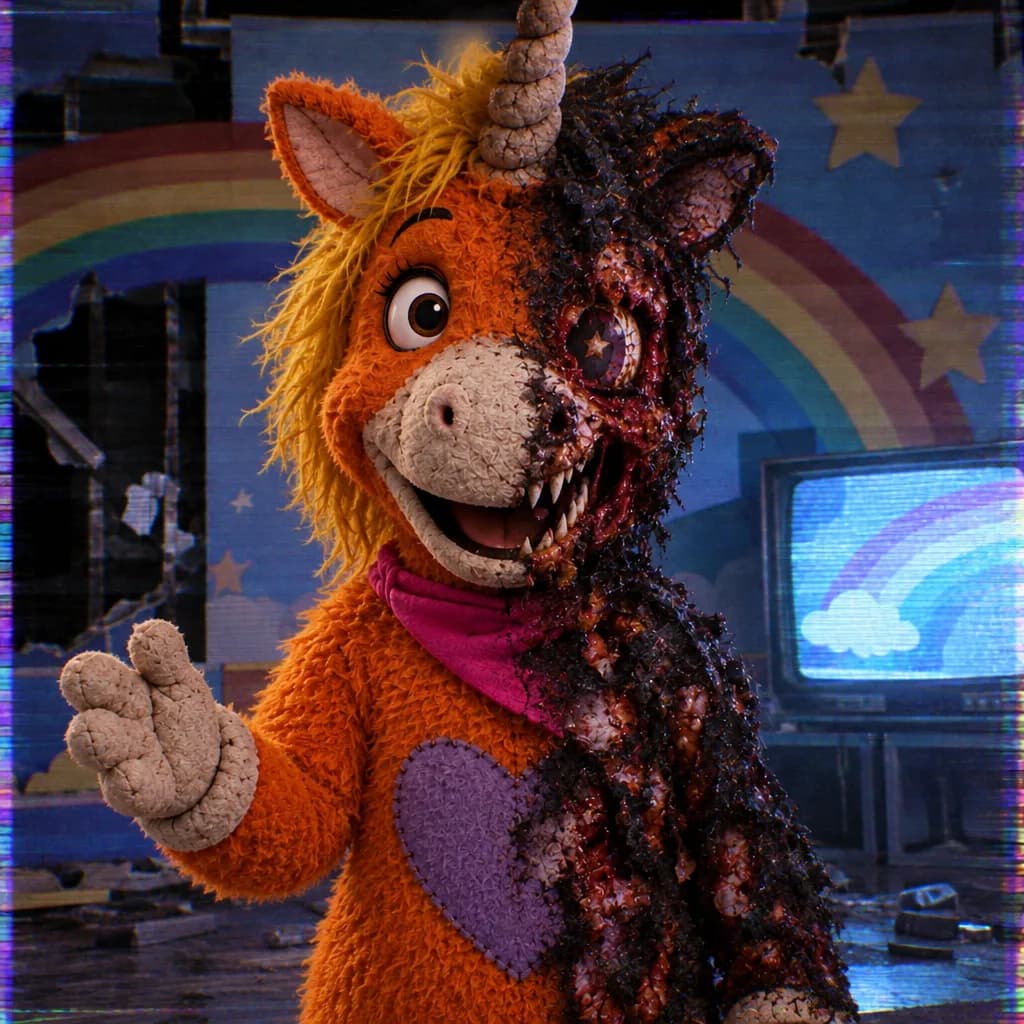

Describe an original unicorn mascot to generate a dark character illustration with eerie expressions and studio scenery. The template guides the look toward retro broadcast horror.


Dark Buddy AI Image Generator creates original dark unicorn mascot illustrations from text or a reference image. Choose a twisted grin, fangs and a ruined children’s-show studio with VHS-style lighting, then review and download your image.
Examples
Describe a crooked smile, exposed fangs or a fixed stare. Pair the face with your own colors and horn shape so the illustration has a distinct character design.
Ask for fallen cardboard scenery, broken stage lights and abandoned seats. These surroundings give the mascot a setting and leave visual clues about its former role as a cheerful presenter.
Request CRT glow, color bleed and soft scan lines in the generated artwork. Keep a clear light on the face so the expression remains readable inside the darker scene.
This template turns the dark mascot search into an original unicorn illustration: a cheerful studio entertainer imagined through uncanny expressions, damaged scenery and analog-looking light.
Explore the Halloween AI collectionThe orange unicorn host in the 2026 film Buddy connects children’s television nostalgia with horror. For Halloween, use that broad contrast as a starting point for a new mascot with its own horn, mane, costume and personality.
Design another original mascot characterFrame the face, horn and mane closely for expressive seasonal character artwork.
Place your mascot among collapsed set pieces, dusty curtains and discarded stage props.
Combine soft costume materials with sharp teeth and a controlled, unsettling grin.
Use cyan monitor light, red stage spill and painted signal noise for a lost-broadcast mood.
Explore a dark mascot concept with a specific face, costume and lighting direction before refining your final artwork.
Develop a visual for an abandoned broadcast, a haunted studio or an entertainer with a troubling secret.
Create atmospheric artwork to use in your own event graphics after checking the composition and details.
Compare prompt variations for a grin, horn shape or costume material while building an original unicorn identity.
Enter its colors, horn, mane and costume, then describe the grin or fangs. Add the ruined studio details you want visible.
Choose a close portrait or a wider scene through the framing controls and your prompt. Check quality and the credit estimate before generating.
Review the eyes, teeth, horn and lighting at full size. Adjust the prompt and generate again if details need work, then download your selected illustration.
Give the face its own light source so the eyes and mouth remain visible.
Describe a unique horn, mane and costume rather than using a character name as the design brief.
Keep scan lines subtle when the illustration needs to work as a small preview.
Describe an original unicorn mascot to generate a dark character illustration with eerie expressions and studio scenery. The template guides the look toward retro broadcast horror.
This template starts from your written description. Specify the character design, expression and scene directly in the prompt box.
Ask for faded felt, a quiet stare and an empty studio with soft monitor light. Choose these atmospheric details when you prefer an uneasy mood over prominent fangs.
Name a CRT glow, color bleed and fine scan lines as visual elements in the illustration. Check that the generated texture leaves the face and horn easy to read.
Describe your dark unicorn and ruined studio above, choose the framing, and generate an original Halloween illustration.
Try it now