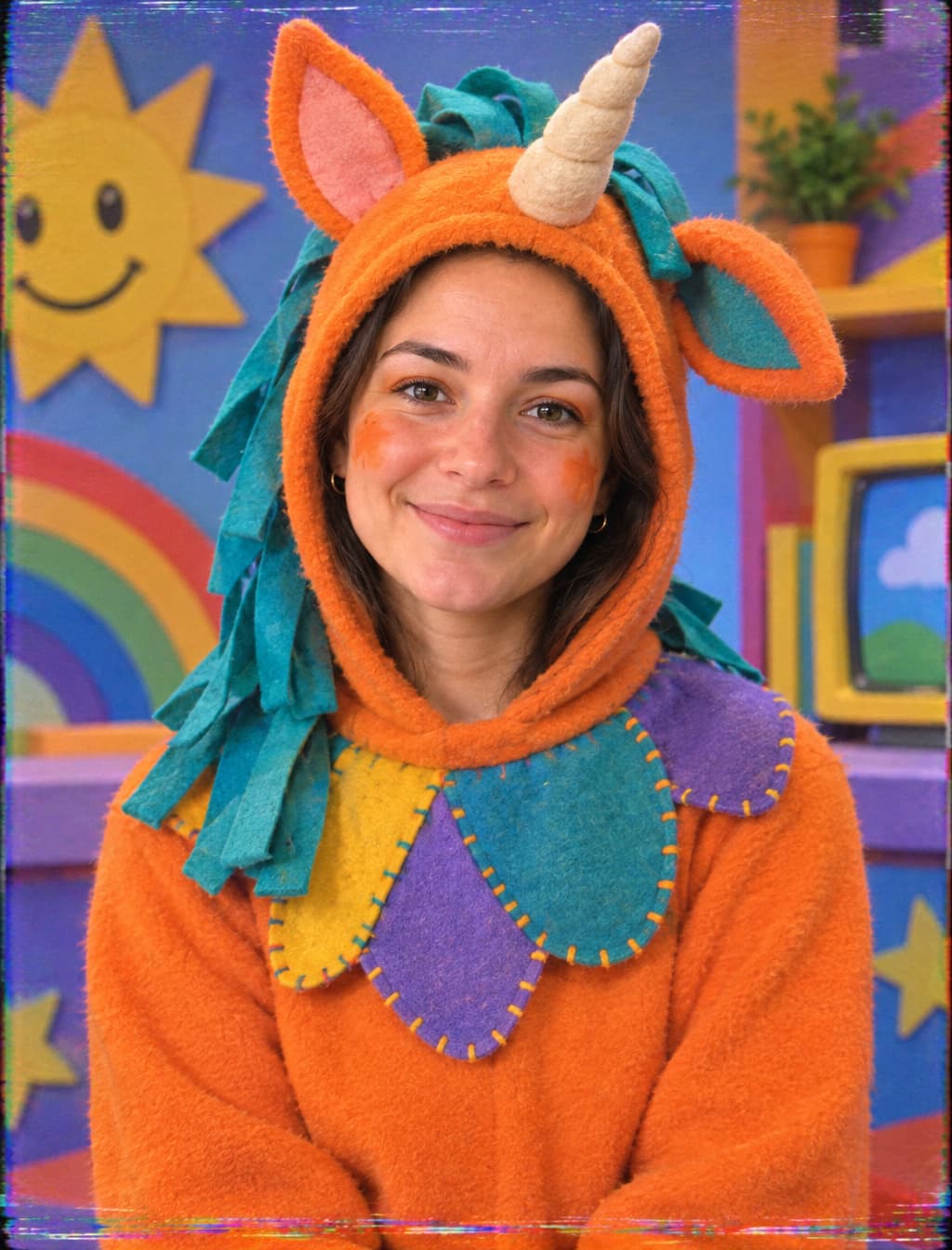

Your uploaded portrait guides an AI image edit into an original orange unicorn mascot host. Describe the hood or makeup and the recipe requests that your expression and facial proportions remain recognizable.


Use the Buddy the Unicorn Face Filter to transform your photo into an original orange unicorn mascot host portrait. Upload your face, describe an open-face hood or makeup look, and add a nostalgic VHS texture.
Examples
Upload a clear portrait with your eyes and mouth visible. The recipe asks to retain your gaze, face proportions and head angle while building an original mascot design around them.
Describe orange fleece, a soft horn and handmade ears, then choose a cheerful or eerie mood in your notes. VHS grain, color bleed and tracking noise are requested as visual styling around the portrait.
The Buddy the Unicorn Face Filter uses your uploaded photo as the reference for an original orange unicorn host portrait. The output is a generated still image combining costume details, theatrical makeup and a videotape-inspired finish.
The 2026 film Buddy connects an orange unicorn children’s-show host with the uneasy feeling of 1990s television and videotape horror. That contrast gives this Halloween season a costume direction: bright felt shapes, cheerful studio colors and an eerie recorded-broadcast mood.
Create a personal mascot design with a distinct horn, ear shape, mane and costume. Keep the face visible through an open hood or use orange makeup so your own expression remains part of the concept.
For a wider costume concept, start with a full-body source photo and describe clothes and props along with the mascot headwear. Keep close-up portraits for face paint, eyes and the placement of ears and horn.
Try the AI Halloween Costume GeneratorFrame your face with orange fabric, felt ears and a small soft horn. Describe a unique mane and trim to personalize the costume.
Ask for orange and cream makeup, a horn headband and small painted accents while keeping your facial features visible.
Place the portrait in a colorful retro studio with felt stars and handmade scenery. Specify a welcoming expression and bright lighting.
Explore faded colors, tape grain and a dim abandoned set. Ask for restrained noise around the face so the expression stays readable.
Build an original mascot portrait with a centered face and enough space around the ears for your chosen crop.
Compare face paint and open-hood ideas before selecting a practical look for your own Halloween costume.
Create a still portrait that can become character artwork in a party invitation you assemble after downloading.
Explore the contrast between cheerful children’s television scenery and worn tape texture for a personal visual project.
Use a clear solo photo with even light and your whole face visible. Leave some space above your head for ears and a horn.
Choose makeup or an open-face mascot hood in your notes. Add your preferred studio mood and VHS texture, choose the framing and generate.
Check the eyes, mouth, horn, ears and tape texture across the whole image. Refine your description if needed, then download your favorite portrait.
Choose a source photo with a clear gaze and visible facial contours.
Request an open-face hood when keeping your own face visible matters most.
Ask for light tape noise near the face and heavier wear at the edges.
Give your original mascot a distinct mane, horn and costume accent.
Your uploaded portrait guides an AI image edit into an original orange unicorn mascot host. Describe the hood or makeup and the recipe requests that your expression and facial proportions remain recognizable.
It generates a still photo effect with original mascot styling and a VHS-inspired texture. Upload a portrait in the operation area at the top of this page to begin.
An open-face hood frames your face with fabric, ears and a horn. Makeup keeps more skin visible and works well for planning a painted Halloween look.
Request light grain on the portrait and stronger tracking wear at the frame edges. Inspect the generated eyes and mouth, then adjust the description if the texture overwhelms them.
Upload your portrait above and create an original orange unicorn host photo for Halloween.
Try it now