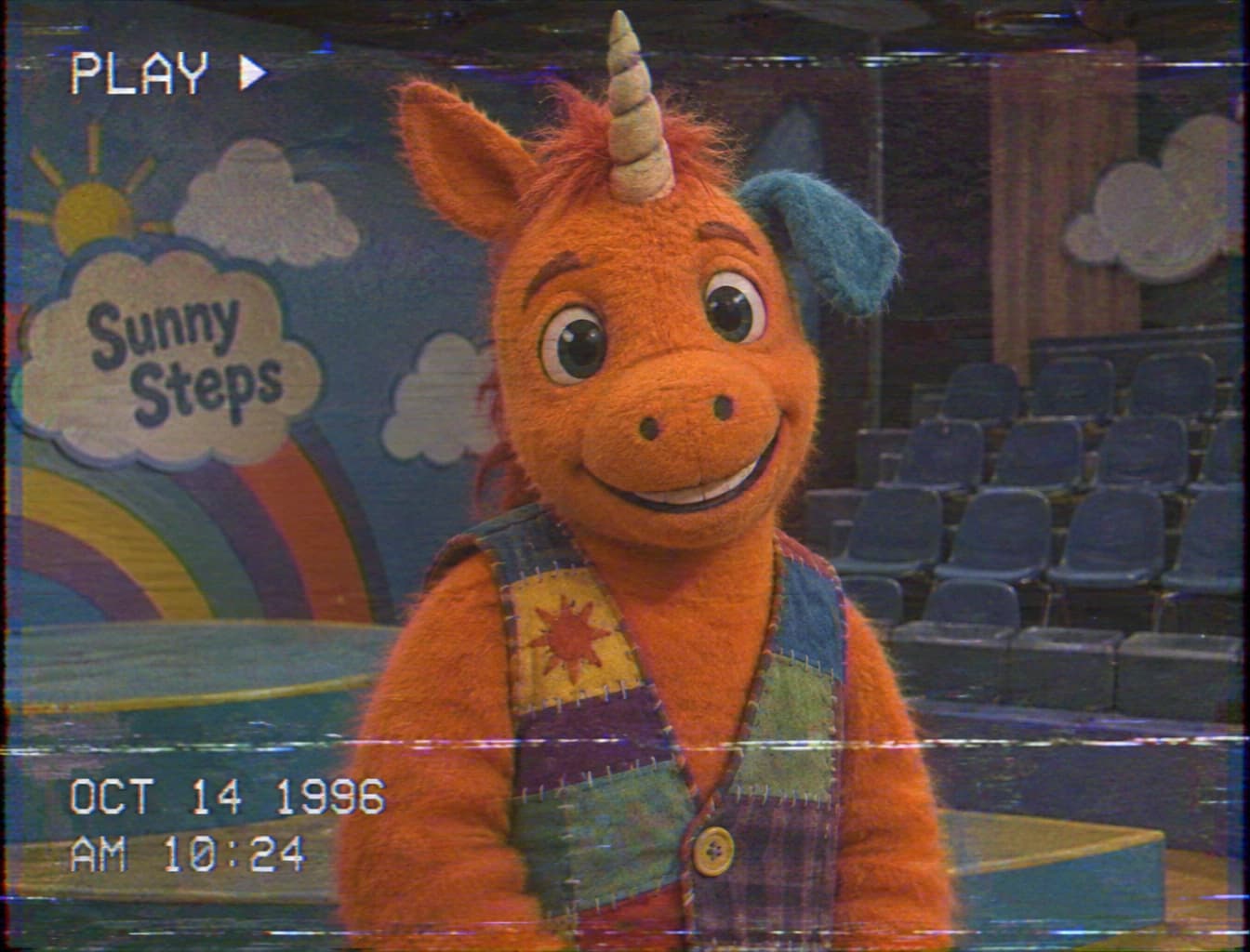

It generates a static AI image from your uploaded photo or a text description, guided by a VHS horror recipe. Use the downloaded picture for a cover, invitation, storyboard or further editing.


Use the 90s VHS Horror Filter Online to turn your photo into a creepy children’s TV tape still. Upload an image, describe the atmosphere, and generate a picture with faded colors, scanlines and tracking noise for your Halloween project.
Examples
Upload a portrait, room or original character image as the starting point. Tell the model which subject, pose and scene details to carry into the generated tape-style picture, then inspect those details in the result.
Ask for light home-video softness or a heavily worn recording. The recipe combines scanlines, chromatic aberration, tape noise, tracking bands and faded color; your description guides how strongly they appear.
Request REC or PLAY and write the date and time you want shown. Review the generated lettering and timestamp along with the whole scene, and regenerate with a shorter label if needed.
VHS horror borrows the soft detail, bleeding colors and worn tracking bands of home recordings. Paired with bright children’s television sets and an original mascot, that familiar texture can make a friendly scene feel strangely abandoned.
For Halloween 2026, the appeal is the contrast between childhood television nostalgia and an uneasy found-footage atmosphere. Use this AI image template to explore that contrast in a portrait, story illustration or fictional program still.
Explore Halloween AI templatesDownload the image for a story cover, mood board or Halloween invitation. To explore motion separately, upload the finished still to Image to Video and describe a flickering studio light or drifting haze.
Animate your still with Image to VideoGive a costume photo a soft camcorder look while asking for readable eyes and facial details beneath the tape texture.
Describe a colorful studio, handmade scenery and an original mascot with an uneasy expression for a fictional broadcast image.
Turn a hallway or living room photo into an eerie tape still with dim light, faded color and a tracking band near the edge.
Generate a new scene from text with heavier noise and color bleed, leaving the main subject clear enough for your story cover.
Build an eerie invitation image from your own decorated room or costume photo, then add your event details in your layout editor.
Explore fictional broadcast stills for a story outline or mood board, comparing gentle nostalgia with a more damaged-tape atmosphere.
Place your own mascot design in a forgotten television studio and explore how light and tape wear change the character’s mood.
Create static storyboard references for a staged home recording, then use the selected look to guide a separate filming or animation workflow.
Use the default image to image mode and upload a clear photo. For a new scene, switch to text to image and describe the subject and setting.
Specify the mood, tape wear and corner text. Choose the available aspect ratio, resolution and quality, review the estimate, then submit your generation.
Check the subject, background, labels and timestamp across the entire picture. Refine your description and regenerate if needed, then download the image you choose.
Use a clear source photo so the model has visible subject details to work from.
Ask for subtle tape wear first if your portrait needs readable facial features.
Keep timestamp text short and check each generated character before sharing.
Describe the studio props and lighting as well as the tape texture for a stronger children’s TV atmosphere.
It generates a static AI image from your uploaded photo or a text description, guided by a VHS horror recipe. Use the downloaded picture for a cover, invitation, storyboard or further editing.
Yes. Switch to text to image, describe a fictional scene and include the tape mood and any corner label you want.
Ask for subtle scanlines, light color bleed and tracking noise near the borders, with the face or main object clearly visible. Inspect the whole result and reduce the requested wear in a new generation if needed.
Write the exact short label and timestamp in your description and specify a corner. Check the lettering on the generated image before downloading or sharing.
Upload a photo at the top, describe your tape atmosphere, and generate a Halloween still to review and download.
Try it now