
Upload a clear photo of one person with a visible face. A full-body photo helps when you want to see shoes, trousers or the length of a cape.


Use the AI Halloween Costume Generator to create a costume from text or try it on your photo. Choose text-to-image or image-to-image and describe the clothing, accessories and makeup.
Examples
Upload a well-lit solo photo with your face visible. The editing recipe asks to retain facial features, expression and pose while changing the outfit; compare those details with your source photo after generation.
Describe the outfit colors, fabrics and props, or use an example below as a starting point. Specify light stage makeup when you want the face to remain visible, and describe the background when you want a different setting.
An AI Halloween Costume Generator creates outfit concepts from descriptions or photos. Describe the fabrics, colors and accessories you want to explore; in image-to-image mode, use your face, pose and framing as the reference.
The 2026 film Buddy brings an orange unicorn children’s-show host and the contrast between cheerful 1990s television and videotape horror into the Halloween conversation this year. For a Buddy the Unicorn DIY style idea, build an original mascot with your own horn shape, mane and stage outfit.
For an original orange unicorn outfit, sketch felt ears, a soft fabric horn, an orange fleece hood and ribbon mane around your existing clothes. A vampire starts with a cape and brooch; a witch can use a felt hat and layered skirt; a zombie can use an old shirt and fabric patches.
Use the generated image as a shopping or sewing reference, then check fabric weight, fit and movement with the actual materials.
Explore Halloween AI ideasExplore orange fleece, felt ears and a handmade horn with an open-face hood. Give the mascot a personal color accent and a distinct costume silhouette.
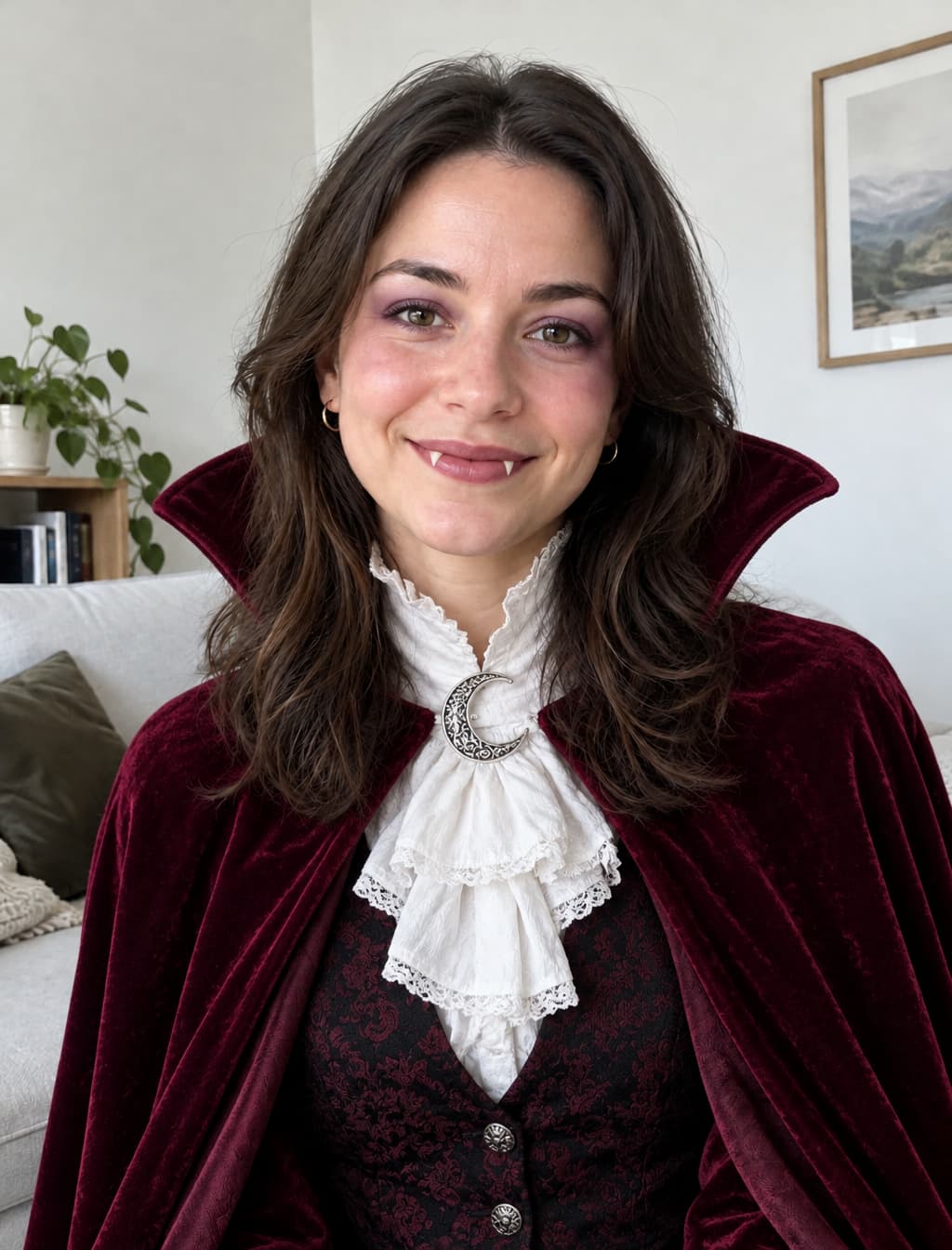
Ask for a velvet cape, a high collar and a decorative clasp. Keep the makeup subtle to make comparing the original face easier.
Describe a pointed hat, layered fabrics and a small broom. A full-body source photo gives the model a reference for the whole outfit.
Use frayed layers, fabric patches and pale theatrical makeup for a spooky party concept. Describe the amount of distressing you want.
Compare different costume directions on the same photo before choosing which clothes and accessories to gather.
Bring a visual concept to a sewing session and turn its main shapes into a list of fabric, trim and craft supplies.
Create a dressed-up portrait for a seasonal profile image, then inspect the face and the edges of the costume before sharing.
Prepare a character photo to place into an invitation design. Download the chosen image and add event details in your own layout.
Choose text-to-image to create a costume from a description, or image-to-image to upload a clear portrait and try it on yourself.
Describe the clothing, colors and accessories, or use an example below and edit its description. Choose a frame and generate the image.
Compare the face, hands, costume seams and background with your source. Refine the description and regenerate if needed, then download your chosen result.
Use even lighting and an unobstructed face in the source photo.
Name the parts you want to keep, including hairstyle, pose and background.
Describe one outfit at a time so its materials and silhouette stay clear.
Check a DIY concept against real fabric and your own measurements.
Upload a clear photo of one person with a visible face. A full-body photo helps when you want to see shoes, trousers or the length of a cape.
Yes. Choose text-to-image and describe your costume. Choose image-to-image and upload a photo when you want to try the outfit on yourself.
Choose the original unicorn mascot preset and personalize its horn, mane and outfit. Use felt, fleece and ribbon as starting materials for your own physical costume concept.
Use a clear source photo and request an open-face hood or light makeup. Compare the generated eyes, mouth and facial proportions with your original before choosing a result.
Choose text-to-image or image-to-image at the top, describe a costume and create your outfit concept.
Try it now