Guides
Mascot Horror Character Design: AI Prompts and a Character Sheet
Develop an original mascot through role, silhouette, material and one unsettling rule, then plan a consistent character sheet.
APIXO Team
Start creating


Guides
Develop an original mascot through role, silhouette, material and one unsettling rule, then plan a consistent character sheet.
Mascot horror turns friendly characters into a source of unease through their appearance, behavior or setting. This guide helps you design an original animal mascot: combine a friendly job with an unsettling rule, explore three prompt examples and develop a chosen design into a character sheet.
Use a moth usher, an aquarium guide and a bedtime-show rabbit to explore three original directions. Each has an AI-generated concept illustration and a prompt to try. Choose a design you like, then build a character sheet around it.
Start designing your original mascot on APIXO. Choose an animal and a friendly job, copy a prompt below and adapt it in image creation. Keep the first design you like as a reference for later views.
Ask what the character did before anything went wrong. A theater usher, aquarium guide or bedtime-show host suggests a costume, a prop and a place. Those decisions help the character feel connected to its setting.
Write down these six details before building the prompt:
For an original example, use a moth that works as an usher in a small theater. Its broad wings guide visitors toward their seats. Its rule: it keeps smiling and ringing the closing bell, even when the building is empty. That gives the image a specific setting without requiring a graphic injury or a borrowed franchise design.
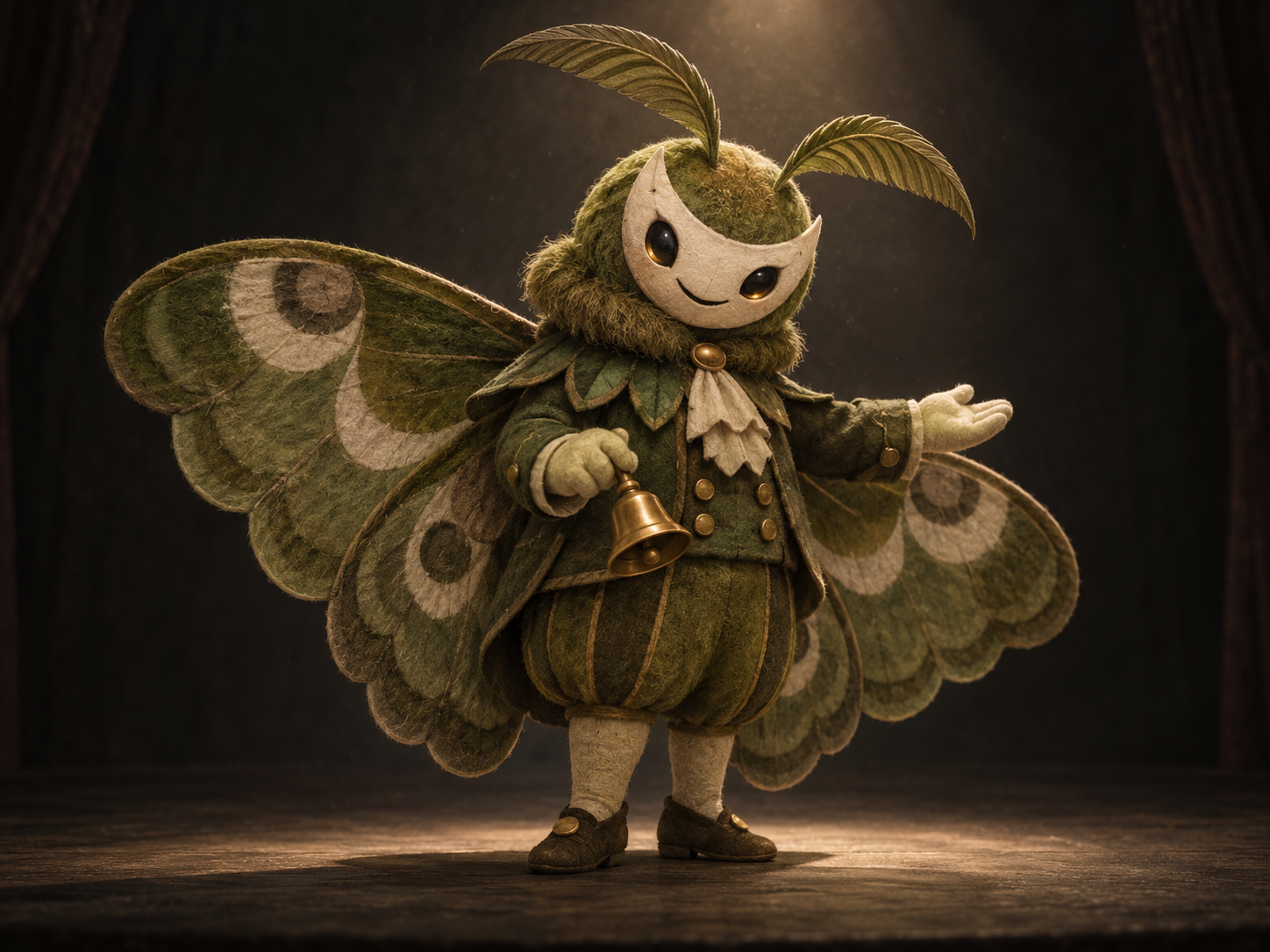
Design an original mascot horror character for a fictional abandoned theater: a moss-green moth usher with broad felt wings, a cream crescent-shaped face, short rounded limbs and one small brass handbell. The character looks politely welcoming, but its smile stays fixed under a single dim spotlight. Full-body three-quarter view, simple charcoal stage background, clear wing silhouette, tactile fabric construction. Keep the design simple enough to redraw. No existing franchise characters, words, logos, gore, extra limbs or watermark.
Evaluate the silhouette first. If the moth reads as an ordinary person wearing a cape, emphasize the wing shape and shorten the torso rather than adding more costume details.
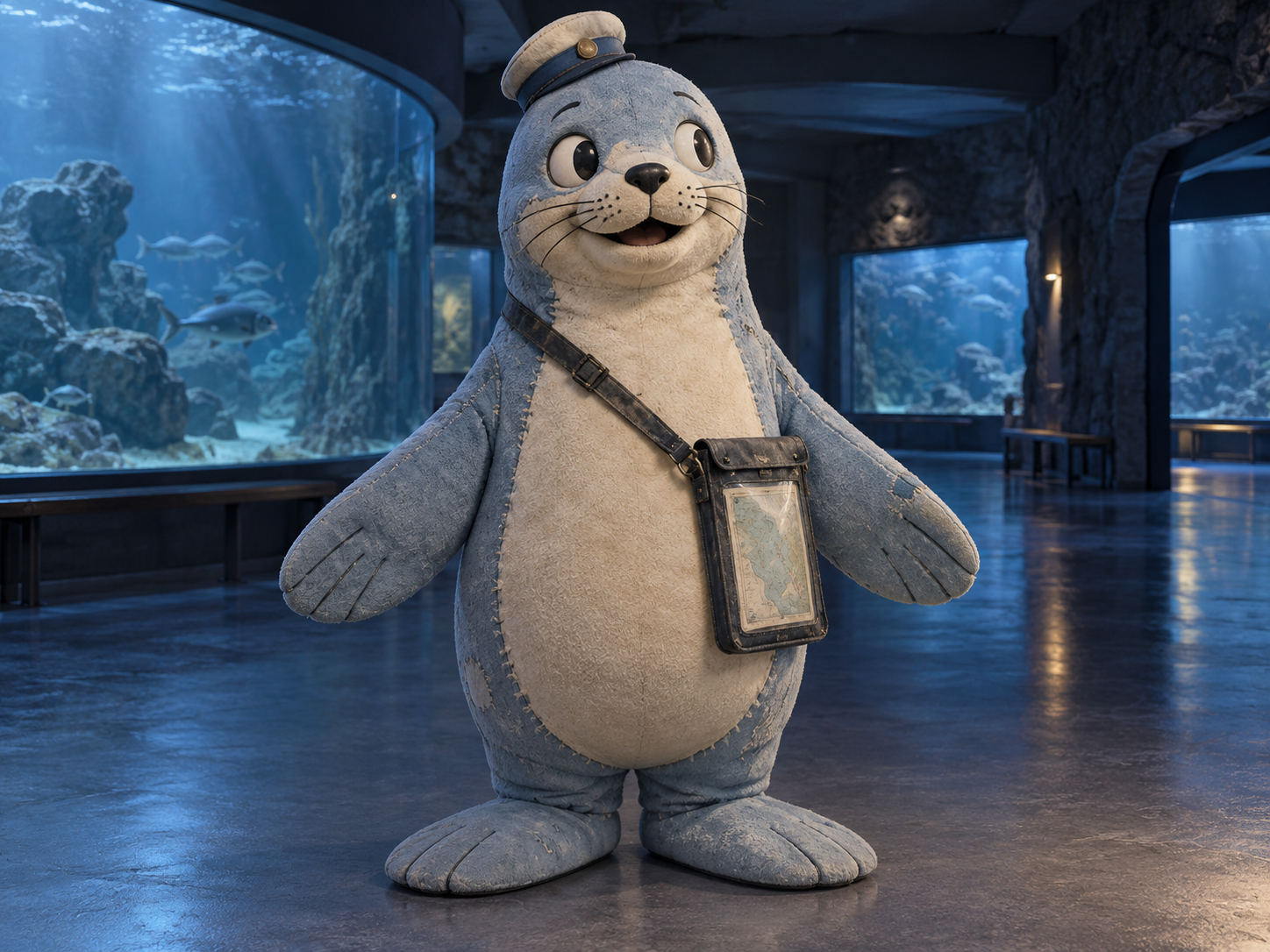
Create an original fictional aquarium mascot: a pale-blue seal guide made from worn foam and stitched fabric, a small round cap, cream belly and a single waterproof map case. Friendly simple face, broad flipper silhouette, full-body front view. One unsettling detail: the mascot's painted eyes look slightly past the viewer while its body faces forward. Quiet closed aquarium setting, restrained cool light. No real aquarium branding, existing characters, readable text, blood, extra eyes or watermark.
The map case communicates the role. If it competes with the silhouette, make it smaller and preserve the flippers as the dominant shape.
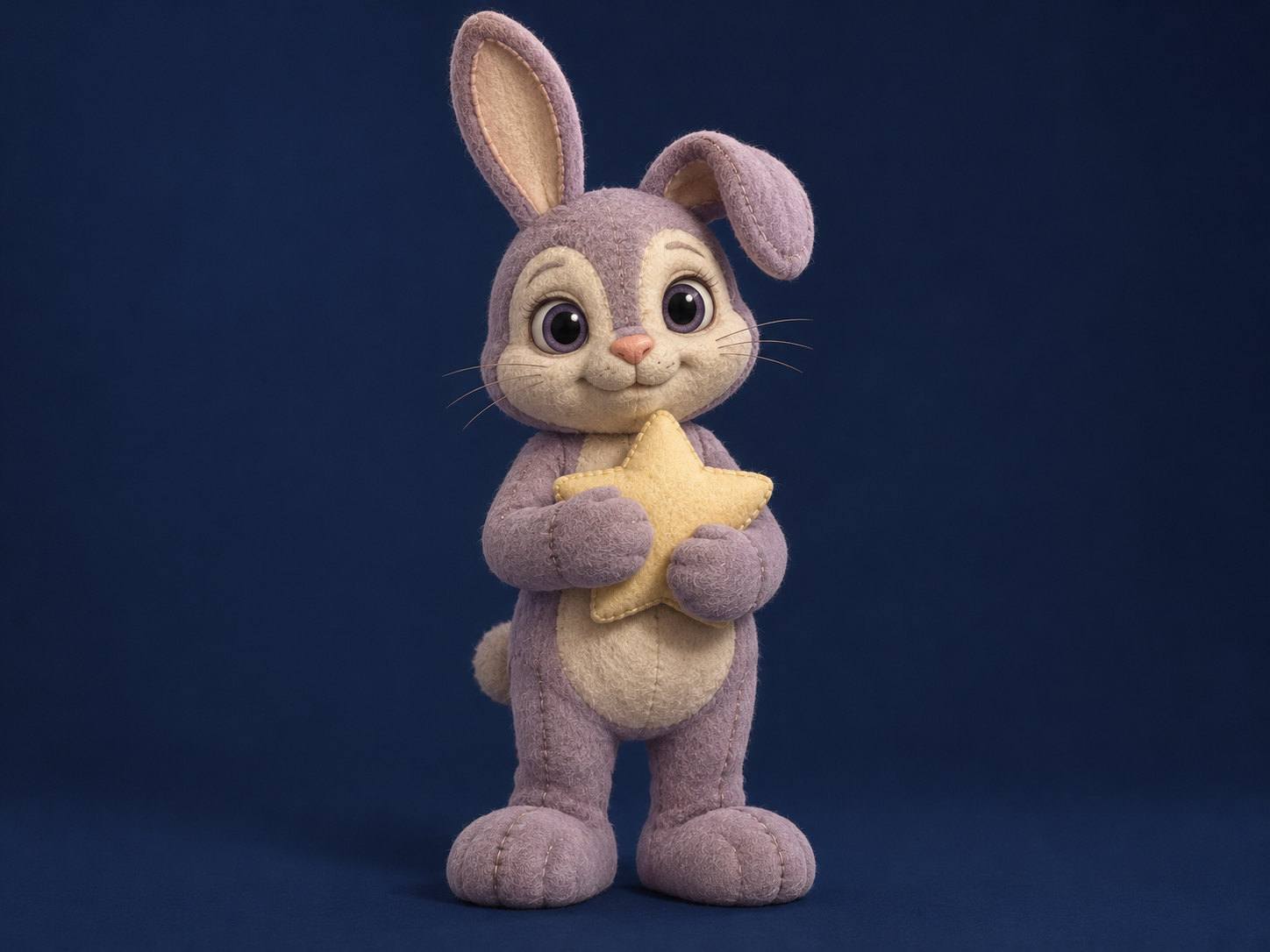
An original mascot for a fictional late-night bedtime television show: a dusty-lilac rabbit with one gently folded ear, cream felt face, rounded mitten-like paws and a small star-shaped pillow. Soft welcoming design with a fixed, overly attentive expression. Full-body neutral pose on a plain midnight-blue background, restrained studio light, simple fabric seams. Keep the ear shape and pillow easy to identify. No franchise references, writing, logos, blood, exposed machinery or watermark.
Keep one signature feature dominant. If both ears, the pillow, the face and the costume all become elaborate, simplify before making a turnaround.
After creating a character you like with Mascot Horror Character Generator on APIXO, switch to image-to-image and upload the selected design to explore front, side and back views. Keep the palette, face and signature prop fixed, and inspect every view for invented details.
Here is a follow-up prompt for the moth design:
Use the supplied moth mascot image as the design reference. Create an exploratory character sheet with front, side and back views at the same scale on a plain light-gray background. Preserve the moss-green felt wings, cream crescent face, short rounded limbs, fixed small smile and single brass handbell. Keep colors, face proportions and material consistent across views. Do not add new props or decorative details. No labels, writing, logos or watermark.
Compare the views side by side: check the face, wing size, limb count and bell. Before handing them to a modeler, add accurate measurements and clarify any structures that are hard to see.
A useful horror revision changes the meaning of a friendly feature. The usher’s bell becomes a signal that repeats after closing. The aquarium guide keeps pointing toward a dark tank. The bedtime host seems too attentive to an empty room.
Try a two-stage direction:
Keep the supplied character design unchanged. Place the mascot in its familiar workplace after closing. Retain the welcoming posture and simple face. Change only the lighting and the relationship to the empty room so the scene feels uneasy. No injuries, new anatomy or extra props.
If a revision starts to look like another character, upload the original choice again and spell out the moss-green wings, crescent face and brass bell. Get those features back in place before changing the lighting further.
For a game or animation, give the sheet to your artist or modeler to refine the proportions, back details and movement. A physical costume also needs measurements, material choices and construction drawings.
For a small social avatar, use the Buddy-inspired PFP workflow to simplify the crop. For a room or a lost-broadcast scene around the character, use the analog horror prompt guide. For an event announcement, use the Halloween poster guide.
Explore more costume, image and voice ideas in the Halloween AI collection.
Keep your neutral character reference separate from those finished layouts. It is easier to judge a new pose when the lighting, background and poster typography are not changing at the same time.
Give it its own job, silhouette, palette and signature prop. Build the unsettling behavior around that job. If the result still resembles a familiar character, change the body shape and role rather than only recoloring it.
Upload the chosen design as a reference and repeat the fixed details in each request: face proportions, colors, limb count, material and prop. Compare the views side by side and correct differences before changing the pose or lighting.
A concept image is not a 3D mesh, rig or manufacturing pattern. Use it to communicate the design, then have an artist or modeler resolve dimensions, hidden surfaces and construction details.
Start with one clear base design. Use it as a reference for the second version and keep the anatomy, palette and prop fixed while changing the lighting, behavior or setting. Check that it still reads as the same character.
Build with APIXO
Explore image, video, and audio models in one place.