Guides
Analog Horror AI Prompts: 5 Scenes and a VHS Workflow
Five original scene prompts, a reusable prompt structure and practical fixes for analog horror still images.
APIXO Team
Start creating


Guides
Five original scene prompts, a reusable prompt structure and practical fixes for analog horror still images.
Analog horror uses the look of old television broadcasts, surveillance footage and home recordings to place unsettling details inside familiar scenes. This guide focuses on still images: build an almost believable setting with one detail that should not be there, then add restrained VHS artifacts.
Browse five scenes below, each with an AI-generated illustration and a prompt to copy. Pick a scene you like, then use the revision tips to adjust its framing, lighting and recorded-tape look.
Start creating an analog horror image on APIXO. Copy one of the five scene prompts below and paste it into image creation. Get the scene and its unusual detail right before increasing the tape distortion.
Decide who might have recorded the scene and why. A school orientation tape, a shopping-center security camera and a local TV weather segment imply different framing and different kinds of imperfection.
Use this prompt structure:
[Ordinary place and recording purpose].
[One specific visual contradiction].
[Camera position, framing and light].
[Two restrained recording artifacts].
[Details that must remain readable].
[Things to leave out].
“An empty waiting room” is a location. “An empty waiting room where every chair faces the wall except one” adds a visual question. The distortion should support that question rather than hide it.
The scene starts with familiar stage scenery. Its unsettling detail is a shadow that does not match the empty room.
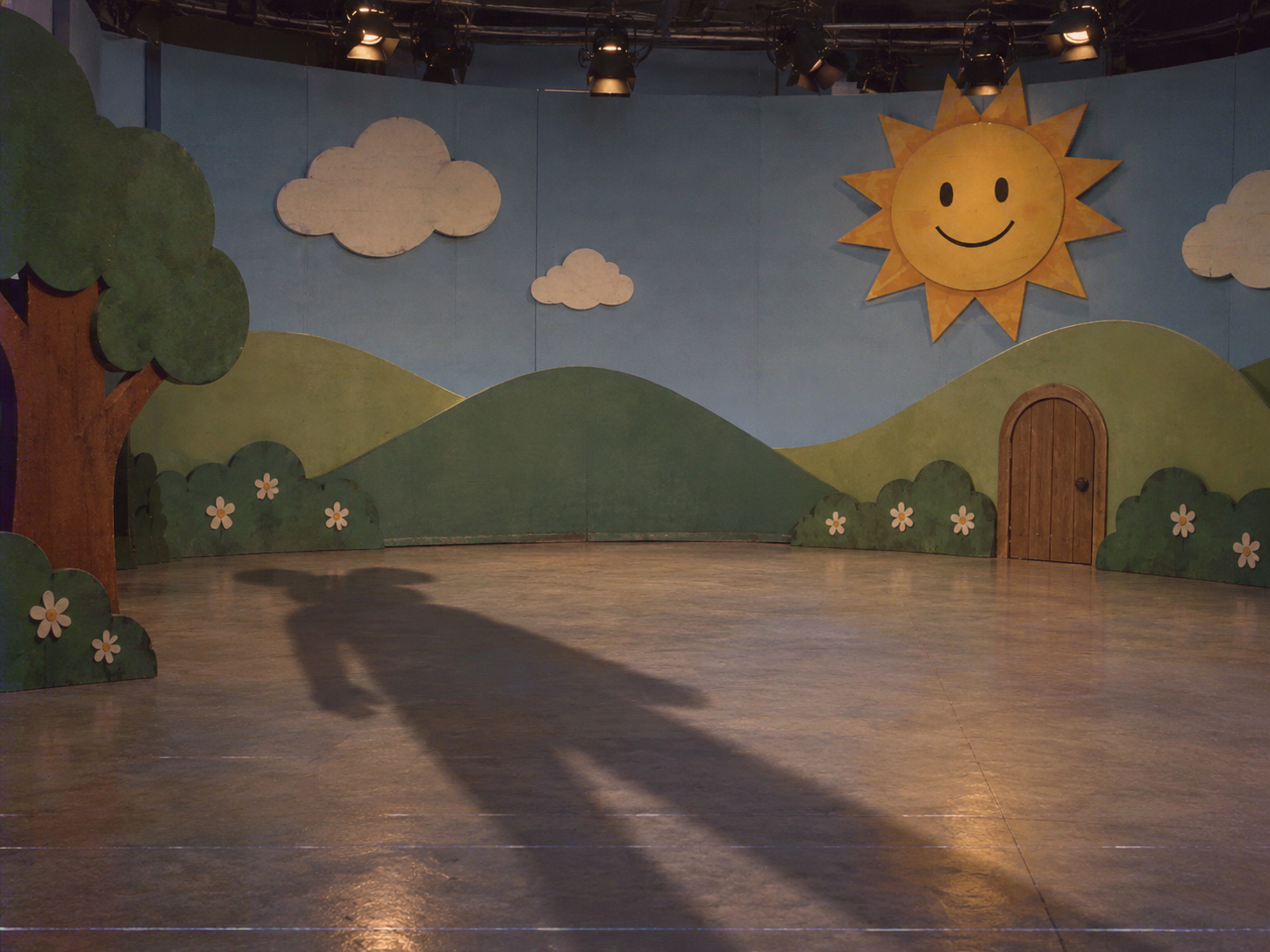
A still frame from a fictional late-night recording of an empty 1990s children's television set. Painted cardboard hills, a small wooden door and a cheerful sun prop. Nobody is on stage, but a tall mascot-shaped shadow falls across the floor from outside the frame. Fixed wide camera, flat studio light, slightly faded colors and faint horizontal scanlines. Keep the set simple and the shadow clearly readable. No blood, captions, logos, timestamp or visible monster.
If the model adds a creature, repeat “empty stage; only the shadow suggests a figure.” For a separate character-development workflow, see the mascot horror design guide.
Make one architectural feature inconsistent. Avoid adding numerous doors, symbols and creatures at once.
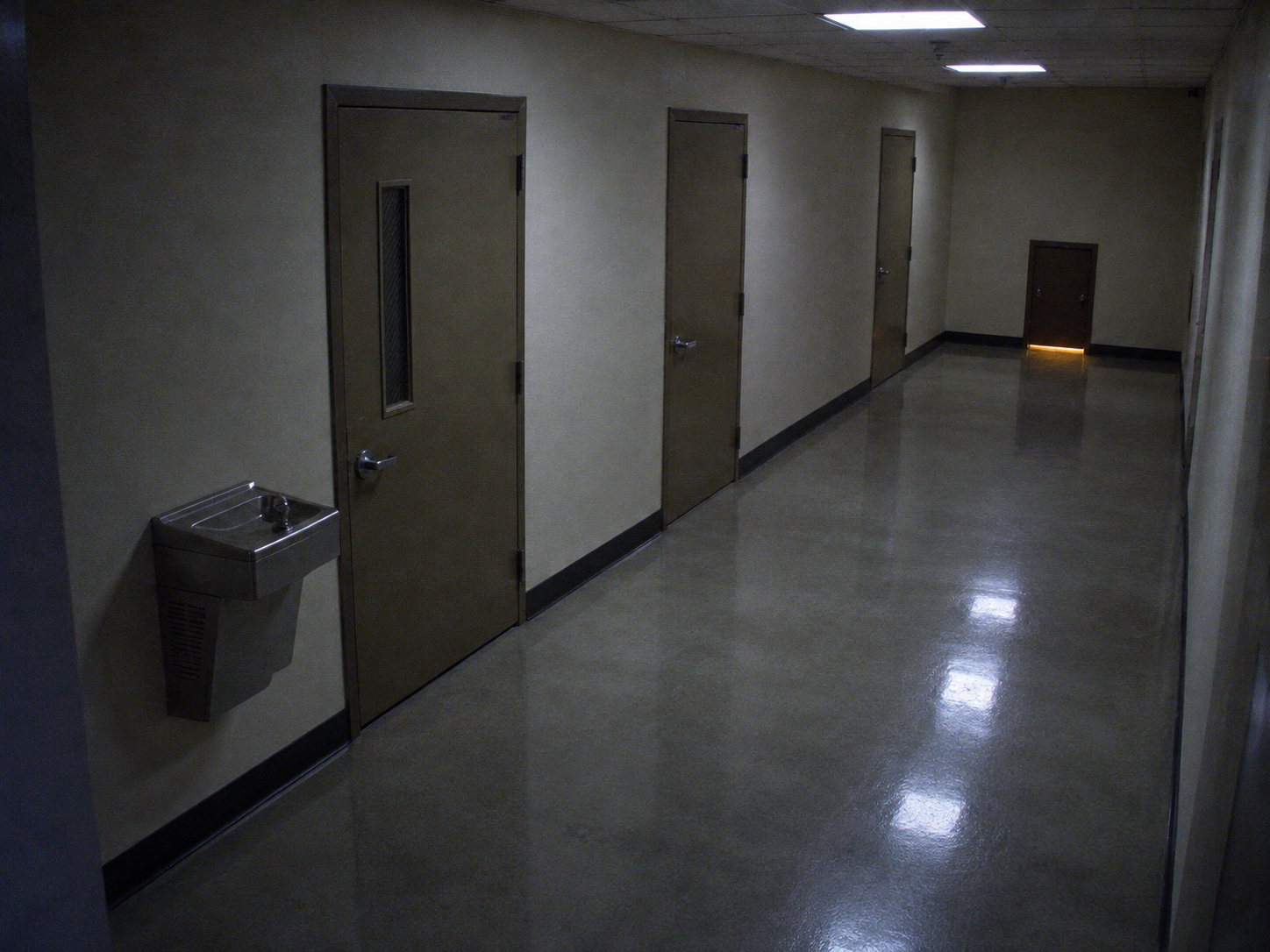
A fictional security-camera still of a quiet institutional corridor at night. Beige walls, a drinking fountain and three closed doors; the final doorway is much smaller than the others and emits a dim warm light underneath. High corner camera, believable straight corridor perspective, cool fluorescent lighting, mild low-light noise and subtle color bleeding. Keep the strange doorway visible. No people, readable signs, emergency-service branding, gore or timestamp.
If the small door disappears, simplify the hallway and make the size difference explicit. Keep the camera placement unchanged during that revision.
Use the format of a broadcast, but keep it clearly fictional and add any necessary text separately.
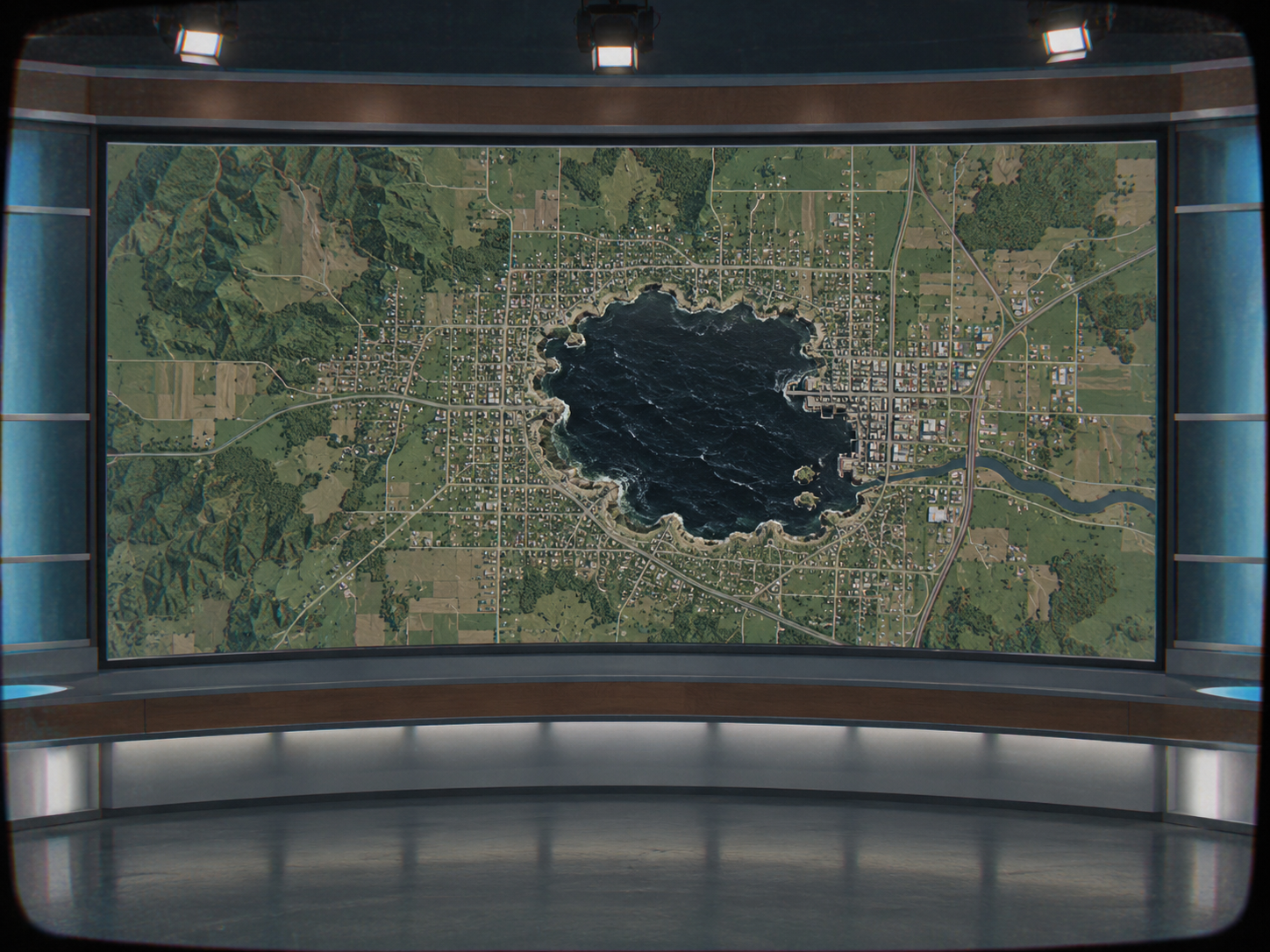
A surreal fictional local-TV weather backdrop with no presenter. A simple relief map on an old studio monitor shows a tiny black ocean inside an otherwise ordinary inland town. Symmetrical studio composition, subdued teal and gray palette, slight CRT screen curvature and restrained red-blue edge separation. The impossible ocean is the only anomalous feature. No written place names, news logos, warning instructions, ticker, gore or watermark.
If you later add labels in an editor, use invented place names and make the fictional nature clear. Generating a blank layout first gives you control over exact wording and spacing.
The room is familiar; one object interrupts the expected arrangement.
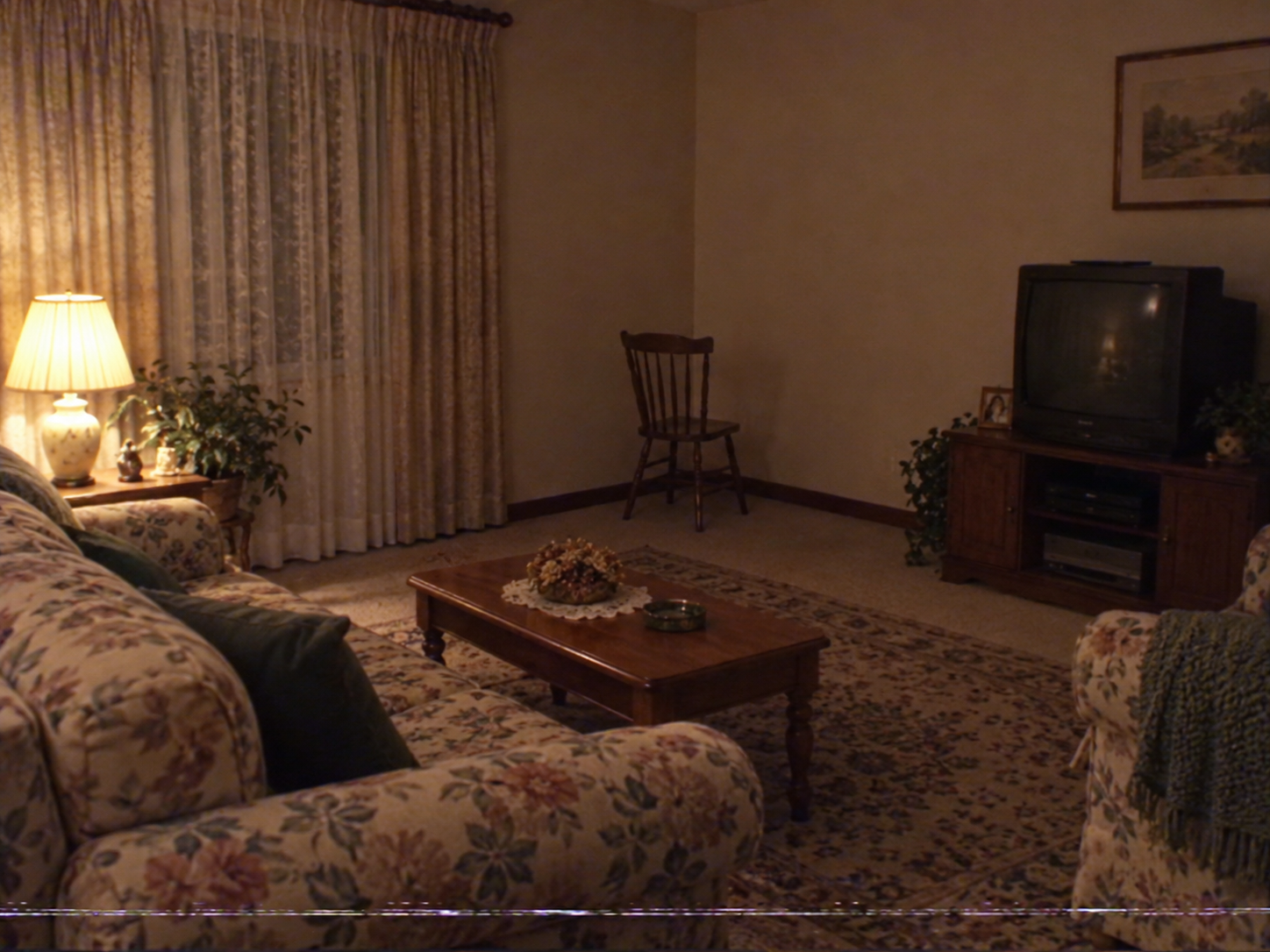
A still image styled as a fictional home-video recording of a tidy living room in 1994. Floral sofa, small lamp, curtains and a television on a low cabinet. All the furniture faces the television except one empty wooden chair turned toward a blank corner. Eye-level handheld framing with a slight tilt, warm household light, soft tape grain and a faint tracking band along the lower edge. Make the unusual direction of the chair clearly visible. No people, faces, text, gore or branded objects.
Make the direction obvious: the rest of the furniture faces the TV, while the chair faces a blank corner. If it looks like an ordinary empty room, remove some decorations and move the chair where it is easier to notice.
Choose a focal object that still reads after the image is darkened.
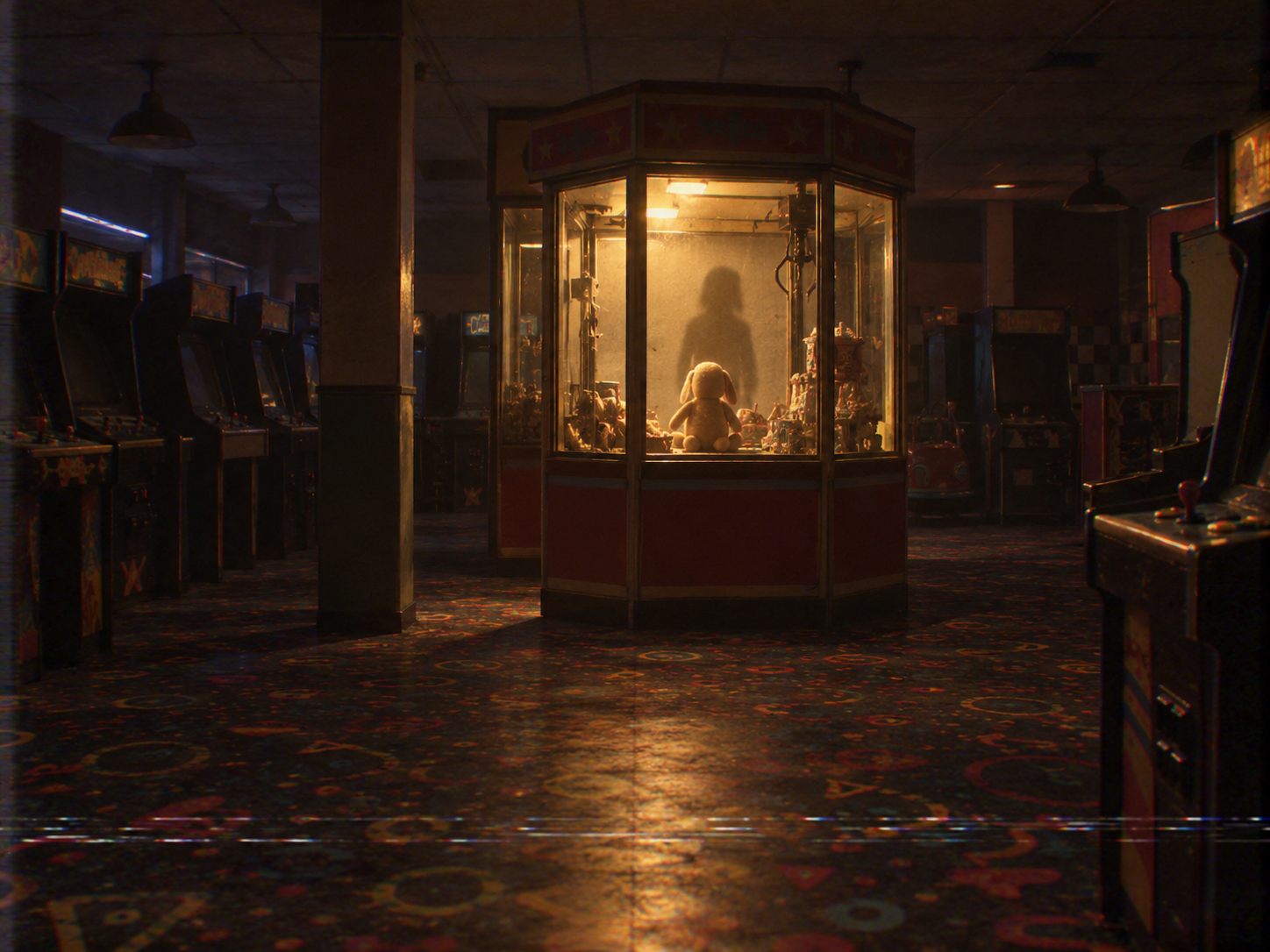
A fictional VHS still of a closed indoor arcade after midnight. Rows of dark machines surround one small prize kiosk with its light still on. Inside the kiosk, a single soft toy faces away from the viewing window, casting a shadow shaped like a person. Static waist-height camera, muted amber light, gentle chromatic bleeding and a narrow tracking distortion near the bottom. Preserve the kiosk silhouette and readable toy. No readable game names, people, gore, captions or watermark.
To keep working on a picture you like, upload it and describe one change. For example, keep the corridor and camera position but make the final door smaller. Check that the doorway changed while the rest of the scene stayed recognizable.
For a VHS-style treatment of an existing photo, try the 90s VHS Horror Filter Online. Upload an image and describe the atmosphere; the output is a still image, not an animated tape effect.
Keep a readable master image. You can make a stronger damaged-tape version from it later without losing the underlying composition.
Choose a picture you like, then use a video tool or editor to add gentle camera movement, tape wobble and sound. The scanlines in the image are still; animate the distortion in the video if you want it to flicker like a recording.
For a short film, start with a few storyboard frames. Reuse a chosen room reference as you make the next shots, and check that the doors, furniture and props stay in place.
For a compact character portrait, use the Buddy-inspired PFP guide. For an event announcement with readable details, use the Halloween poster guide.
Explore more costume, image and voice ideas in the Halloween AI collection.
Analog horror frames the scene as an old broadcast, surveillance image or home recording. Give it a believable recording purpose and one unsettling detail, then use tape wear to support that idea. A monster with a VHS overlay alone does not establish that context.
They are written for still images. To make a moving clip, use the selected image in a separate video or editing workflow and add motion, changing distortion and sound there.
Remove grain and scanlines until the subject and unusual detail are clear. Add back one or two light effects, such as color bleed or a narrow tracking band, and keep them away from the focal point.
Generate the image without text first, then add your exact wording in an editor. Use fictional station names and place names so the scene reads as part of your story.
Build with APIXO
Explore image, video, and audio models in one place.