Inspiration
Buddy the Unicorn AI PFP: Prompts, Styles and Crop Tips
Three prompt directions for an unofficial Buddy-inspired avatar, with a practical circular-crop checklist.
APIXO Team
Start creating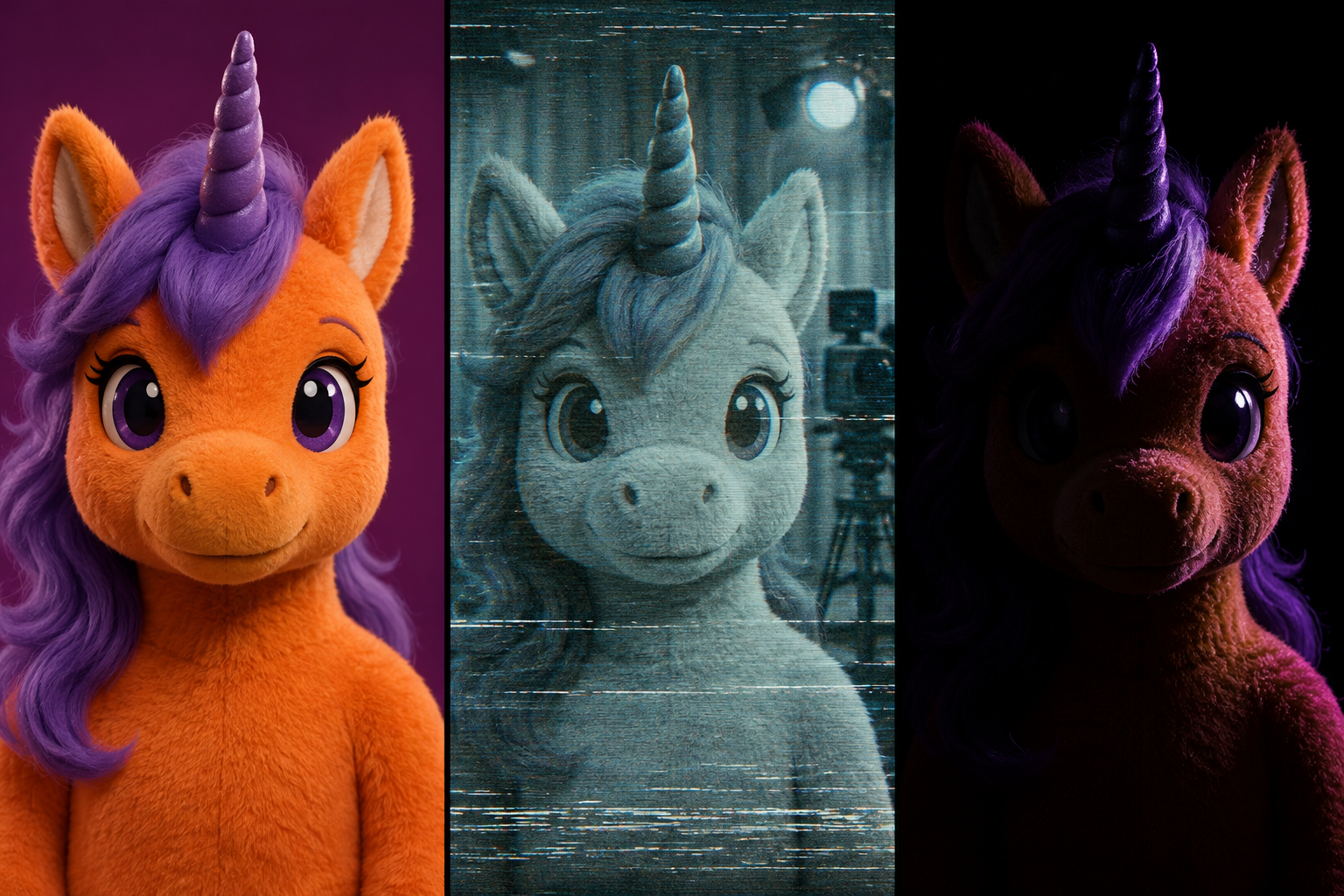


Inspiration
Three prompt directions for an unofficial Buddy-inspired avatar, with a practical circular-crop checklist.
A Buddy the Unicorn–inspired AI PFP is an unofficial fan-art profile picture built around an orange plush unicorn, a purple mane and a slightly unsettling smile. This guide offers three prompt styles and a way to start from your own selfie, with framing tips to keep the horn and ears inside a circular crop.
Choose from a bright mascot portrait, a worn-TV look or a shadowy Halloween version. The images are AI-generated style illustrations to help you compare the directions. Try the prompts on APIXO, then adjust them to suit your own avatar.
Start making your avatar on APIXO. Copy a prompt below, open image creation and paste it in. To start from your own photo, upload it with the prompt and describe the features you want to keep.
Buddy the Unicorn PFP Maker: use it for the square mascot portraits in this guide. In the default image-to-image mode, upload a selfie or pet photo as inspiration for colors, markings and expression. Without a photo, switch to text-to-image before pasting a prompt below.
Buddy the Unicorn Face Filter: for a recognizable human face, upload a clear solo portrait and describe an open-face hood or stage makeup. It produces a still portrait, not a live face-tracking effect. Check the facial features after generating.
Dark Buddy AI Image Generator: choose it for an original dark-unicorn scene with a ruined studio, costume and props. For a small social avatar, keep the PFP workflow and a simple background.
The bright version keeps the soft-toy charm. The TV version adds faded color and scanlines. The shadow version uses side lighting to make that friendly smile feel a little strange. All three use a close-up so the eyes, mouth and horn remain easy to see at a small size.
Choose these details before generating:
Avoid putting your username, a slogan or a tiny television screen into the first version. Those elements compete with the face when the picture shrinks.
Compare the pictures, then copy the prompt for your favorite look. These are unofficial, Buddy-inspired fan-art ideas. Change the color, expression or lighting descriptions to make a version you enjoy.
Use this direction when you want a seasonal avatar that still looks welcoming in a conversation list.
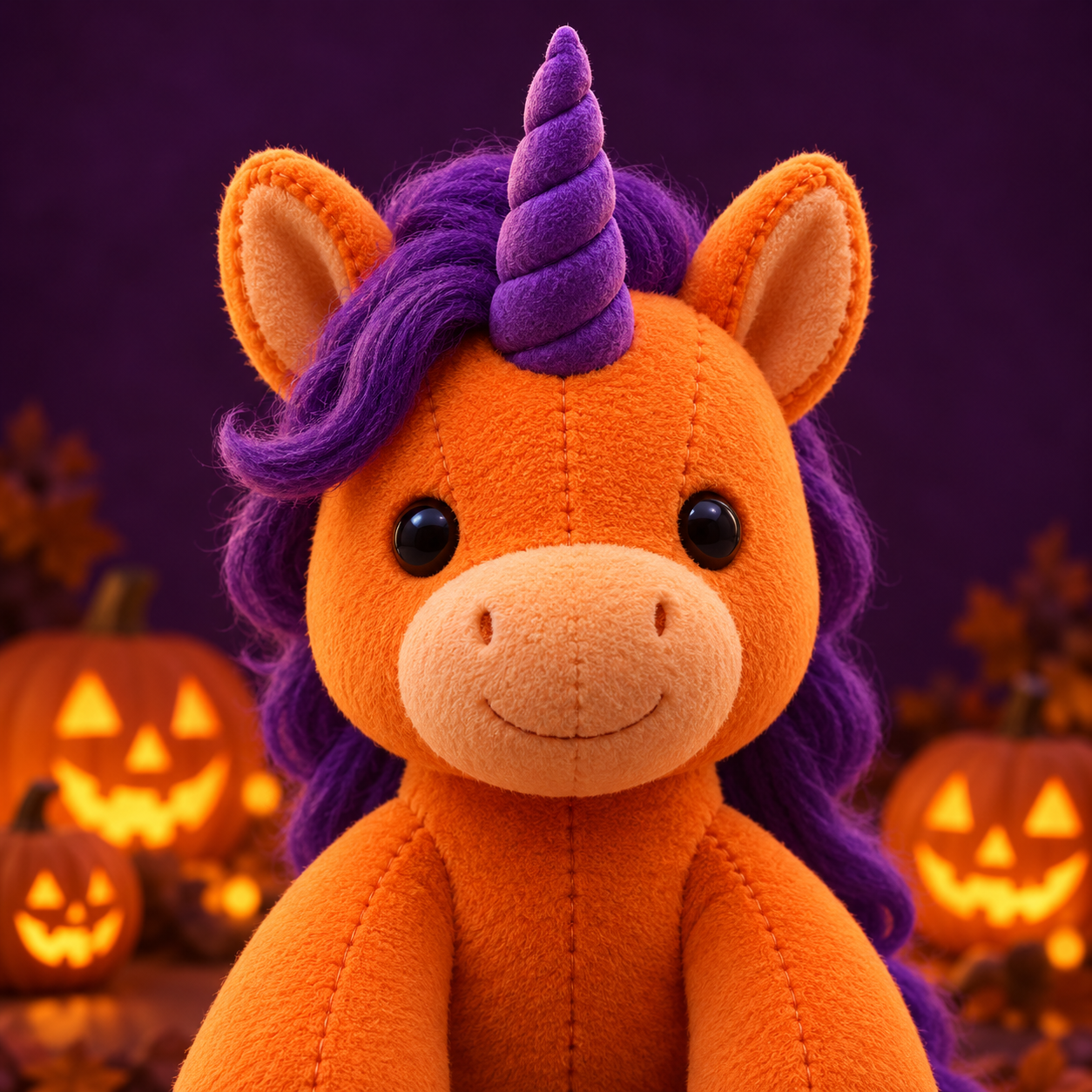
Create a square, unofficial Buddy the Unicorn-inspired fan-art avatar: an orange plush unicorn mascot, a lively purple mane, one clearly visible horn, rounded ears and a cheerful expression with a slightly uncanny stillness. Head and shoulders only, centered face, plain deep-purple background, soft frontal lighting, strong separation between face and background. Keep the whole horn, ears and mane inside a generous circular safe area. No words, logos, watermark, gore or extra characters.
If it looks like a generic horse, strengthen the plush mascot construction: visible fabric seams, rounded muzzle and a costume-like head. If it becomes too busy, remove background props before adding more adjectives.
Use this variation for an analog-horror mood. Keep the distortion away from the eyes and mouth so the expression stays readable.
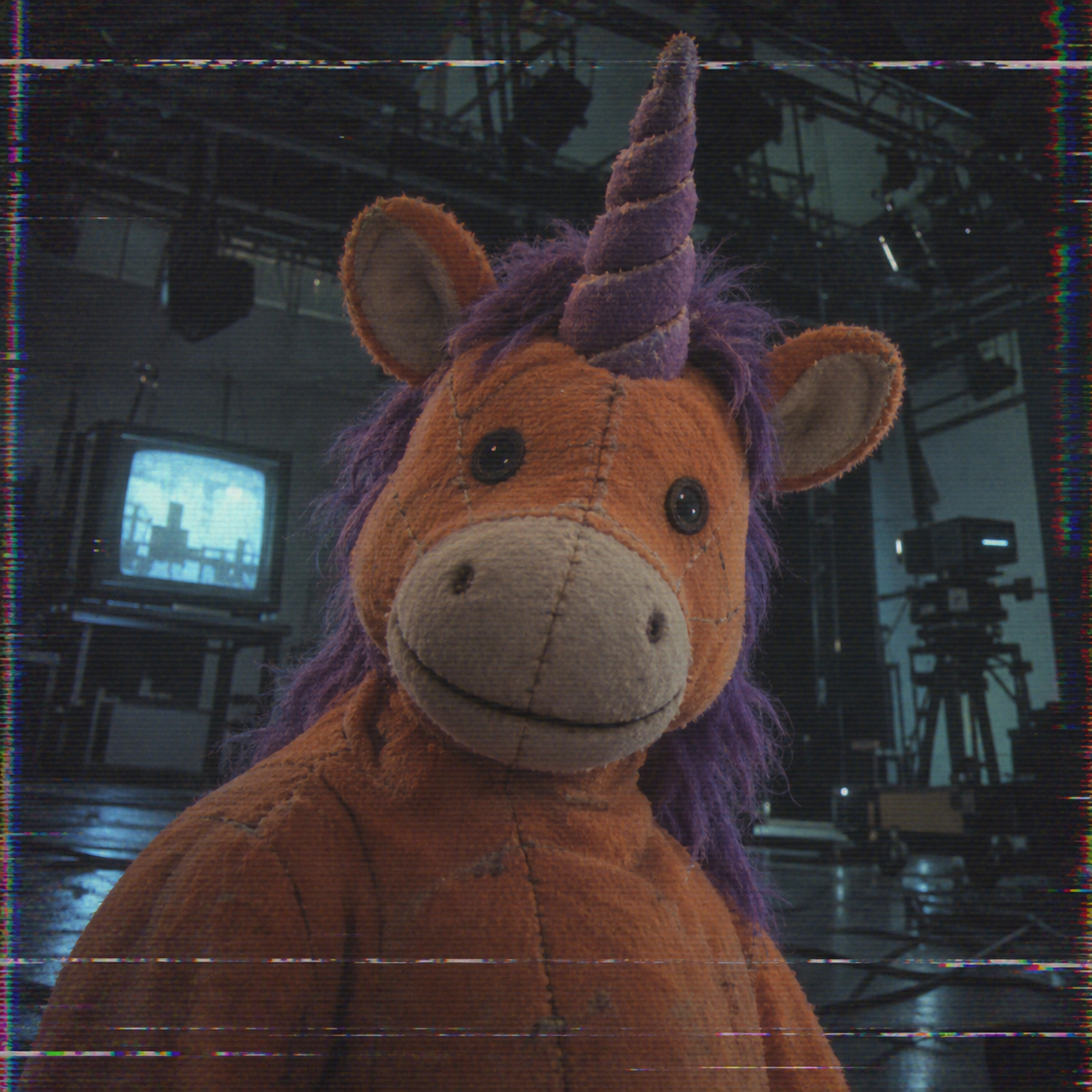
Square close-up of an orange unicorn television mascot with a purple mane and a fixed, friendly smile, unofficial fan-inspired artwork. The portrait feels like a paused frame from a worn 1990s television recording: subdued colors, slight red-blue edge separation and faint horizontal scanlines. Keep the face sharp and recognizable, with texture mainly near the outer frame. Dark uncluttered studio background, circular-avatar-safe horn and ears. No text, timestamp, logos, gore or other characters.
90s VHS Horror Filter: upload an avatar you already like to explore a worn-tape mood. Request restrained noise around the face and inspect the horn and facial features for changes. This step produces a still image.
For a more developed scene outside the avatar, see the analog horror prompt guide. An avatar works better when most of that environment stays out of frame.
Change the lighting before changing the anatomy. A partly hidden expression can feel stranger than adding numerous teeth or extra eyes.
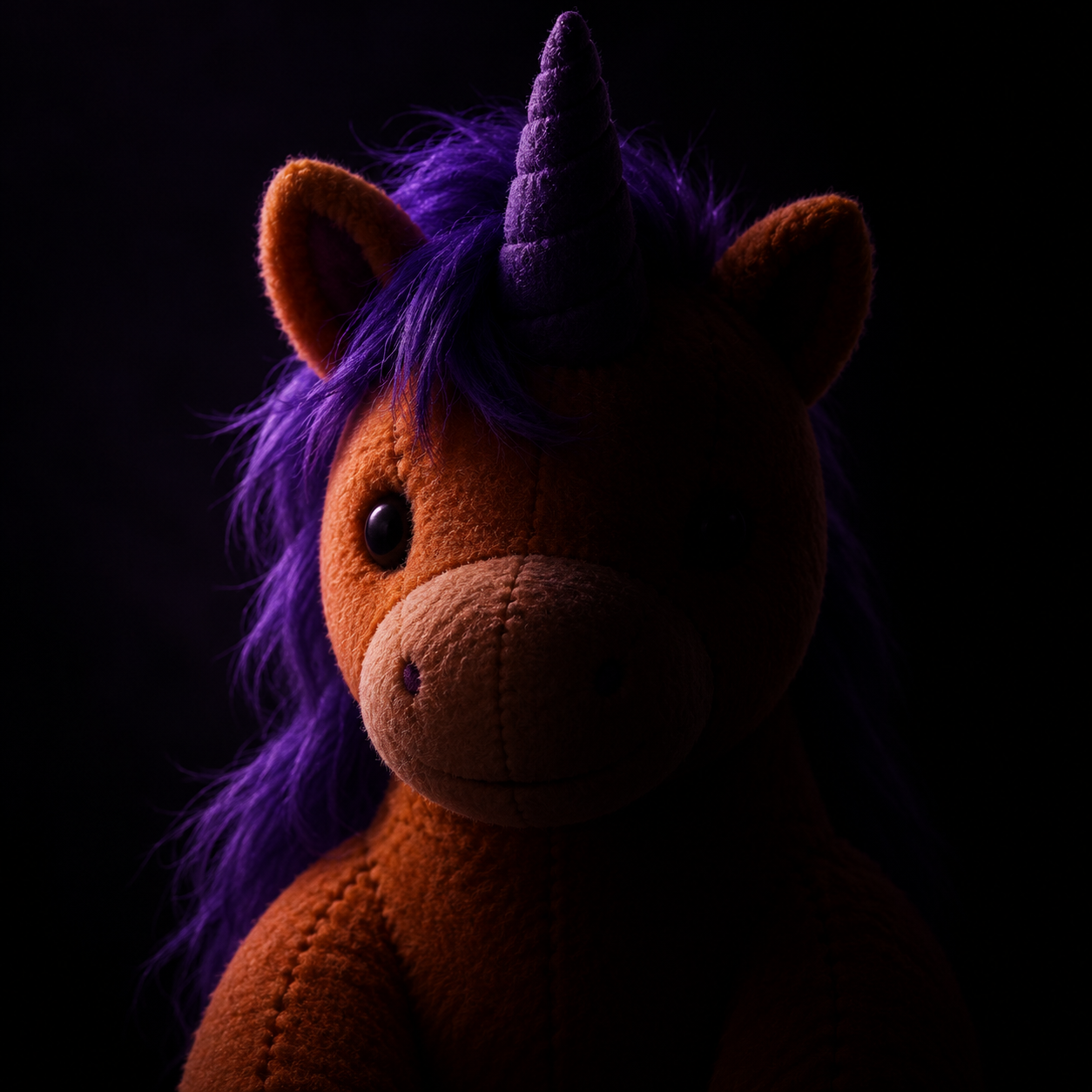
An unofficial Halloween fan-art portrait inspired by Buddy the Unicorn: orange plush unicorn head, purple mane, single horn and a fixed welcoming smile. Square head-and-shoulders composition. One soft violet light illuminates the face from the side; the other side falls into deep but readable shadow. Preserve the same simple mascot anatomy and fabric texture. Plain charcoal background, clear eye highlights, ample circular crop clearance. No blood, extra eyes, extra horns, lettering, logos or watermark.
For a selfie with your face still visible, try the Buddy the Unicorn Face Filter and describe an open-face hood or stage makeup.
When revising, upload the version you want to keep working on. That makes it easier to show which face and colors you mean than a short instruction such as make it darker on its own.
Leave space between the horn, ears and the edge of the square. In your profile settings, check whether the circle cuts any of them off. If it does, shrink the image a little or make a new version with more room around the head.
Check it against both light and dark app themes. If the outline disappears into a dark background, a little rim light around the ears and mane can help.
Describe the orange plush appearance, purple mane, single horn and smile clearly. If you have a reference image you can use, upload it too and check which features still need adjusting.
Yes. Use the PFP Maker to reinterpret your photo’s colors or expression as a mascot. Use the Face Filter with an open-face hood or makeup when you want a recognizable human face. Compare either result with the source; unchanged facial features are not guaranteed.
No. This is an independent tutorial for unofficial, Buddy-inspired fan art using a general image model. The examples and prompts are not official character assets.
The head is too close to the square image's edges. Zoom out in your profile settings, or generate a wider view with extra space above the horn and beside the ears. Check the circle before saving.
Change the animal, palette and signature prop, then give the character a distinctive job. The original mascot design guide walks through a short character brief.
For a larger event graphic, the Halloween poster guide covers layouts with space for a headline and event details. Keep that information on the poster so the avatar can stay simple.
Explore more costume, image and voice ideas in the Halloween AI collection.
Build with APIXO
Explore image, video, and audio models in one place.