Inspiration
AI Halloween Costume Ideas: Compare Looks on Your Own Photo
Vampire, woodland witch and original unicorn-host concepts, with prompts and a photo comparison workflow.
APIXO Team
Start creating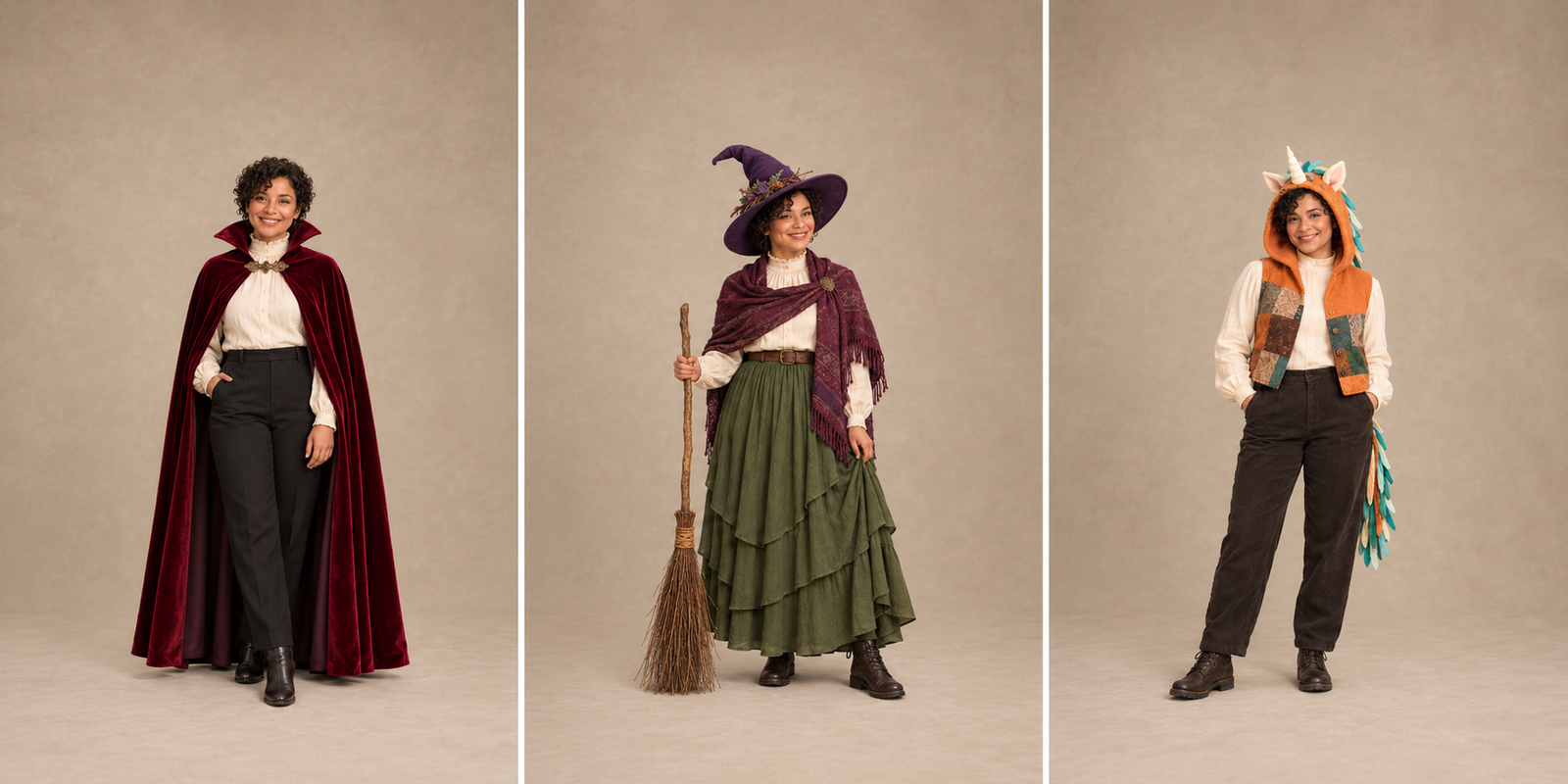


Inspiration
Vampire, woodland witch and original unicorn-host concepts, with prompts and a photo comparison workflow.
A Halloween costume is easier to choose when you can compare a few clear looks on the same photo. Start with one well-lit solo portrait, keep the face and pose consistent in your description, and change the clothing before adding a new setting.
Try a look in the AI Halloween Costume Generator
Use the ideas below as outfit sketches: a vampire for a strong cape silhouette, a woodland witch for layered fabric, or an original unicorn host for a handmade mascot look. The comparison illustration shows the design directions; the prompts let you describe your own version.
Start with your wardrobe, then decide which accessories you want to add. Use these criteria to pick one look to preview first; you do not need to build all three.
Classic vampire
Woodland witch
Original unicorn host
For a Halloween profile picture, start with a closer photo and focus on headwear or a collar. If you also plan to make the outfit, use a photo that shows the clothing you need to judge, then check real measurements and materials separately.
Use a full-body photo if shoes, trousers or the length of a cape matter. A closer portrait is more useful for a hat, collar or makeup, but it gives you less information about the rest of the outfit.

The tool-page examples below offer references for collars, headwear and fabrics; they are not test results for this article’s prompts. To use a section’s tool link, copy its prompt first, then upload your photo in the tool and paste the prompt into the description.
A cape, a high collar and one decorative clasp make the outfit readable without covering the face. Start with restrained makeup so you can compare the generated features with the source.
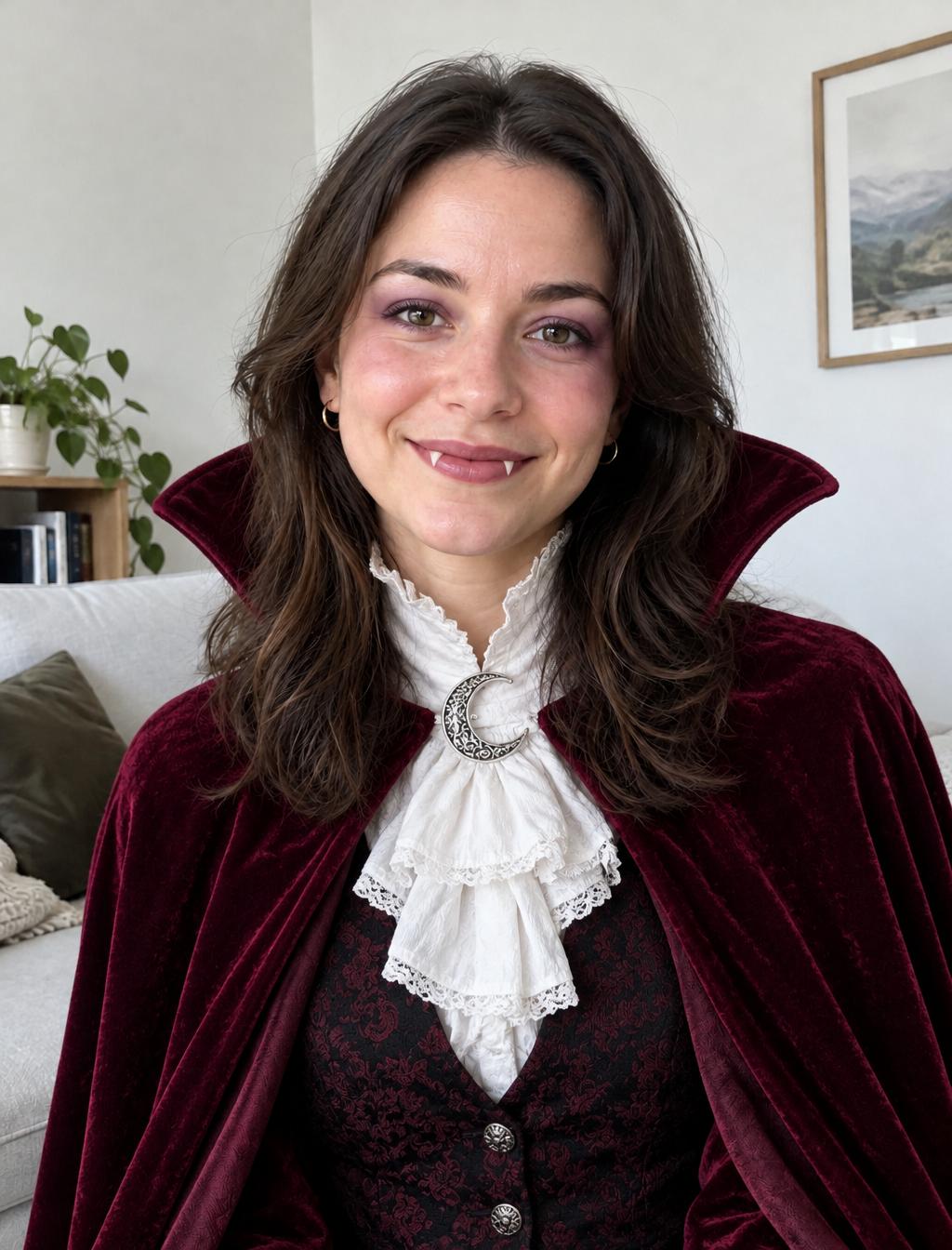
Edit the person in the reference photo into a classic Halloween vampire outfit.
Keep the face, hairstyle, pose and existing background as the reference.
Add a dark velvet cape, a high collar, a cream shirt and one antique-style clasp.
Use light theatrical makeup and keep both eyes and the mouth clearly visible.
Show believable fabric folds and a complete garment outline. No lettering or logos.
Check whether the collar hides your face and the cape has a clear outline before adjusting the collar height. Try a vampire look on your photo
Use a pointed hat, a layered skirt and a small broom as separate decisions. If the hat dominates the image, reduce its size before changing the rest of the outfit.
Use the reference photo for the person’s face, hairstyle, pose and framing.
Create a woodland witch costume with a soft pointed felt hat, a layered moss-green skirt and a plum-colored shawl.
Add a small handmade broom held beside the body.
Keep the face uncovered and retain the original setting.
Make the fabrics and accessories distinct, with no words or watermark.
Check the hat brim and skirt layers, then inspect how the hand meets the broom. Try a woodland witch look on your photo
Another witch direction: purple velvet
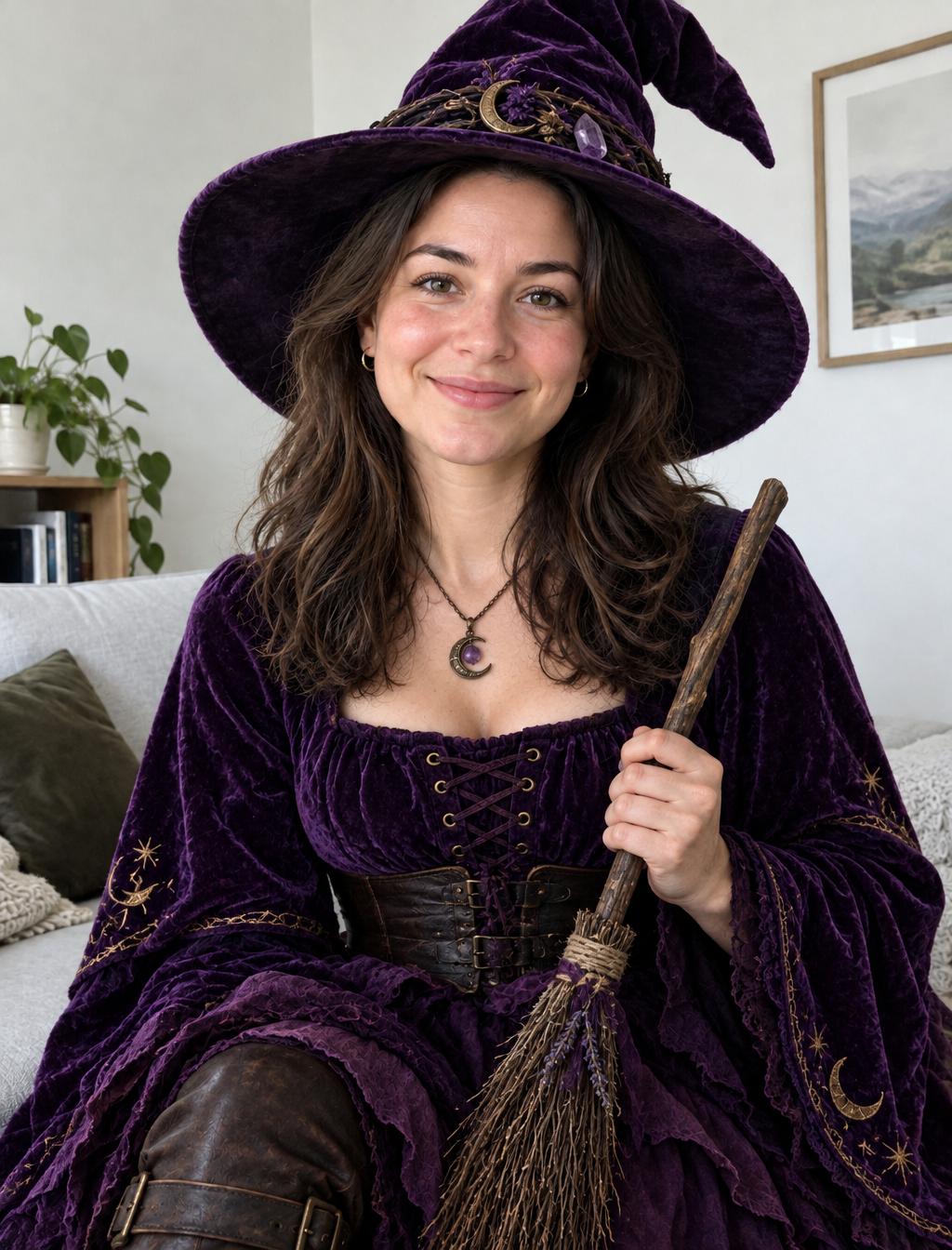
Use this tool-page example to examine the hat brim, the visible face and the grip on the broom. It does not show the moss-green layered skirt and plum shawl described in the prompt above; see the earlier concept comparison for the woodland outfit’s skirt layers.
For a Buddy-inspired mood, use the cheerful-host-and-eerie-studio contrast as a starting point. Give your mascot a distinct mane, horn pattern and trim; an open-face hood leaves your own expression visible.
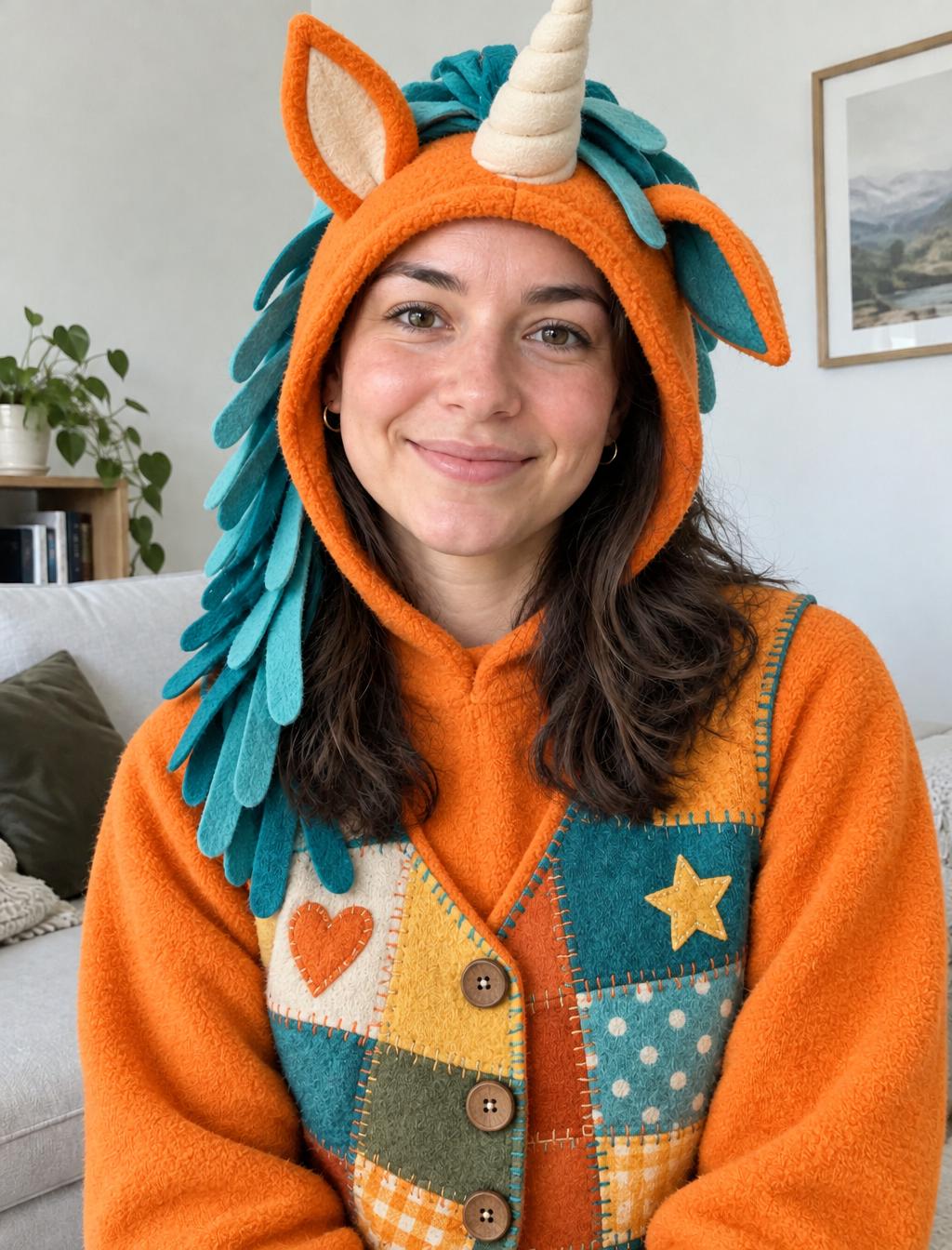
Create an original unicorn-host Halloween costume around the person in the reference photo.
Use an open-face orange fleece hood, small felt ears, one soft fabric horn and a short ribbon mane with a personal teal accent.
Keep the human face, hairstyle, pose and background recognizable from the source.
Show a comfortable-looking layered outfit with clear seams and separate accessories.
No lettering, character logos or extra horns.
Check that the hood leaves your features visible and the horn and ears are clearly placed before trying a different mane accent color. Try an original unicorn look on your photo
Compare candidates at the same size. A dramatic background can make an outfit feel more impressive while hiding that its sleeves or accessories are unclear; keeping the setting steady helps you choose the clothing itself.
Pick the two or three features that make the look recognizable, then list the clothing and props needed for those features. For the unicorn host, that might be a fleece hood, felt ears and a ribbon mane; for the vampire, a cape and clasp may do most of the work.
Check the real materials against your measurements, movement and comfort before buying or sewing. A generated seam, fastening or fabric drape is a visual suggestion, so resolve those details with the actual garment.
Use a clear source photo, name the features you want to keep and choose light makeup or an open-face hood. Compare the eyes, mouth and face proportions with the source before saving a favorite.
Keep the background for the first comparison so the clothing is easier to judge. Once you have chosen the outfit, make a separate version with the setting you want.
Use it as a visual brief for shape, color and materials. Create or choose the physical pattern separately and check it against the intended wearer.
For an in-person event, start with the look that uses the most clothing you already own. For a Halloween photo, pick the silhouette you like best. Try its prompt for one preview before deciding whether to put together a physical costume.
Open the AI Halloween Costume Generator to try your chosen look
To compare a different costume, return to the same original photo and change only the outfit description. To refine a look you have already chosen, upload that candidate instead and describe the adjustment.
For a smaller profile picture, use the Buddy-inspired avatar prompts and circular-crop checks
Only trying a hood or makeup? Start with the Buddy the Unicorn Face Filter.
Browse the Halloween AI collection for the matching creation tools
APIXO’s costume tool explains the source-photo workflow and outfit presets used in this guide
Build with APIXO
Explore image, video, and audio models in one place.