Guides
How to Use the Buddy the Unicorn Face Filter on Your Selfie
Choose a hood, makeup or retro TV look, copy a prompt and check the face and costume details in your edited selfie.
APIXO Team
Start creating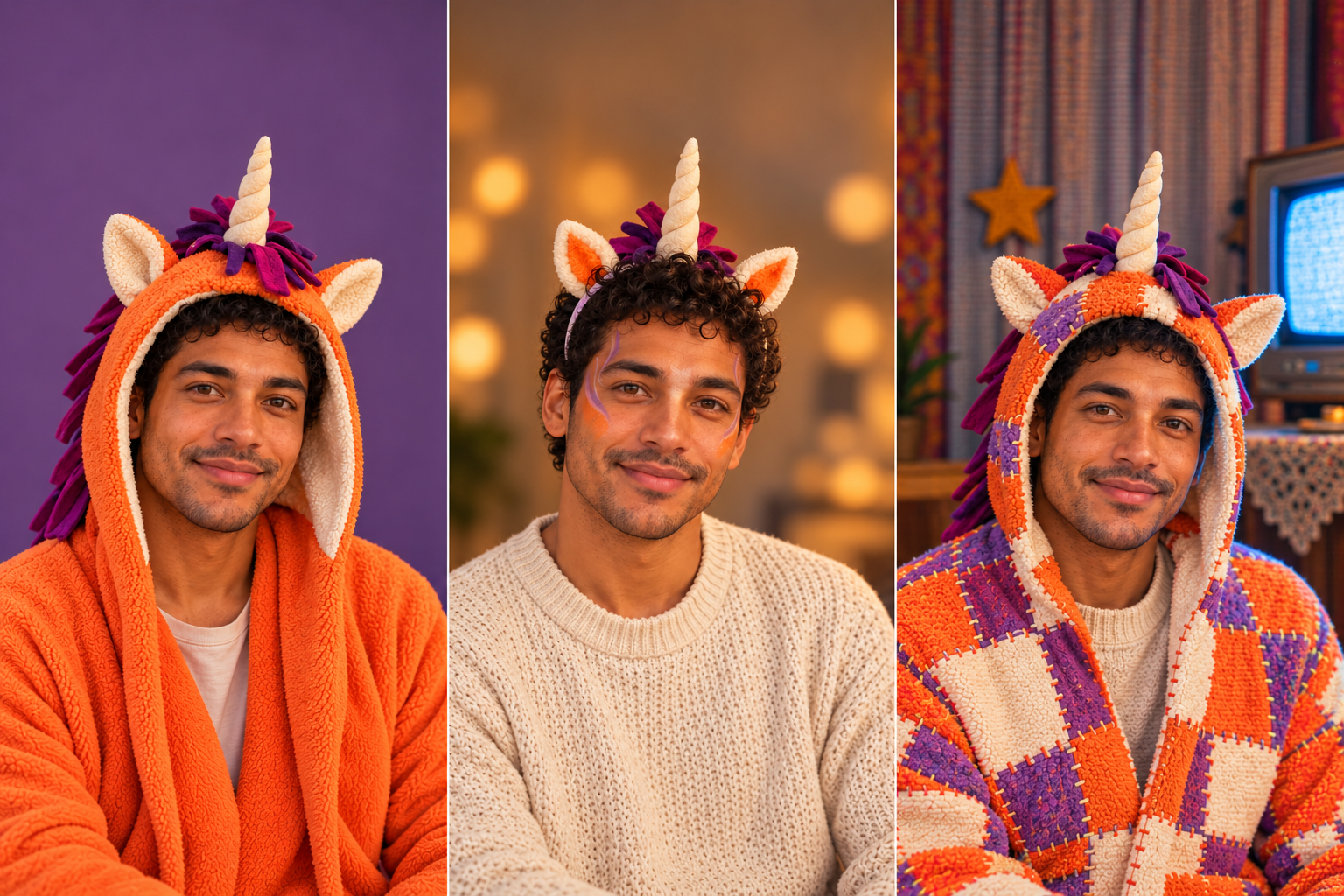


Guides
Choose a hood, makeup or retro TV look, copy a prompt and check the face and costume details in your edited selfie.
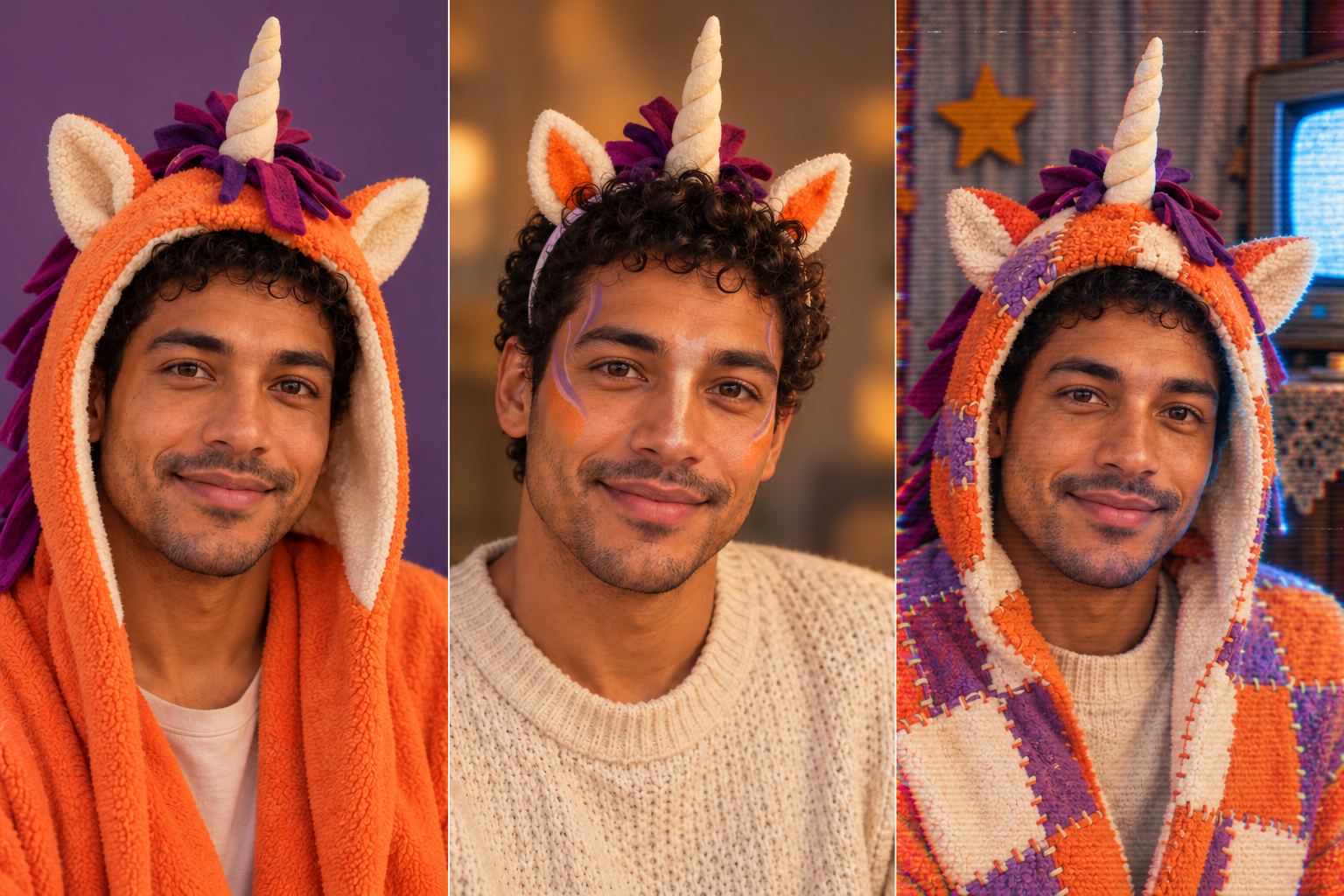
Want a Buddy-inspired unicorn host portrait with your own face visible? Upload a clear solo photo to APIXO’s Buddy the Unicorn Face Filter and use the prompts below to explore an open-face hood, orange stage makeup or a retro television look. Compare the three directions before changing colors, materials or the background.
The tool creates a downloadable still image. Your photo guides the face and expression, so compare the result with the original to check the gaze, mouth and facial contours. This guide covers choosing a photo, describing the look and refining the result.
Upload your selfie and try a Buddy-inspired photo effect
Use a solo portrait with even light, a visible jawline and some space above the head. A hat brim, strong shadow or cropped forehead makes it harder to judge where the new ears and horn should sit. Keep the original photo beside your candidate images so you can compare the face.
Decide which details matter most: the expression, hairstyle, head angle or background. Put those priorities into the description rather than asking the model to change everything at once. A reference guides the edit, so check whether the result retains the details you selected.
Choose this route when your smile or eye contact should carry the portrait. Let the hood frame the cheeks and place the horn above the forehead instead of covering it. Use a simple background while settling the costume shape.
Edit the uploaded solo portrait into an original orange unicorn television-host costume. Keep the person’s gaze, expression and head angle as the visual reference. Add an open-face orange fleece hood, handmade cream ears, one soft striped horn and a short plum ribbon mane. Keep the eyes, nose and mouth unobstructed. Soft frontal light, plain muted-purple background, room above the horn. No words or logos.
Use makeup when you want the cheekbones and face shape to remain easy to read. Name a small set of painted areas rather than requesting a complete animal face. A horn headband can suggest the mascot without replacing the entire head.
Use the uploaded portrait as the face reference. Create an original unicorn stage-makeup concept: orange accents on the outer cheeks, a cream highlight at the center, fine violet lines near the temples and a handmade horn headband. Keep the person’s facial contours and natural expression visible. Warm studio lighting, gentle color contrast, no full-face animal mask, no writing.
Once the face and costume work, change the setting. Add a curtain or felt star and keep tape wear near the edges. If scan lines hide the expression, reduce the texture before adding more scenery.
Retain the recognizable face from the uploaded portrait within an open-face patchwork unicorn hood. Place the original mascot host on a quiet handmade television set with a faded curtain and one felt star. Pale CRT side light and soft fill on the face. Subtle color bleed at the frame edges; keep the eyes and mouth clean and readable. No captions, timestamp or logos.
Copy one prompt above, then open the Buddy the Unicorn Face Filter, upload your selfie and paste the prompt into the description field. Start with the open-face hood or makeup. Check the face before adding an old television set or VHS texture.
Open the Buddy the Unicorn Face Filter
At full size, look for fabric merging into hair, extra horns, uneven eyes or makeup bleeding into the lips. At the size you will share, check that the expression still reads. For an avatar, leave enough room for the horn and ears after a circular crop.
Use the Buddy-inspired avatar guide for circular-crop checks
This workflow creates an edited still image from an uploaded portrait. Download the version you like for a profile picture, invitation or costume mood board.
Use an open-face hood to emphasize soft costume materials. Choose makeup when the shape of your own face should remain the main feature.
Return to a clearer source photo, reduce costume coverage and simplify the requested changes. Compare the new candidate with the source rather than judging it only as a standalone picture.
The portrait helps you compare headwear and makeup. Use a full-body source and the costume workflow when you need to plan clothing, shoes and props together.
Explore a complete outfit with the AI Halloween Costume Generator
Build with APIXO
Explore image, video, and audio models in one place.