Inspiration
Dark Unicorn Mascot Prompts: Build an Abandoned TV Studio Scene
Use an empty chair, a curtain or a monitor room to give a dark mascot illustration a clear story.
APIXO Team
Start creating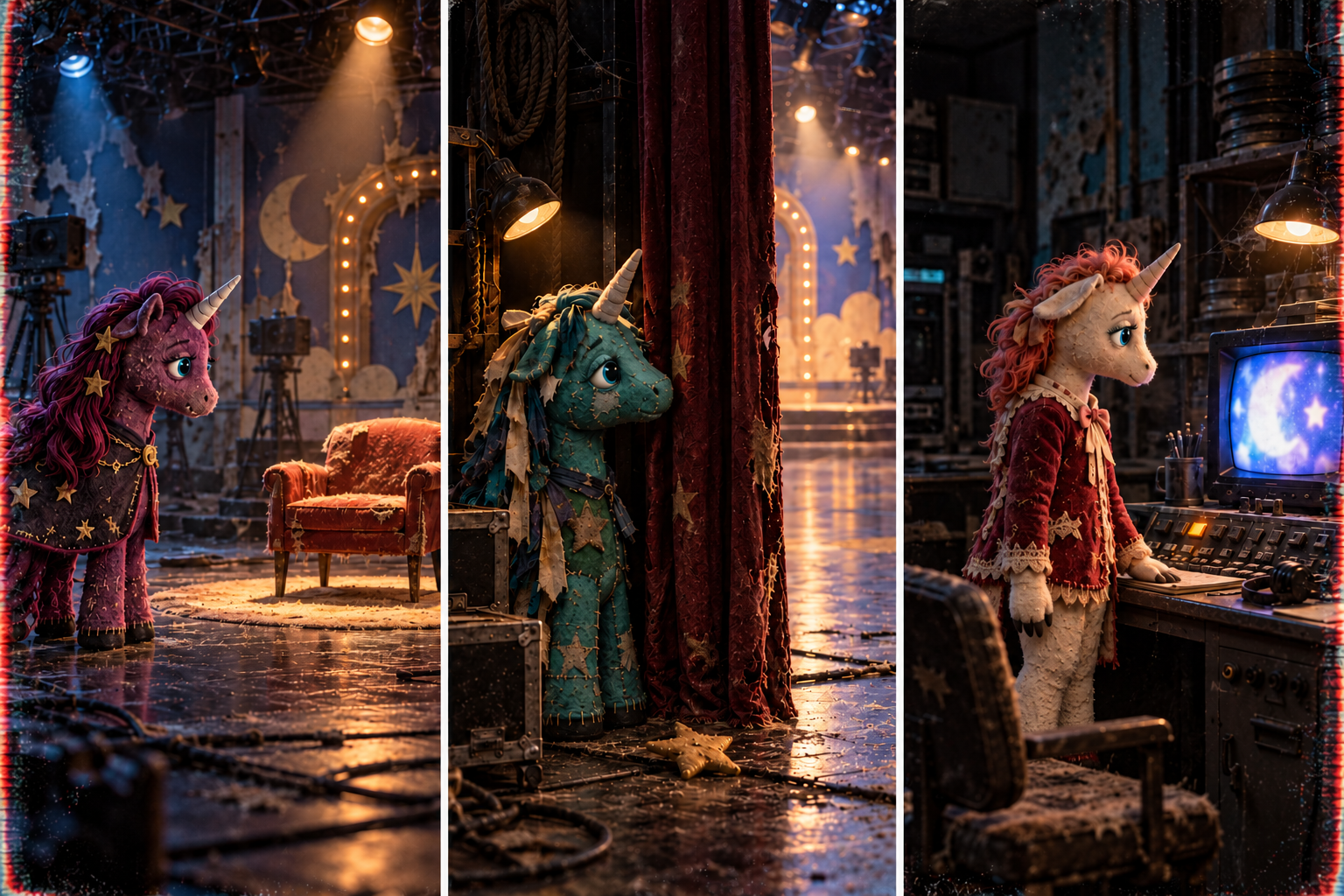


Inspiration
Use an empty chair, a curtain or a monitor room to give a dark mascot illustration a clear story.
For a dark Buddy-inspired scene, give an original unicorn mascot a place to stand, something to look at and a reason the room feels wrong. A wider studio illustration can tell a small story through the distance between the character, camera and props. Start with that relationship before adding fangs or tape noise.
Describe an original scene in the Dark Buddy AI Image Generator
A scene brief might be: a plum-felt unicorn stands at the edge of a closed television set, looking toward an empty illuminated chair. That describes a visible relationship. The viewer can supply the mystery without the prompt having to explain an entire hidden backstory.
Use the chair as the main story clue and let the mascot look toward it. The empty gap between them matters more than adding many broken objects. Keep both silhouettes distinct so the scene still reads as a small preview.
Wide original dark-unicorn mascot illustration inside a closed children’s television studio. A plum-felt unicorn with a single ivory spiral horn stands on the left edge of the stage, looking at one empty guest chair on the right. A warm spotlight illuminates the chair; soft cyan monitor light reveals the mascot’s eyes and fixed smile. Faded cardboard scenery, restrained dust, clear negative space between character and chair. No text, logos or gore.
Move the camera to the side of the stage and use a curtain to divide the image. Show enough of the mascot to establish its shape; a nearly black face can remove the very detail that makes the character interesting.
Original turquoise patchwork unicorn mascot at the side of an abandoned television stage, viewed from the wings. One cream horn and uneven ribbon mane, face partly lit by a low work lamp. A heavy faded curtain separates the mascot from a bright but empty stage. One fallen felt star lies near the curtain edge. Wide composition, readable costume silhouette, no extra characters, no lettering or logos.
A small room changes the kind of unease: the character is close to ordinary equipment instead of a grand ruined stage. Let one lit screen or desk lamp lead the eye. Add signal wear only after the room layout makes sense.
Wide cinematic illustration of an original ivory unicorn puppet in a small closed television control room. Short coral mane, one blunt horn, stitched velvet costume. The puppet stands beside a desk and watches one softly glowing CRT monitor; the screen shows an abstract light pattern without words. A warm desk lamp separates the puppet from the wall. Simple furniture geometry, subtle edge color bleed, quiet abandoned mood, no timestamps or logos.
Check the horn, eyes and mouth at full size, then trace the chair legs, curtain edge and monitor cables. An impossible prop connection can distract from the intended mystery. At thumbnail size, you should still be able to identify the mascot, the clue and the space between them.
If the picture only works as a face close-up, save that version as a portrait. For the wider scene, pull the camera back in the description and state again where the mascot stands, what it is looking at and which clue must remain visible.
The linked template starts from a written description. Describe the original mascot and the studio arrangement directly.
Use an empty lit seat, a fixed gaze or a curtain opening onto an unexpectedly bright stage. Give the viewer one clear contradiction to notice.
Remove secondary props and keep one visual clue. Restore the foreground, character and background separation before adding detail again.
An avatar needs a readable face inside a small crop. A scene needs a readable relationship between the character and the surrounding space.
Use the avatar guide when the final image is a profile picture
Develop the original character with the mascot-design guide
For a close-up profile picture, switch to the Buddy the Unicorn PFP Maker.
Build with APIXO
Explore image, video, and audio models in one place.