
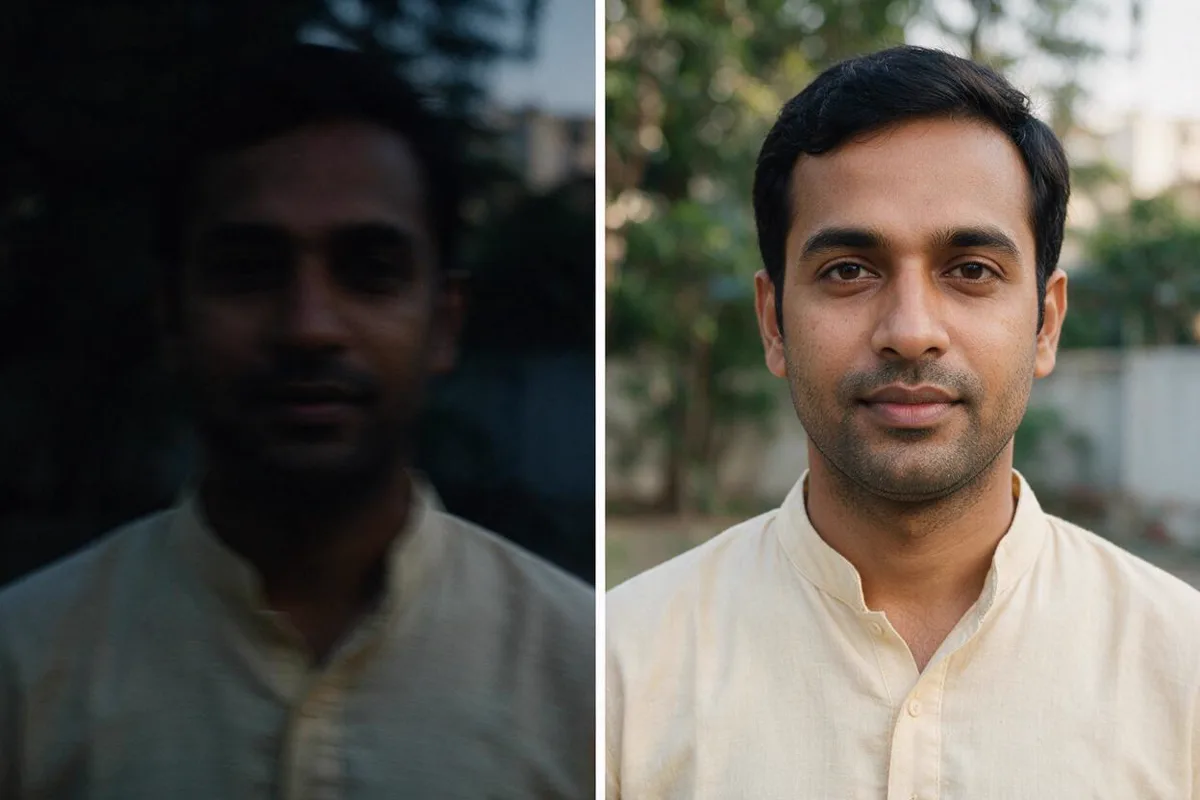
Start with a sharp, well-lit photo
Choose an original photo with clear eyes, nose and mouth. Dark, blurry or heavily filtered pictures hide the details that keep your face recognizable.
Black Friday: Up to 66% off most AI models.
Explore the dealsMake a Jatayu AI video from one photo. Upload a clear picture of yourself and the template puts you in the scene: you open your arms as Jatayu, the vulture king, rises behind you with a flock of birds. There is no prompt to paste and no reference clip to find.
Examples
A sharp photo, an uncovered face and a visible outfit give the Jatayu scene a stronger starting point.
Choose an original photo with clear eyes, nose and mouth. Dark, blurry or heavily filtered pictures hide the details that keep your face recognizable.
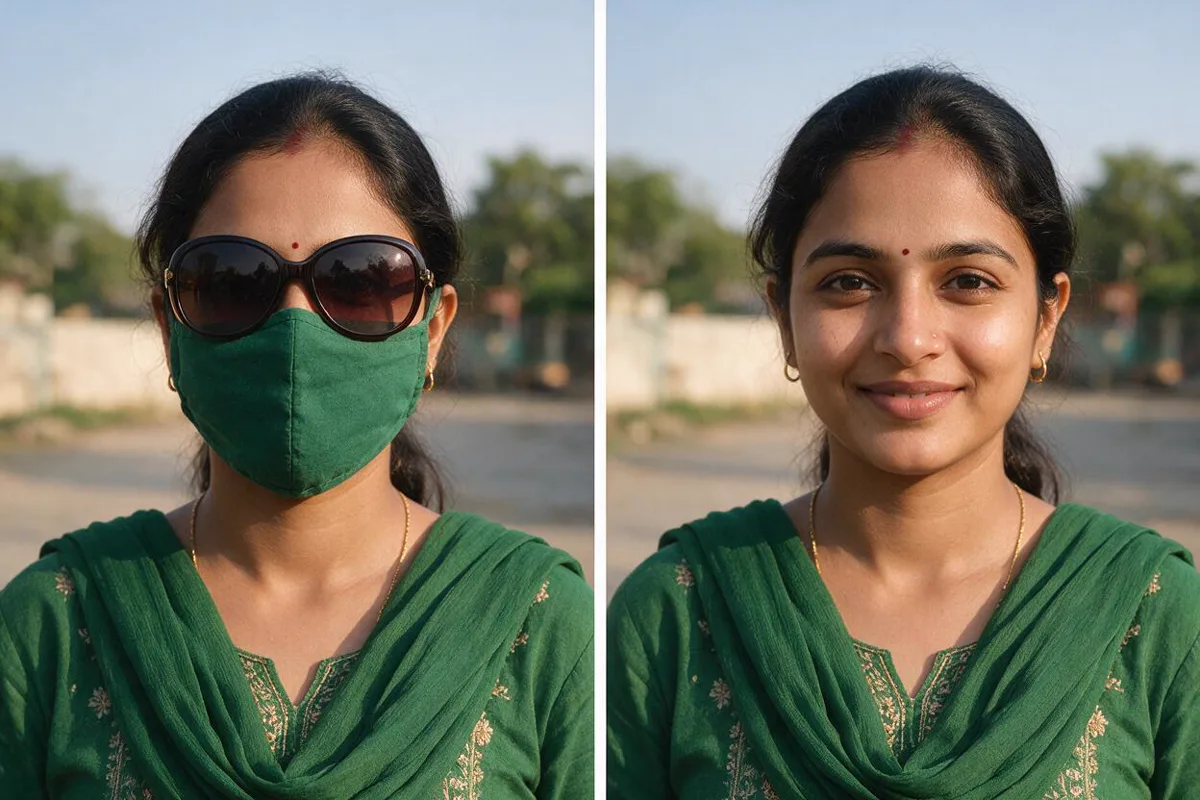
Take off sunglasses and masks, and keep your hands away from your face. The clip keeps what the photo shows.
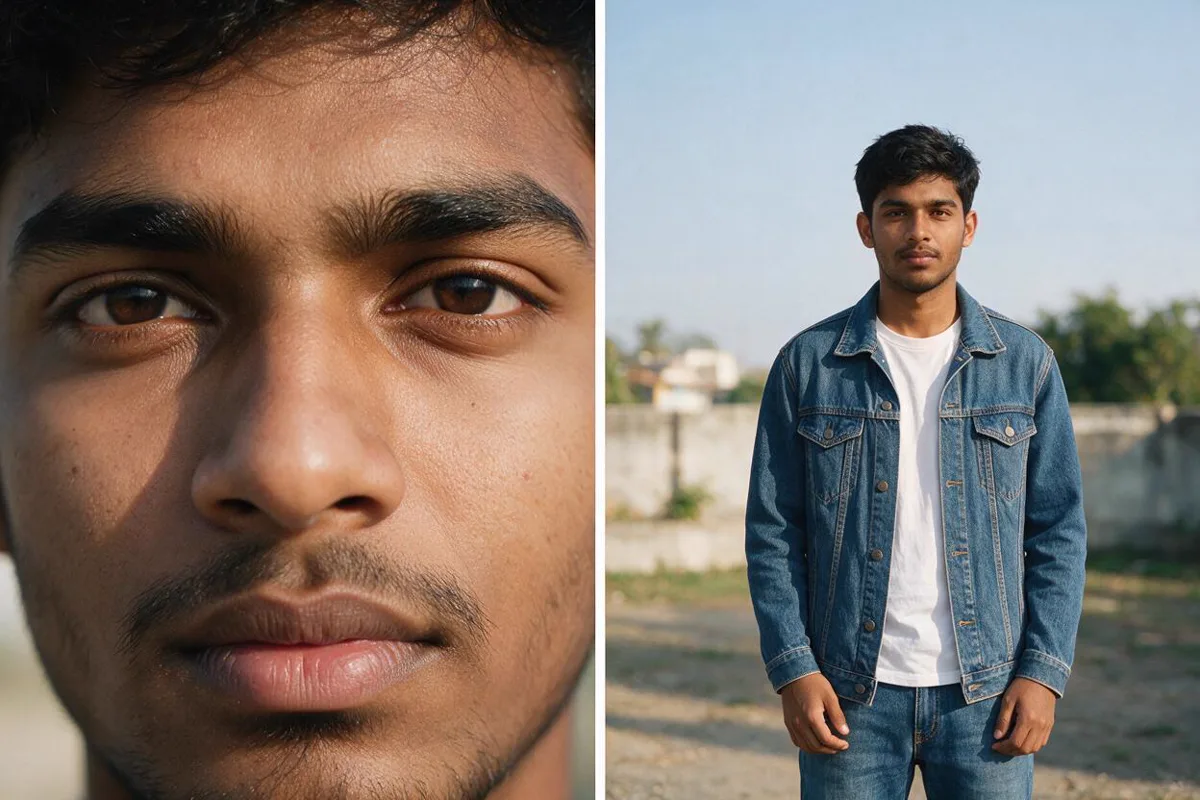
Use a half-body or full-body photo so the clip can keep your clothes. A tight face crop leaves the outfit to guesswork.
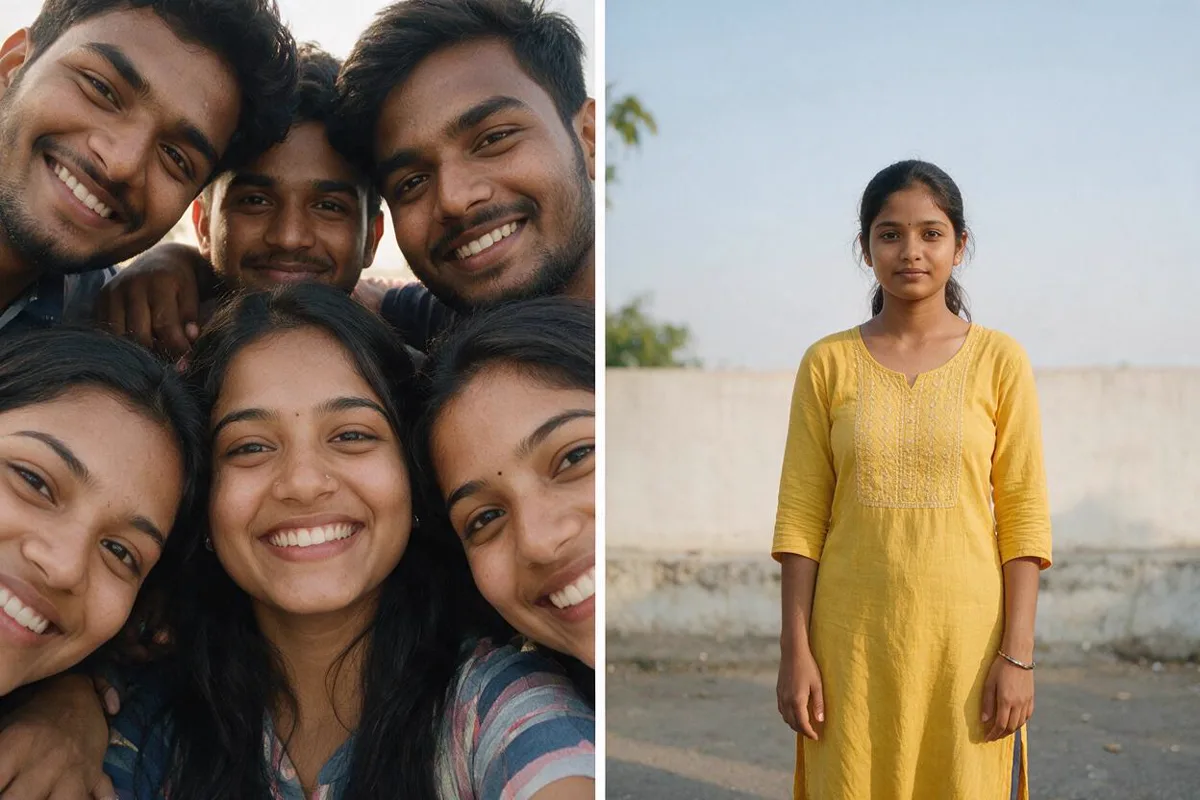
Use a photo of one person standing straight in the middle of the frame. The scene is built around a single person.
The photo sets your face, hair and outfit. The template places you in a wide outdoor shot under an open sky, so a half-body photo works as well as a full-body one.
You lift your chin and open your arms while Jatayu, the vulture king of the Ramayana, rises behind you and a flock of small birds bursts out with him. Every clip follows the same preset shot.
Preview the whole clip and check your face and the size of the eagle before you download it. For a different take, generate again or try another photo.
Image to video turns the same photo into a clip from your own description, for scenes beyond the eagle reveal.
Open image to videoThe giant bird rises from behind you and hovers with wings spread wide in warm, golden light.
Your face, hair and outfit come from the photo you upload.
Every video is vertical, ready for short-video apps.
The clip comes with music and wing sound made for the scene. To use a specific song, replace the audio in a video editor.
Join the Jatayu trend with a clip ready for short-video apps.
Stand in front of Jatayu, the eagle who fought Ravana to protect Sita.
Share a clip with family and friends for Diwali, Dussehra or Ram Navami.
Turn a favorite portrait into a short clip for your profile or status.
Use a clear, well-lit photo of one person with the face fully visible.
Choose Standard or HD, then click Create. The template supplies the scene, so there is nothing to write.
Watch the clip to the end, then download it or generate another take.
Pick a sharp, well-lit photo without heavy filters, sunglasses or a mask.
A half-body or full-body photo both work; a full-body photo shows your whole outfit.
Pick HD when you want a sharper face.
Use your own photo, or ask the person in it before you upload.
Upload one photo and click Create. The template adds the eagle reveal behind you, with no prompt to paste and no reference video to find.
A clear, well-lit photo of one person with the face uncovered. Sharp, unfiltered photos keep your face closest to the original.
No. The clip is generated in your browser and is ready to download. Open an editor only to change the music or add text.
Every video is vertical, whatever the shape of your photo.
Yes, with their permission. Upload their photo the same way as your own.
Upload a photo and watch the eagle rise behind you.
Try it now
