

APIXOAPIXO

Create

AI Video
AI Image
AI Audio

Library

GenerationsAssets

Explore

ModelsAI ToolsPricing
APIXOAPIXO
APIXO
APIXO

Create any content you can imagine. Trusted by millions of creators.

Support@apixo.ai

Models

Claude Sonnet 4.6
Face Swap
Flux 2
FLUX 3
Flux Kontext
Gemini 3.1 Pro Preview
Gemini Omni
GPT-5.5
GPT-Image-1
GPT-Image-2
GPT-Image-2.5
Grok Image
Grok Imagine Video 1.5
Grok Video
Hailuo 2.3
Hailuo 2.3 Fast
HappyHorse
Head Swap
Image Upscaler
Image Watermark Remover
InfiniteTalk
Kling 2.1
Kling 2.5 Turbo Pro
Kling 2.6
Kling 3.0 Omni
Kling 3.0 Std
Kling 3.0 Turbo
LTX-2 19B
Midjourney
MiniMax H3
MiniMax H3 LoRA
MiniMax Image 01
MiniMax Speech 2.8
MiniMax Voice
Nano Banana
Nano Banana 2
Nano Banana Pro
Qwen Image 3.0
Qwen Image 3.0 Pro
Seedance 1.5 Pro
Seedance 2.0
Seedance 2.0 Fast
Seedance 2.0 Mini
Seedance 2.5
Seedream 4.5
Seedream 5.0
Seedream 5.0 Pro
Sora 2
Sora 2 Pro
Suno V6
Veo 3.1
Video Upscaler
Video Watermark Remover
Vidu Q3
Wan 2.2 Animate
Wan 2.5
Wan 2.5 Image
Wan 2.6
Wan 2.6 Image
Wan 2.7
Wan 2.7 Image
Wan 3.0 Video
Wan 3.0 Video LoRA
Wan 3.0 Video Pro LoRA
Z-Image LoRA
Z-Image LoRA Pro

Product

FeaturedImage ModelsVideo ModelsAudio ModelsText Models

Resources

AffiliateCompany InformationTerms of ServicePrivacy PolicyRefund PolicyShipping / Digital Delivery Policy

Other

PricingAPI Docs

© 2026 APIXO. All rights reserved.

MODEL AVAILABILITY, PRICING, AND ROUTING CAN VARY BY PROVIDER AND REGION.

CreateGenerationsAssets
  1. Home
  2. Video Tools
  3. AI Talking Photo

AI Talking Photo

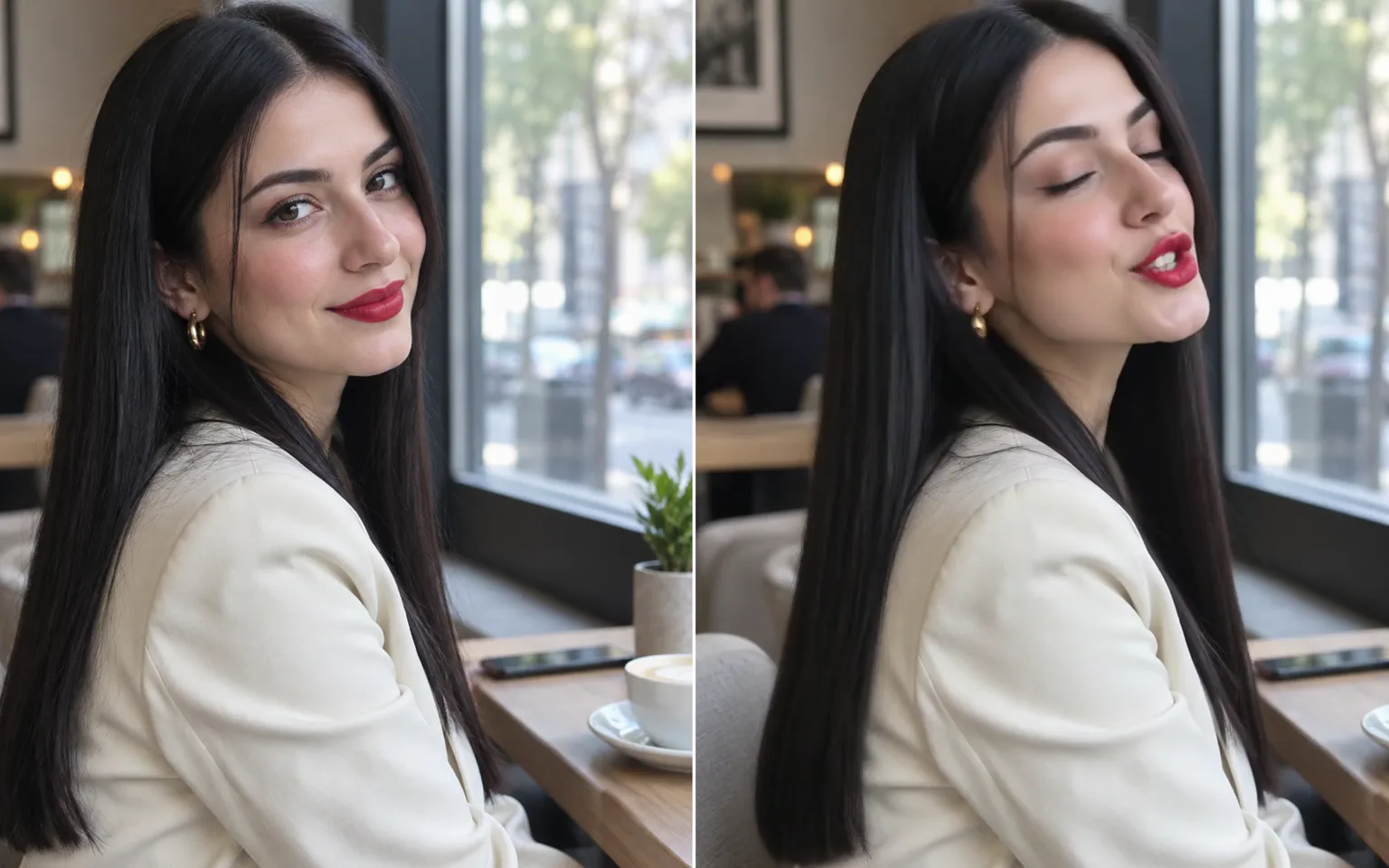
AI Talking Photo turns one still portrait and one audio track into a video in which the person speaks, with lip movement, facial expression, and head motion following the sound. Upload a clear photo, add speech or singing, and generate a talking clip without filming anyone.

  • AI Talking Photo
  • Video to Video
  • Motion Control
  • Video Upscaler
  • Video Watermark Remover
  • Remove Subtitles from Video
  • AI Video Extender
  • Video Character Swap
  • All Tools
AI Talking Photo
Why use it

Why create an AI talking photo on APIXO

Just a photo and a voice track

There is no source video to record. One portrait supplies the face and identity, and your audio supplies the words and timing, so a single picture can become a spoken greeting, a short explainer, or a narrated story.

Try it now

Lips that follow the audio

Mouth shapes are driven by the sound itself, so syllables, pauses, and emphasis line up with the speech instead of repeating a generic talking loop that ignores what is actually being said.

Try it now

More than a moving mouth

Expressions, blinks, head turns, and posture respond to the voice as well, which keeps the performance from looking like a frozen picture with only the lips pasted on top.

Try it now

Optional direction when you need it

A short text note can steer expression or mood, and the photo field also accepts an optional mask image next to the portrait. Leave both empty and the audio alone drives the result.

Try it now
Capabilities

What you can make with an AI talking photo

Spoken greetings and messages

Turn a portrait into a personal message, invitation, or thank-you delivered in your own recorded voice.

Presenter-style explainers

Give a product walkthrough, lesson intro, or announcement a speaking face without booking a shoot or setting up lights.

Narrating characters

Pair an illustrated or generated character portrait with narration so the character appears to tell the story itself.

Dubbed language versions

Reuse the same portrait with voice tracks in several languages, keeping one consistent on-screen presenter across every version.

Singing clips

Drive the portrait with a vocal track for music promotion, covers, or playful posts in which the face follows the lyrics.

Avatar and mascot tests

Preview how a digital host or brand mascot looks while speaking before committing to a full video production.

Who uses talking photo videos
Who it is for

Who uses talking photo videos

Content creators

Add a talking host to shorts, reels, and channel intros using a photo and a voiceover you have already recorded.

Marketing teams

Produce spokesperson-style clips and localized ad variants from approved brand imagery and licensed voice recordings.

Educators

Turn lesson scripts into narrated clips with a friendly face, which helps learners follow recorded explanations.

Families and hobbyists

Create light-hearted greetings from your own photos, with the consent of the people pictured, for birthdays and holidays.

Models

Models behind this tool

  • MGInfiniteTalkMeiGen
  • Alibaba logoWan 2.7Alibaba
  • Alibaba logoWan 2.6Alibaba
  • Alibaba logoWan 2.5Alibaba
  • ByteDance logoSeedance 2.5ByteDance
  • ByteDance logoSeedance 2.0ByteDance
  • ByteDance logoSeedance 2.0 FastByteDance
  • ByteDance logoSeedance 2.0 MiniByteDance
  • MiniMax logoMiniMax H3MiniMax
  • Alibaba logoWan 3.0 VideoAlibaba
How it works

Make an AI talking photo in three steps

Try it now
01

Upload a portrait

Add one clear, front-facing photo in which the face is well lit and the mouth is not covered. You may add an optional mask image in the same field.

02

Add your audio

Upload a speech, voiceover, or song file. Optionally describe the expression you want, choose the output resolution, and check the credit estimate.

03

Generate and review

Submit the task, then play the finished video with sound on and confirm that the mouth stays in sync through the whole track.

Tips & FAQ

Get better results

Tips

01

Use a sharp, front-facing portrait with the mouth and jaw fully visible.

02

Record audio in a quiet room and trim long silences or background music you do not need.

03

Keep any text note short and focused on expression or mood; the audio already decides what is said.

04

Check sync and expression at the lower resolution first, then rerun at the higher setting for the final version.

05

Only use photos and voices you own or have permission to use, and never present the result as a real statement.

Frequently Asked Questions

An AI talking photo is a video generated from one still portrait and one audio file. The model animates the face so the lips, expression, and head movement follow the sound, producing a clip in which the person in the picture appears to speak or sing.

No. The inputs are a single photo and an audio file. Re-syncing the lips of existing footage is a different workflow; this tool always starts from a still image.

Clear speech or vocals with little background noise give the most accurate mouth movement. The upload field lists the accepted audio formats and the maximum length of a single track.

A sharp, well-lit portrait with a visible, unobstructed face works best. Side profiles, heavy shadows, sunglasses, hair across the mouth, or hands near the face make the animation less convincing.

Only with their permission. Do not create videos that impersonate real people, mislead viewers, or put words in someone’s mouth without consent, and follow the rules of every platform where you publish.

Generation uses pay-as-you-go credits. The estimate beside the Generate button reflects your current inputs and resolution, so you can review the expected charge before you submit.

More tools

  • Text to Video
  • Image to Video
  • Reference to Video
  • Video to Video
  • Motion Control
  • Video Upscaler
  • Video Watermark Remover
  • Remove Subtitles from Video
  • AI Video Extender
  • Video Character Swap

Create your AI talking photo

Upload a portrait, add your audio, and generate a video in which the face speaks in time with your sound.

Try it now
  • AI Talking Photo
  • Video to Video
  • Motion Control
  • Video Upscaler
  • Video Watermark Remover
  • Remove Subtitles from Video
  • AI Video Extender
  • Video Character Swap
  • All Tools