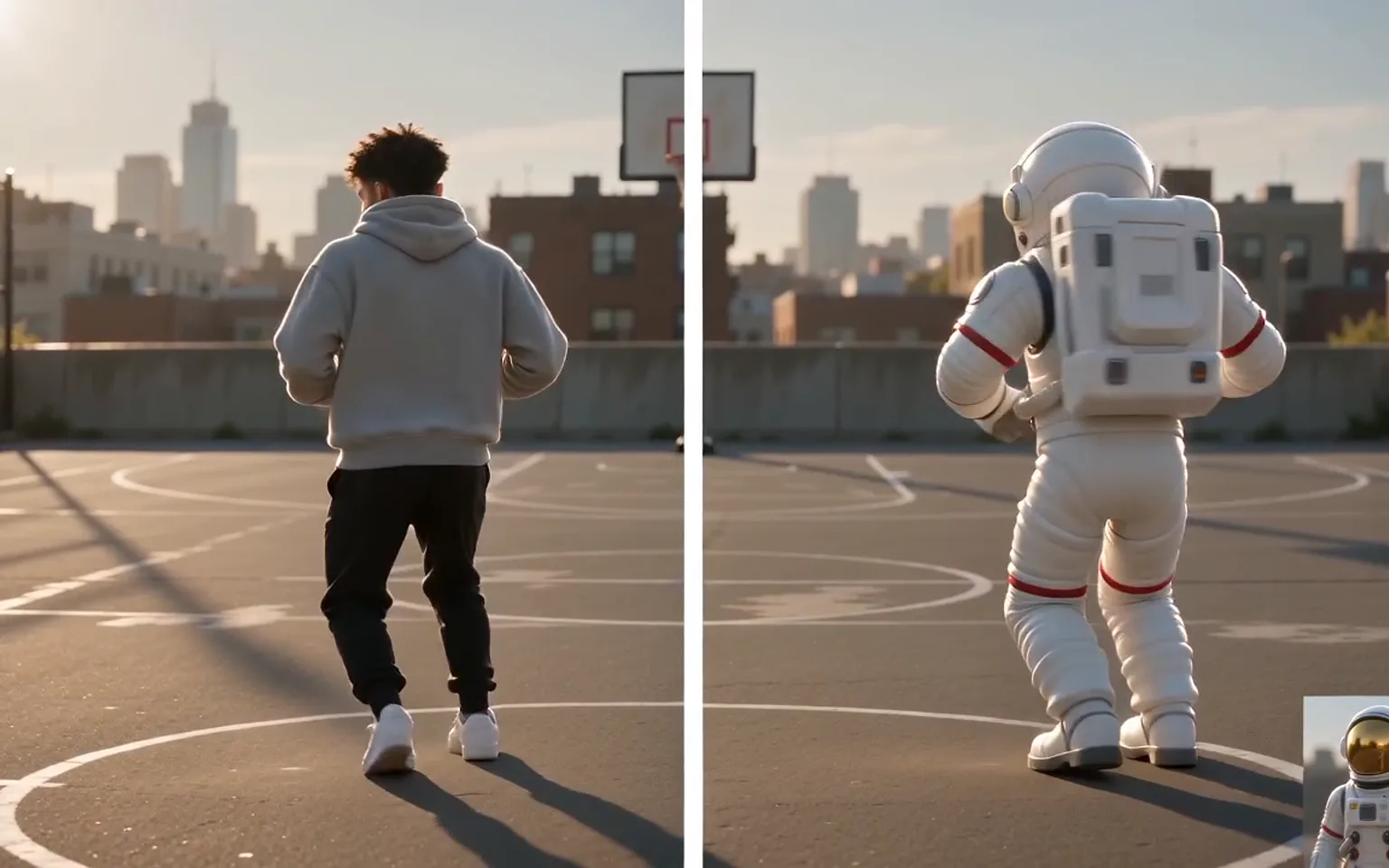






Video Character Swap is an AI workflow that replaces the main performer in a video with the character from an image. It swaps the entire figure, including body and clothing, while keeping the source clip’s movement, expressions, and scene.


Video Character Swap replaces the whole person in a video with the character from your image, including body, outfit, and overall appearance, not just the face. Upload a character image and a motion video, and the AI keeps the original movement, expressions, scene, and lighting while the new character takes over the performance.
A face swap changes facial features and leaves the original body, hair, and clothes in place. This workflow replaces the full on-screen performer, so the outfit, build, and overall look come from the image you upload.
Try it nowBody movement, gestures, and facial expressions are taken from the uploaded video, so the new character performs the same actions with the same timing as the person it replaces.
Try it nowThe model tries to keep the background, framing, lighting, and color tone of the source clip, so the swapped character sits inside the existing shot rather than on top of it.
Try it nowThere is no character rig, motion capture, or keyframing involved. One image supplies the appearance and one video supplies the performance; an optional note can mention style or details to keep.
Try it nowReplace the performer in a dance, walk-through, or action clip with an original character, mascot, or illustrated figure.
Swap in a character wearing a different outfit to see how wardrobe or costume options look on existing movement.
Keep a take whose timing and motion already work, and change who appears in it without booking a reshoot.
Turn dances or skits you have rights to into versions starring your own avatar or brand character.
Visualize how a different character would look in a scene before committing to a production decision.
Retain gestures and facial expressions from the source so the new character does not feel stiff or generic.
Perform on camera yourself, then let a stylized character take your place in the finished clip.
Place a mascot or campaign character into approved footage for ads and social posts.
Previsualize characters and costumes inside real motion before investing in full animation or production.
Test how a character design moves and reads when it performs in live-action footage.
Add one clear image of the character who should appear in the video. A full-body view that shows the whole outfit helps the model reproduce it.
Add the clip whose main performer should be replaced, choose the output resolution, and add an optional note about style or details to keep.
Check the credit estimate, submit, and watch the result for edges, hands, and moments where the performer is partly hidden.
Use a sharp, full-body character image on a simple background so the outfit and proportions are clear.
Pick motion videos with one clear main performer; crowded scenes make it harder to tell who should be replaced.
Match the framing of your image to the video when you can, for example a standing full-body image for a full-body dance.
Billing follows the length of the motion video, so trim it to the part you need before uploading.
Only use footage and likenesses you own or have permission to use, and label swapped content where platforms require it.
Video Character Swap is an AI workflow that replaces the main performer in a video with the character from an image. It swaps the entire figure, including body and clothing, while keeping the source clip’s movement, expressions, and scene.
No. A face swap changes only the face and keeps the original body, hair, and clothes. Here the whole character is replaced, so the outfit and overall appearance come from your image.
One character image and one motion video. The upload fields list the accepted formats and size limits, and an optional text note can describe style or details you want preserved.
Results are best with one clearly visible main performer. Heavy occlusion, very fast motion, several overlapping people, or extreme camera angles can produce artifacts around edges, hands, and hair.
Only with permission. Do not use real people’s images or footage without consent, do not create deceptive or harmful content, and follow the rules of the platforms where you publish.
Generation uses pay-as-you-go credits based on the length of the motion video and the output resolution. The estimate beside the Generate button shows the expected charge before you submit.
Upload a character image and a motion clip, then let the new character take over the performance.
Try it now