





 Image
Image


 Video
Video




Full Model Coverage
Access every AI model — text, image, video, and audio — all in one workspace. No need to switch platforms or manage multiple accounts.

One Workspace All Top AI Models
The most affordable price, no content limit, instant generation.


Instantly generate visuals, motion, audio and text that tell your story.
Generate images, video, music, and text content all in one place.
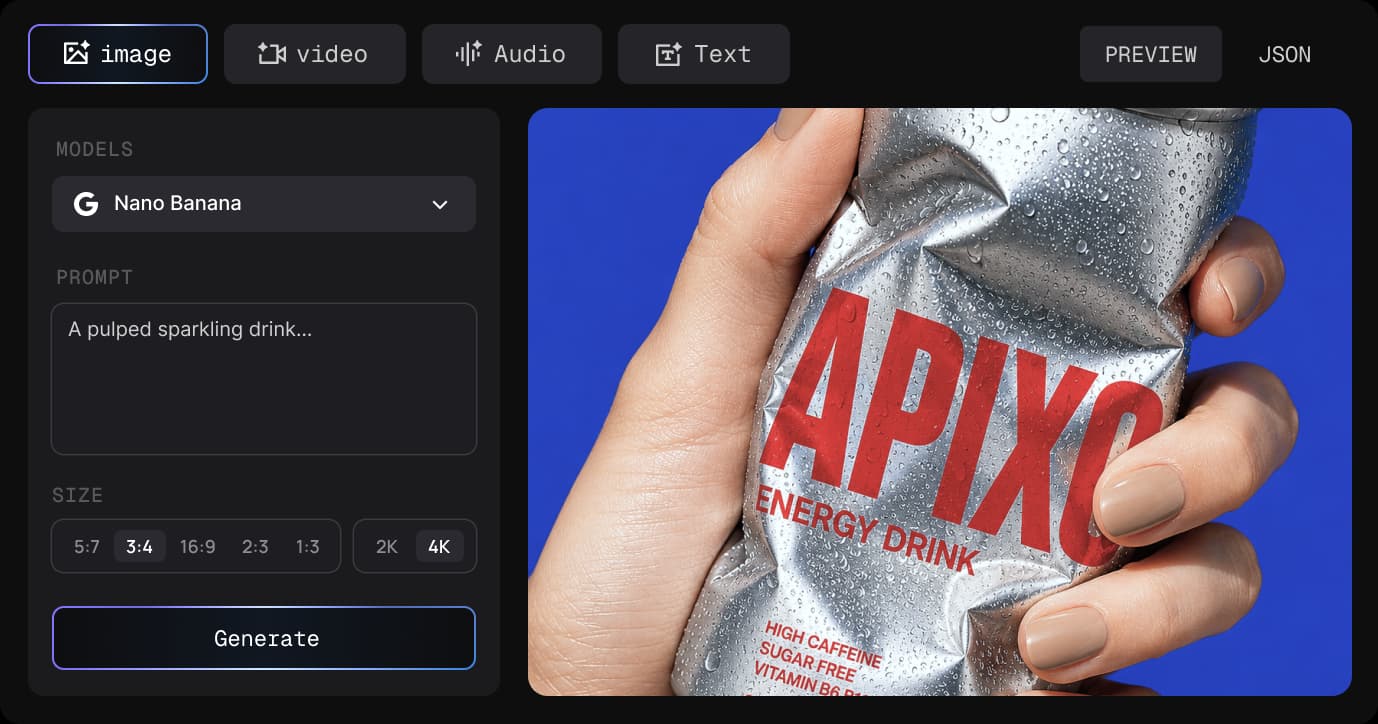
Pick your starting point. Every tool, every model, every format.

Create professional-grade images with advanced reasoning, precise editing, and exceptional visual consistency.

Best for detailed visuals with strong prompt control.

Best for social content, graphics, lifestyle visuals.

Best for high-speed, high-quality video generation.

Best for high-speed, high-quality video generation.

Best for cinematic motion and social video concepts.

Best for flexible video generation and editing workflows.

Best for high-detail images, product scenes, and style tests.

Best for polished concept art and expressive image styles.

Best for cinematic motion and social video concepts.
The most affordable price, no content limit, instant generation

Access every AI model — text, image, video, and audio — all in one workspace. No need to switch platforms or manage multiple accounts.
Few restrictions, full creative flexibility — freely experiment, iterate, and create original AI content without limits.
Generate more, pay less - Save ~30% compared to market pricing for every type of content.
Your original creations stay fully private and fully secure — we deeply respect your IP and complete creative ownership.
Pick your starting point. Every tool, every model, every format.

Luna Carter
Senior Creative Director
“APIXO keeps my favorite models in one workspace, so I can try different creative approaches without switching between separate platforms.”

Ciel Wilson
Independent Content Creator
“No more juggling subscriptions — one balance covers all my AI content needs.”

Maya Rodriguez
Brand Designer
“No more hunting for models. One workspace lets me pick and iterate faster for every campaign.”

Ethan Thompson
Video Editor
“Half the cost, double the output — I create way more client video content with APIXO.”

Jordan Lee
Backend Architect
“Cut months of maintenance work — one integration, all models, built-in failover.”

Riley Chen
AI Agent Engineer
“One unified API for all models — no more juggling integrations for multi-modal agents.”

Olivia Parker
DevOps Engineer
“One dashboard, clear pricing — no more multi-provider billing chaos.”

David Kim
Startup Founder
“Built our entire AI platform on APIXO. Failover and routing saved us months of work.”

Sophie Martin
Product Manager
“Browser prompts plug straight into the API — zero friction from idea to production.”

Alex Chen
Full Stack Engineer
“One API key, one format — swap any model without rebuilding integrations.”
Read FAQ
Short answers for both sides of APIXO — no-code model testing in the browser and production access through one API.
No. Creators can use APIXO directly in the browser to generate images, videos, chat responses, and audio. Developers can use the same models through the unified API when they are ready to integrate.
APIXO focuses on leading image, video, chat, and audio models, including OpenAI, Google, Flux, Seedream, Kling, Hailuo, Vidu, Midjourney, xAI, Suno, and more. The model catalog is updated as new providers and releases become stable enough to offer.
Browser mode is for trying prompts, switching between models, and downloading outputs without code. API mode is for production apps and automations. Both use the same account, balance, model catalog, and usage history.
APIXO uses prepaid, pay-as-you-go balance. Each model shows its own price before you run it, and one balance works across image, video, chat, and audio models. Refunds for unused balance are handled according to the Terms of Service.
You retain rights in content you lawfully provide or create through APIXO, subject to applicable laws, provider rules, and content policies. You are responsible for making sure the prompt, inputs, and final usage are allowed for your project.
To complete requests, APIXO processes prompts, inputs, parameters, and outputs with the relevant model providers. Account history, usage records, operational logs, and support data may be retained as described in the Privacy Policy. APIXO does not sell personal data, and deletion requests can be sent through support.
Where multiple routes are available, APIXO uses health, reliability, and cost signals to route requests and reduce provider-specific failures. Some model behavior still depends on third-party providers, so availability can vary by model and route.
Start by testing models in the browser, then open the same model page or API docs for request examples. Developers can create an API key, reuse proven prompts and parameters, and switch models without opening separate provider accounts.
APIXOPay Only For What You Use · Credits Never Expire
50+ top models. Half the price. Use in your browser or via API.