No. The route maps specifically to OpenAI’s sora-2 model. Sora 2 Pro is a separate model and route, so its pricing, resolution options, fidelity positioning, latency, and other controls do not apply here.


Video GenerationSynced AudioImage Conditioning
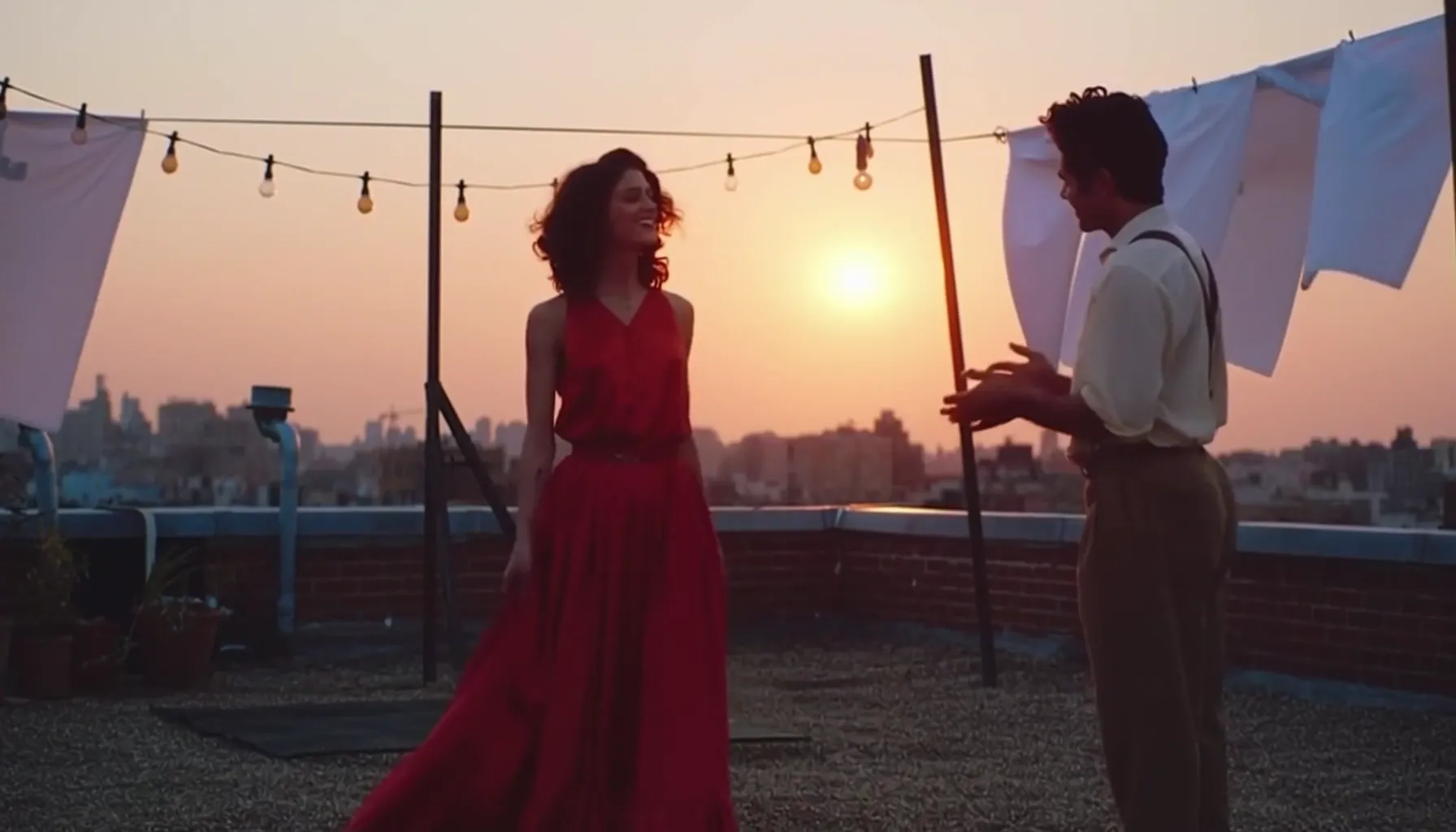
Sora 2 is OpenAI’s synchronized video-and-audio model for prompt-led short scenes. APIXO maps its sora-2 route to the standard model, offering text-to-video and single-image-conditioned generation with directed motion, multi-shot composition, and fixed 4-, 8-, or 12-second outputs.
Workflows
Text / Image to Video
APIXO Price
$0.10/ Second
Framing
Landscape / Portrait
Duration
4 / 8 / 12 Seconds
Released
Sep 30, 2025
Create with Sora 2
Capabilities
Scene generation shaped by motion, sound, and direction
Synchronized Audiovisual Output
Sora 2 generates video and audio together, supporting synchronized dialogue, environmental ambience, and scene-driven sound effects without requiring a separate audio-generation request.
Physical Scene Handling
Compared with earlier Sora systems, the model handles physical behavior and real-world dynamics more accurately, although complex contact, anatomy, and rapid interactions can still produce errors.
Temporal Continuity
Improved world simulation helps objects and scene conditions remain more coherent as actions unfold, supporting clearer cause and effect without guaranteeing perfect object permanence.
Multi-Shot Prompting
Sora 2 can interpret prompts containing several shots, actions, and transitions, making it useful for compact narrative sequences within APIXO’s fixed duration presets.
Directed Camera Movement
Natural-language instructions can guide framing, camera motion, pacing, and shot composition, giving creators more control over how a short scene is presented.
Flexible Visual Styling
The model supports realistic, cinematic, anime, and other stylized treatments while following the requested subject, atmosphere, movement, and overall scene direction.
Generation Modes
Choose prompt-only or single-image-conditioned generation
Text-to-Video for Prompt-Led Scenes
Submit a 1–10,000-character prompt describing the subjects, action, setting, camera direction, visual treatment, and desired sound. APIXO accepts landscape or portrait framing and a 4-, 8-, or 12-second duration for this mode.
Text to Video
Image-to-Video with One Visual Reference
Submit the same required prompt plus exactly one public image URL. The image conditions the generated scene, but APIXO does not document it as a guaranteed unchanged first frame or provide additional image-reference slots.
Image to Video
API Details
Sora 2 implementation specifications
Verified request and delivery behavior exposed by APIXO.
1–10,000 Characters
Prompt
Exactly 1 Public URL
Image-to-Video Input
MP4 URL in resultJson
Result
Polling / Callback
Delivery
Not Exposed
Sound Control
Conditional Request
Watermark Removal
Use Cases
Production workflows suited to Sora 2
Campaign Creative
Audiovisual Advertising Concepts
Convert a concise campaign brief into a short scene containing directed action, camera movement, ambience, and sound effects. Teams can use the outputs to explore advertising concepts before committing to a longer production process.
Still Animation
Animate Campaign Key Art
Use one product image, poster, illustration, or concept frame as visual conditioning for a new moving scene. Plan for interpretation rather than exact preservation of the source image or product geometry.
Previsualization
Test Shots and Physical Actions
Explore scene blocking, object movement, camera paths, and shot progression before filming or animation. The short duration presets suit focused tests, while difficult anatomy and multi-object contact still require review.
Creative Storytelling
Stylized Narrative Shorts
Produce compact cinematic, animated, or illustrative sequences in which imagery and generated sound share one prompt. This supports mood pieces, entertainment concepts, and story moments built around a few deliberate beats.
Notes & FAQ
Operational guidance for the Sora 2 route
Integration Notes
01
APIXO maps this route to OpenAI model ID sora-2, not the separate sora-2-pro model.
02
OpenAI’s current catalog marks Sora 2 as deprecated, while its dedicated model page displays a legacy label; APIXO still publicly documents the route.
03
APIXO exposes only text-to-video and single-image-to-video, with no storyboard, remix, extension, editing, video-to-video, cameo, or multi-reference mode documented.
04
APIXO exposes landscape and portrait values but does not document their pixel dimensions or provide a resolution selector on this route.
05
Typical processing is approximately 2–4 minutes for 4 seconds, 3–5 minutes for 8 seconds, and 4–6 minutes for 12 seconds.
06
APIXO documents no result-retention period or failed-task refund rule for this route, so applications should store completed assets promptly and avoid assuming reimbursement behavior.
Frequently Asked Questions
APIXO does not expose a sound-disable parameter. Sora 2 can generate synchronized dialogue, ambience, and sound effects, but the route provides no uploaded-audio input, dialogue field, pronunciation control, or separate audio configuration.
Not as a documented guarantee. APIXO requires exactly one public image URL for image-to-video, but describes it as a reference input rather than an unchanged first frame. Identity, composition, and fine details may shift during generation.
APIXO’s detailed documentation lists $0.10 per generated second: $0.40 for 4 seconds, $0.80 for 8 seconds, and $1.20 for 12 seconds. Billing depends on the selected output duration.
The optional APIXO parameter requests visible-watermark removal when the selected route supports it. It does not imply removal of C2PA metadata, provenance signals, safety controls, or other traceability mechanisms.
Explore Other Models
Discover more AI models for your next creative workflow
OpenAI


Sora 2 Pro
Sora 2 Pro is available on APIXO for Video. The model page brings examples, creation controls, pricing, and results into one focused workspace.
VideoNew
$0.3/sec Video
VideoGoogle


Veo 3.1
Veo 3.1 is available on APIXO for Video. The model page brings examples, creation controls, pricing, and results into one focused workspace.
Video
$0.15/videoByteDance

Seedance 2.0
Seedance 2.0 is available on APIXO for Video. The model page brings examples, creation controls, pricing, and results into one focused workspace.
VideoNew
$0.0573/secKuaishou

Kling 3.0 Turbo
Kling 3.0 Turbo is available on APIXO for Video. The model page brings examples, creation controls, pricing, and results into one focused workspace.
VideoNew
$0.112/secvidu
Vidu Q3
Vidu Q3 is available on APIXO for Video. The model page brings examples, creation controls, pricing, and results into one focused workspace.
VideoNew
$0.04/sec