Guides
Halloween Face Swap: Choose Your Target and Face Reference
A two-photo workflow for costume portraits, with three target styles and checks for mismatched inputs.
APIXO Team
Start creating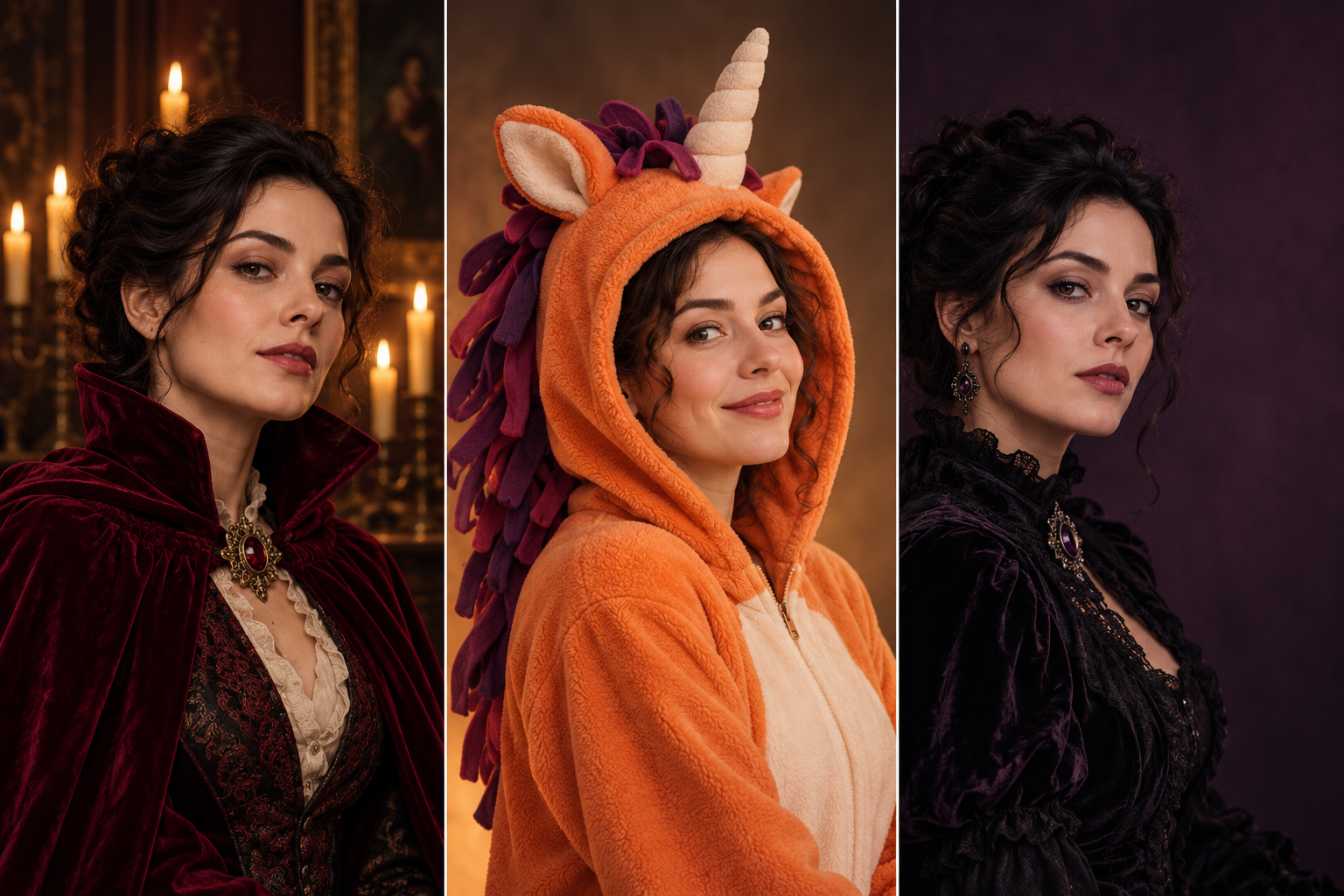


Guides
A two-photo workflow for costume portraits, with three target styles and checks for mismatched inputs.
For a convincing Halloween face swap, choose the costume picture first and the face reference second. The target image supplies the outfit, pose and setting; the reference supplies the person’s facial identity. Matching their angle and lighting gives you a clearer starting point.
Open Halloween Face Swap AI and prepare your two images
This workflow uses a target image and a face reference, rather than a text description of a new costume. Pick images you own or have permission to edit, with one clearly visible adult face in each.
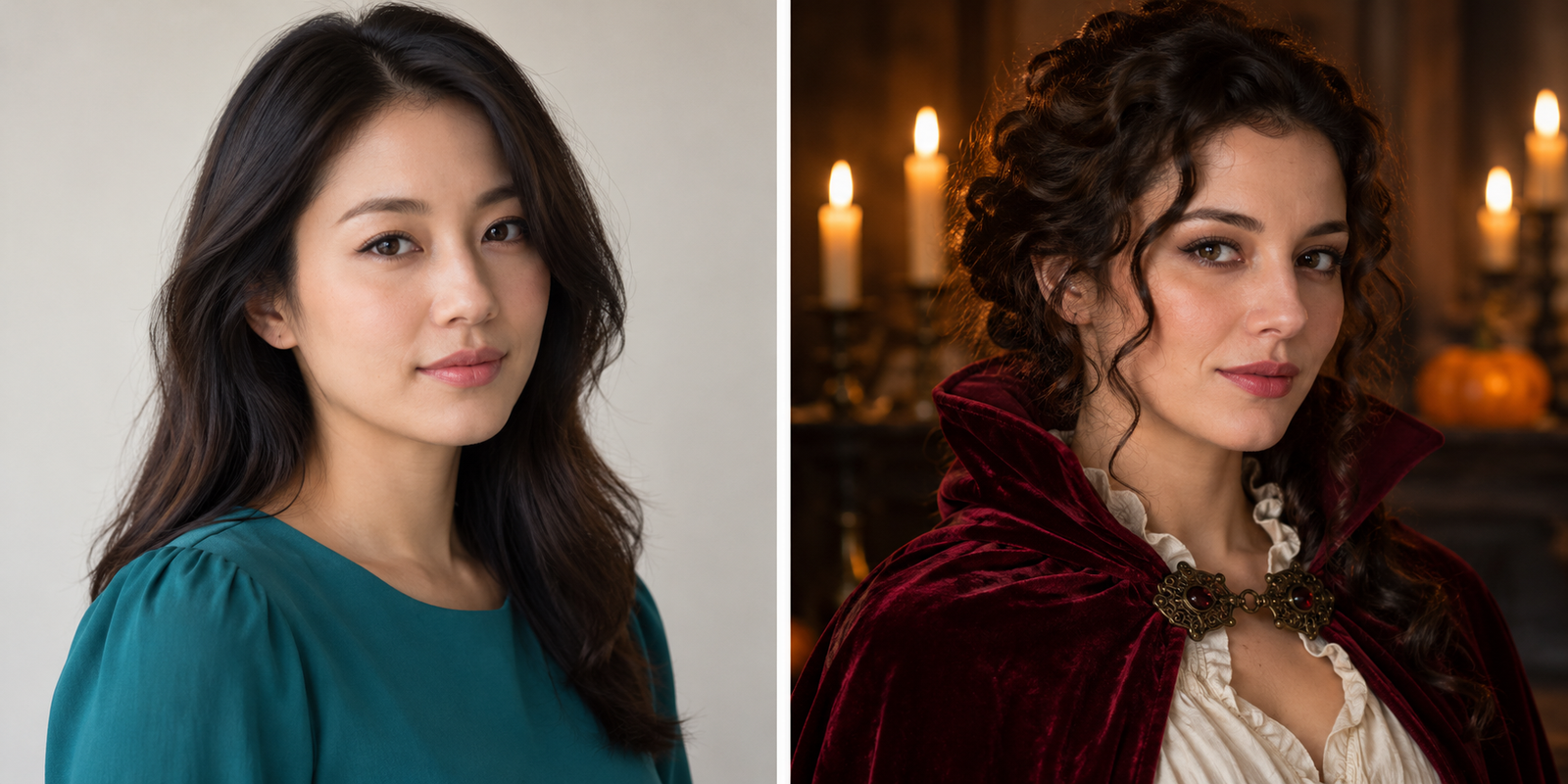
Choose the target for its clothing, hairstyle, head angle, body pose and background. A cape or open hood can frame the face; a veil, opaque mask or low hat brim can hide the details you need to inspect.
Look at the face area before you commit to a dramatic scene. Strong side light, a very small face or a sharply turned head can make it harder to compare the edited features with your reference.
Use a sharp portrait with clear eyes, mouth and natural facial detail. Choose an angle and expression close to the target, and avoid filters or heavy makeup that obscure the features you want carried into the result.
A high collar and dark cape leave the face as the main point of attention. Choose a target where the collar stays below the jaw and both eyes remain visible; begin with subtle makeup rather than painted-on fangs crossing the lips.
An original unicorn hood can give the image a playful Halloween mood while leaving a human face visible. Check the opening around the forehead and cheeks, because those edges will sit close to the edited facial region.
Pick a waist-up costume target with room beside the person if you plan to add event details later. Keep the invitation text as a separate layout step so choosing a face reference does not also become a typography task.
If the result looks like a pasted-on face, compare the input angles and lighting before trying again. Replacing an unsuitable reference or target gives you a more focused revision than changing several things at once.
The Target Image provides the clothing and surrounding scene. The Face Reference provides the identity you want to use in that composition.
This tool uses two image inputs, so select the costume and setting in the target photo. Prepare a different target when you want a different outfit.
Face Swap focuses on the facial region while the target remains the base for the surrounding scene. Consider the separate Head Swap workflow when the whole head and hair are part of the intended change.
With each person’s permission, work through one reference portrait at a time using the shared target. Compare the completed portraits together for consistent framing and light.
Use the Buddy-inspired avatar guide when the finished portrait needs a readable circular crop
Explore other costume and portrait tools in Halloween AI
APIXO’s Halloween Face Swap page describes the two uploads and the face-region workflow used here
Build with APIXO
Explore image, video, and audio models in one place.