Guides
SynthID Detector: Check AI Images, Video and Audio
Google has opened SynthID Detector to everyone. Learn how to check images, video and audio, and why an undetected watermark does not prove a file is real.
APIXO Team
Start creating


Guides
Google has opened SynthID Detector to everyone. Learn how to check images, video and audio, and why an undetected watermark does not prove a file is real.
AI-generated concept cover with contemporary English-market casual tailoring; illustrates watermark checking, not a real interface or detection result.
Have a photo, video or audio clip whose origin you want to check? Google opened SynthID Detector to everyone on 2026-10-07, with a globally available English interface, according to its official announcement. You can upload media at SynthID Detector and look for a supported invisible watermark.
The key limit: no watermark detected does not mean no AI was used. SynthID Detector checks for a specific provenance signal; it cannot certify every file as human-made or authentic.
SynthID embeds a signal directly into media made by compatible AI systems. People generally cannot see or hear it, but a matching detector can look for it. This differs from judging whether a face looks artificial or a recording sounds synthetic. Google DeepMind's explanation describes watermarking for images, video, audio and text; the public upload portal discussed here accepts images, video and audio. Do not confuse that with an open text-detection service.
Google's announcement names Google, OpenAI, NVIDIA and Kakao. Apple is described as coming soon, rather than already supported. The provider list in the supplied screenshot matches the four currently named companies.

Treat this as a list of participating providers, not a guarantee for all their AI products. Coverage can depend on the product, model, creation date and export path. For example, OpenAI's documentation describes SynthID for supported image and audio outputs, while video uses Content Credentials. An OpenAI image result therefore does not establish that every OpenAI video can be detected here.
For concrete Google model examples, explore Nano Banana 2 for images and Veo 3.1 for video. These model pages explain the available generation workflows; a model link is not a guarantee that every APIXO export will be detected by SynthID.
The author's upload screenshot lists these file formats:
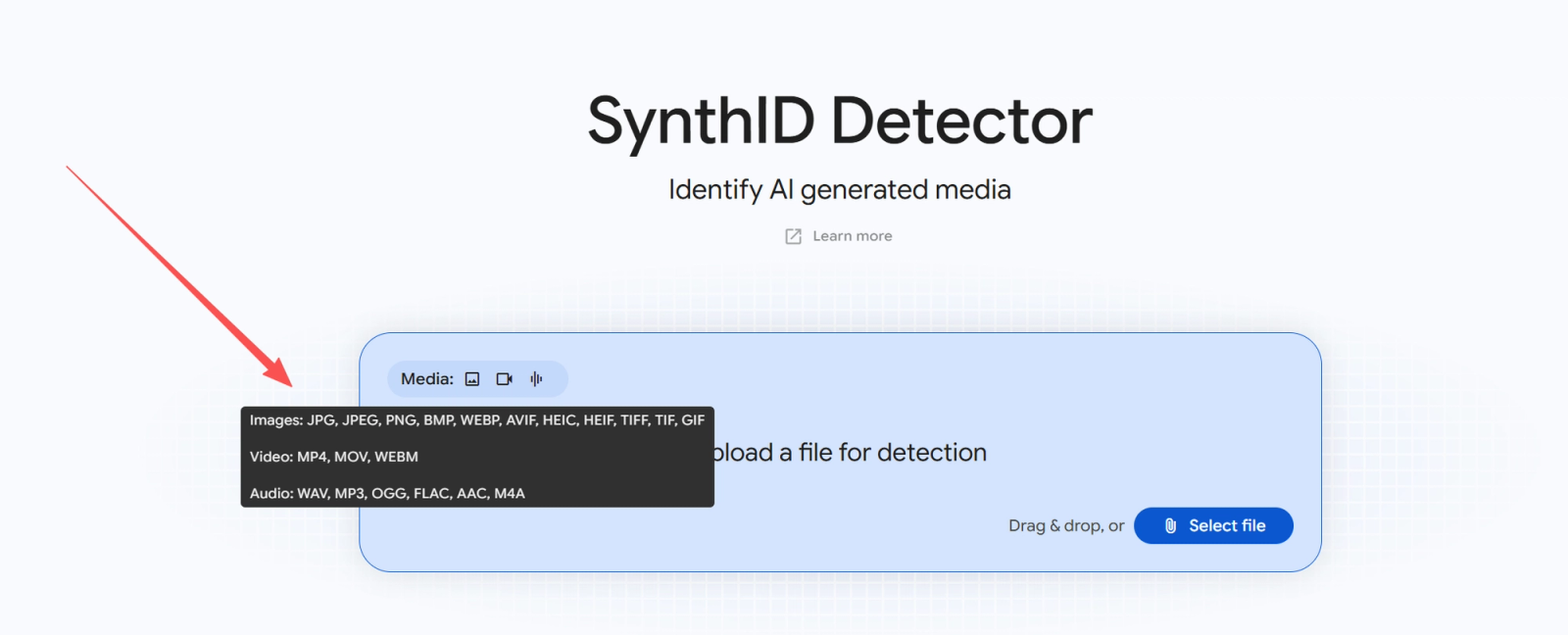
A supported extension means the portal accepts that file type; it does not guarantee that every file of that type contains a detectable watermark. Check the live uploader for current size, duration and availability requirements.
You can create an image, video or audio sample in the APIXO AI Generator, then download it and try it in SynthID Detector. For an audio example, explore Suno V6. The generation service and the detector serve different purposes: being able to generate a file does not guarantee a detectable SynthID watermark.
The supplied APIXO screenshot shows a Seedance 2.0 video result. It illustrates where to find a download, not a positive SynthID test or confirmed coverage for this model.

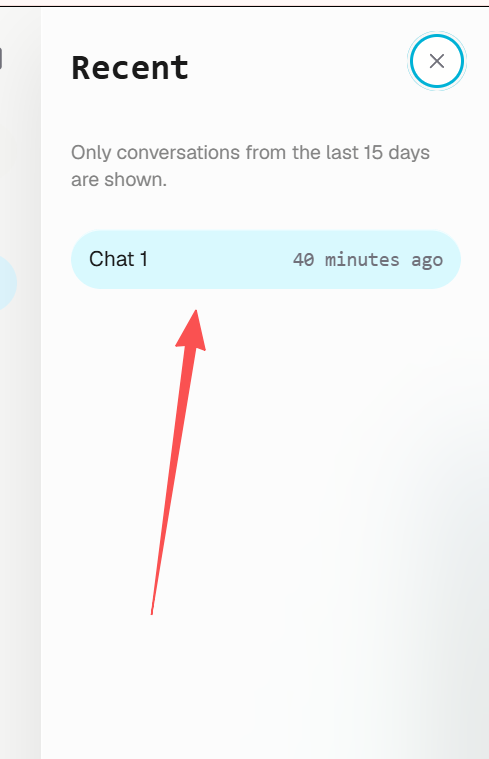
To explore OpenAI image generation, see GPT-Image-2. The test screenshot below does not name its exact model, so it should not be presented as a test of that particular model.
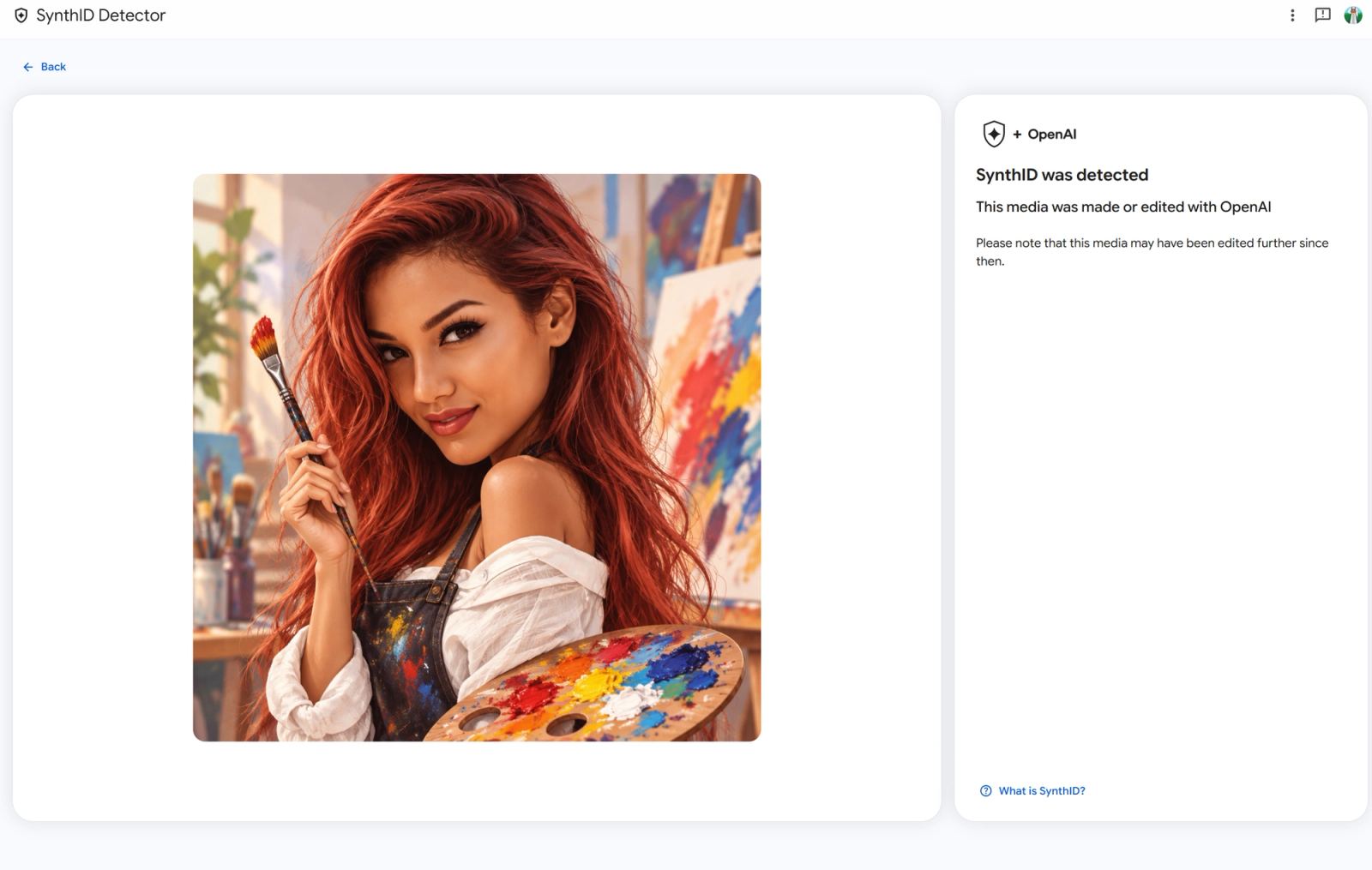
In the author's test, an image of a red-haired painter returned “SynthID was detected” and “This media was made or edited with OpenAI”. The screen also warns that further editing may have happened afterwards.
That is useful evidence of AI generation or editing associated with OpenAI. It does not tell us the exact model, prompt, creator or proportion generated by AI. This is one supplied image result, not an accuracy study or a video-and-audio benchmark.
OpenAI explains these provenance limitations. When no watermark is found, keep the question open: check the original source, compare other versions and look for available provenance information. Do not turn a negative result into a certificate of authenticity.
Do you have a photo you would like to check? Or a video or audio clip? You can also try a file from another company's AI product—just treat it as an experiment with unknown coverage.
Open SynthID Detector and test your file. Which images would you try first, and which other companies' AI outputs would you like to compare?
Sources checked on 2026-10-09. Screenshots supplied by the author; only the image example has a supplied detection result.
Build with APIXO
Explore image, video, and audio models in one place.