
News
What Is GPT Image 2.6? Features and API Access
Explore the evidence behind GPT Image 2.6, how markup editing works, and what is known about its release, pricing and APIXO API access.
APIXO Team
Update — November 6, 2026: GPT Image 2.6 is now available on APIXO. This earlier preview is preserved below. See the launch features and real examples for the current experience.
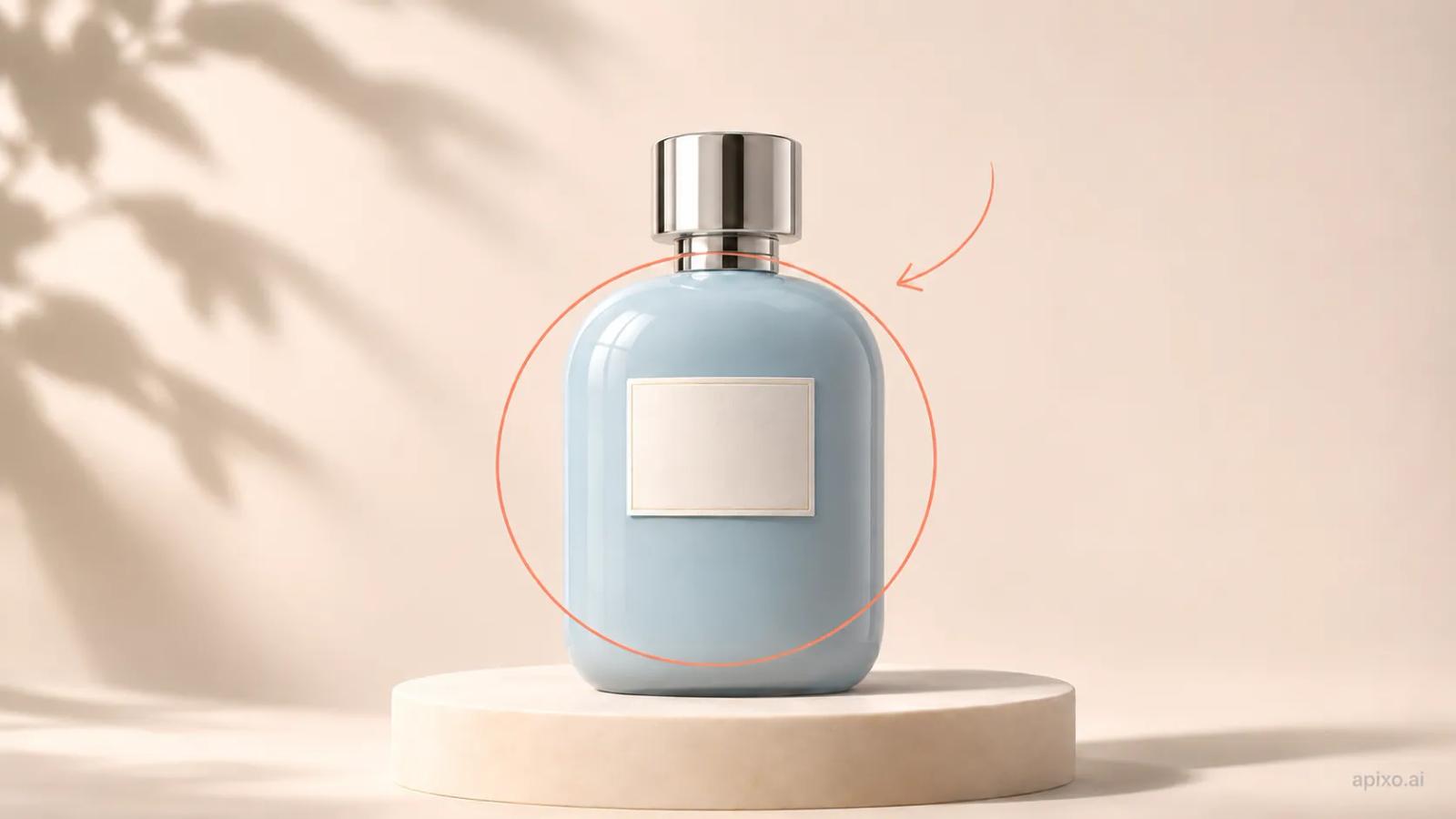
Concept artwork illustrating visual editing guidance; not a GPT Image 2.6 output or product screenshot.
GPT Image 2.6 is a name that appeared in OpenAI’s image-editing API specification, raising a practical question: could the next image update make it easier to show an AI exactly what to change? The reference appeared alongside a new visual-guidance input, then disappeared from updated support descriptions. It is a development worth following, but it is not a launch announcement.
As of November 3, 2026, we have not found a GPT Image 2.6 entry in OpenAI’s public model catalog or API changelog. APIXO has no confirmed GPT Image 2.6 access date to announce. Here is what the source material establishes, how markup-guided editing works, and what to look for before choosing a new model.
Key Takeaways
- Official Specification Signal: Discovered on October 28, 2026, within OpenAI's OpenAPI repository, introducing a dedicated
markupparameter for transparent PNG editing guidance.
Dual-Model Support Shift: The initial schema description noted support for both GPT Image 2.5 and 2.6; an October 31 follow-up commit tightened the description to specify GPT Image 2.5 only.
Strict Mutual Exclusivity: Under documented API rules, themarkupparameter cannot be combined with a standard binarymaskin a single edit request.
Deployment Status: No callable model identifier, public pricing schedule, or confirmed release date has been published. APIXO has no confirmed integration date to announce.
At a glance — Status checked November 3, 2026
- Official model listing: No GPT Image 2.6 entry found in the checked catalog
- Release date: Not confirmed in the checked official sources
- GPT Image 2.6 pricing: No published entry found in the checked pricing page
- APIXO access: No confirmed availability date to announce
What Do We Know About GPT Image 2.6?
The strongest evidence is a change in OpenAI’s own specification. On October 28, 2026, an OpenAI repository commit added a markup input for image editing and named both GPT Image 2.5 and 2.6 in its support description. On October 31, a follow-up commit changed the request descriptions to specify GPT Image 2.5 only. These dates follow the repository’s UTC timestamps.
That history establishes that the name appeared in official technical material. It does not establish a release date, a final callable model ID, or an improvement in image quality. Removing the reference also does not explain whether a release was postponed, renamed, or simply documented too early.
The current image-editing API reference lists markup support for GPT Image 2.5. The model catalog lists Sunburst and Flare as GPT Image 2.5 variants. A field in a specification and a publicly available model are different milestones.
How Does Markup-Guided Image Editing Work?
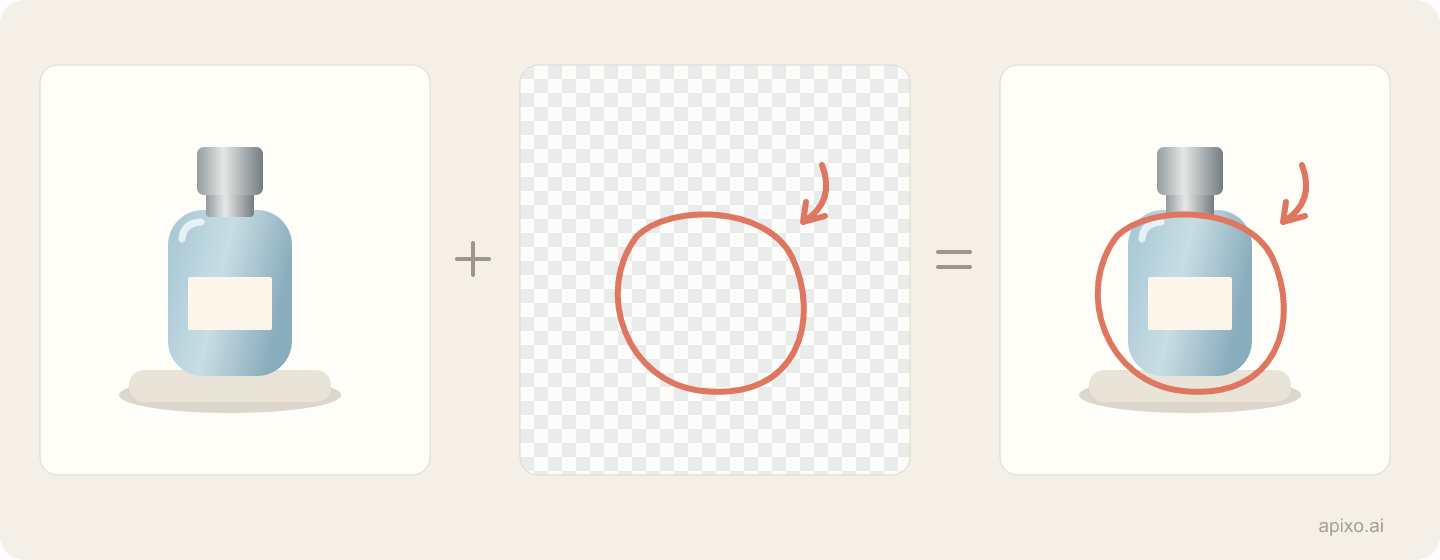
Markup adds a visual layer to an editing request. Its relevance to this news is concrete: it was the field associated with the original 2.6 reference. It should not be described as a confirmed feature exclusive to GPT Image 2.6.
What Is a Markup Overlay?
OpenAI describes markup as a transparent PNG laid over the first input image to guide an edit. The overlay must match the image dimensions after orientation and contain transparent pixels. It can be referenced by file ID, HTTPS URL, or a base64 data URL. The documented request cannot combine markup with a mask.
Think of a designer marking up a product photo before handing it to an editor. The source image carries the scene; a separate annotation layer points to the intended change; the written instruction explains the desired result. This is a way to communicate an edit, not a guarantee that every sketch will be interpreted correctly.
How Is Markup Different from a Mask?
A mask and a visual annotation serve different roles. A mask specifies an edit region; an annotation can express intent through a mark placed over the image. Neither description should be read as a promise that all surrounding details will remain unchanged. Exact behavior depends on the model and request, and needs to be checked in the resulting image.
What Could This Mean for Creators?
Consider a product campaign image with a blue bottle on a cream background. You want the bottle’s body to become coral while retaining the cap, label, lighting and composition. A useful instruction would state both the requested change and what must stay:
Change only the bottle body to coral. Keep the cap, label, background, lighting and composition unchanged.
This is an illustrative editing brief, not a tested GPT Image 2.6 prompt. For this task, the meaningful improvement would be less unwanted change: an intact label, consistent reflections and the same silhouette. A more attractive image that changes the product would still fail the brief.
Four Practical Workflows for Markup Guidance
Beyond recoloring a single product, transparent markup layers unlock four practical editing workflows:
- Palette and Swatch Steering: Applying a semi-transparent color overlay over an element communicates target hues directly, preventing color bleeding often caused by text-only prompts.
Rough Compositional Framing: Sketching basic geometric shapes—such as a doorway arch or window frame—onto blank surfaces provides structural boundaries for photorealistic textures.
Visual Callouts and Spatial Anchoring: Drawing clean rings or bounding markers isolates edits to specific objects without cumbersome descriptive coordinates (e.g., "in the upper-left corner").
Directional and Lighting Cues: Placing directional arrows or gradient swatches signals intended illumination vectors or object repositioning angles.
How Does GPT Image 2.6 Compare with GPT Image 2.5?
The meaningful question is whether GPT Image 2.6 can deliver more control with less rework. GPT Image 2.5 already offers two options: OpenAI positions Flare for fast, everyday image generation and Sunburst for workflows where editing precision matters. A new version would need to improve the result or the work required to reach it—not simply add a higher number to the name.
The comparison below separates what 2.5 already provides from the improvements worth testing if 2.6 becomes available. The GPT Image 2.6 points below are evaluation questions, not confirmed 2.6 features.
Everyday creation and detailed edits
What GPT Image 2.5 already offers: Flare emphasizes fast everyday generation; Sunburst emphasizes editing precision.
What would make GPT Image 2.6 a useful upgrade?: Can a creator get a usable image faster without sacrificing the details that matter?
Control over local changes
What GPT Image 2.5 already offers: The current OpenAI editing reference documents markup support for 2.5. Visual guidance is already part of the baseline.
What would make GPT Image 2.6 a useful upgrade?: Does a request change the intended object while preserving nearby labels, lighting and composition?
Detail and output quality
What GPT Image 2.5 already offers: Quality settings range from low through max, with an automatic option. These settings alone do not prove that a particular design is correct.
What would make GPT Image 2.6 a useful upgrade?: At comparable output settings, are small letters, product edges and material textures more dependable?
Cost of a finished asset
What GPT Image 2.5 already offers: Published token rates provide a starting point; actual cost also depends on usage and the attempts needed.
What would make GPT Image 2.6 a useful upgrade?: Does a finished, acceptable asset require fewer retries or less manual cleanup?
For the bottle image above, a stronger result would change the bottle body to coral while preserving the label, cap and reflections. A cleaner-looking image that changes the label would not be a better edit. Likewise, a lower price per attempt would not save money if the task needed more attempts.
This is why markup support alone is not evidence that 2.6 outperforms 2.5. The useful distinction will be how accurately the model follows a brief, how much it preserves, and how reliably it produces a usable result. Until that evidence is available, choose an existing model by your current task rather than treating the 2.6 name as a demonstrated upgrade.
When Will GPT Image 2.6 Be Available?
What Has OpenAI Announced?
We have not found a confirmed GPT Image 2.6 release date in the official API changelog checked for this article. The specification history is evidence of a reference, not a release schedule. We will update this section when an official announcement or public model listing supplies a firmer answer.
What Is APIXO’s Integration Timeline?
APIXO has no confirmed GPT Image 2.6 integration date to announce. Receiving upstream access, completing integration and opening the model to users are separate steps. This article will distinguish them if support becomes available, including which modes are actually accessible on APIXO.
What We Are Tracking Next
While OpenAI has not published an official release roadmap, we are monitoring three concrete technical indicators:
- OpenAI Python SDK Bindings: Current client releases (including v3.41.0) do not yet expose client-side bindings for the
markupargument. SDK client library additions generally precede public endpoint activation.
LMSYS Arena Evaluation Signals: Community observers have tracked anonymous model candidates in blind evaluation arenas (such asshooting-starorauroravariants). These remain unverified community observations rather than confirmed OpenAI releases.
OpenAPI Schema Commits: Monitoring future commits in the official OpenAPI repository for callable model identifiers, resolution limits, and dedicated pricing tiers.
How Much Does GPT Image 2.6 Cost?
No GPT Image 2.6 price was found on the OpenAI pricing page checked on November 3. It would be premature to assume that it costs the same as GPT Image 2.5 or that markup carries a particular surcharge.
For future APIXO support, consult APIXO API pricing for published API charges. Studio plans and API billing should be checked separately. A useful cost comparison needs the same task and output settings, plus the number of attempts required to get an acceptable result.
How Can You Access GPT Image 2.6 on APIXO?
How Can Creators Try It?
There is no confirmed GPT Image 2.6 launch on APIXO to link to in this article yet. Once access is verified, this section will point to the correct model page and explain the available creation and editing options. The illustrations above demonstrate ideas, not a currently available 2.6 workflow.
How Can Developers Access the API?
Wait for a published model identifier and integration documentation before building a request around this model name. The earlier specification mention is not enough to construct a working call. If APIXO adds support, this article will link to its actual API contract and document any differences in inputs or supported controls. Compatibility with older models should be verified rather than assumed.
You can explore the image tools currently available on APIXO. This page’s “Start creating” button opens the general image creator; it does not indicate GPT Image 2.6 availability.
Frequently Asked Questions
Can you combine the markup parameter with a mask?
No. OpenAI's API schema explicitly establishes that markup and mask are mutually exclusive options. An image edit request must choose between a standard binary alpha mask and a transparent markup overlay.
Is GPT Image 2.6 open source?
No. Like GPT Image 2.5, OpenAI's GPT Image models are proprietary, closed-weights architectures accessible exclusively through OpenAI's hosted API endpoints and official consumer interfaces.
Is GPT Image 2.6 an official name or only a rumor?
The name appeared in OpenAI’s repository. That makes the reference verifiable, but does not establish the final release name or availability.
Does markup support prove GPT Image 2.6 is available?
No. The current editing reference names GPT Image 2.5 for markup support. The two availability questions must be checked separately.
Has APIXO tested GPT Image 2.6?
This article contains no APIXO GPT Image 2.6 test results. Its product-image example is an explanation of an editing task, not a model demonstration.
Will this article be updated after release?
Yes. Confirmed release details, pricing and APIXO access information belong here. A separate hands-on guide can then cover verified steps, prompts, real outputs and troubleshooting.
Build with APIXO
Explore image, video, and audio models in one place.