
Guides
Beyond “change the jacket”: outfit references for realistic clothing edits
Write a clothing-edit prompt around cut, material and light. Use fictional outfit references for adult characters and separate concepts from product try-on.
Ethan Wang
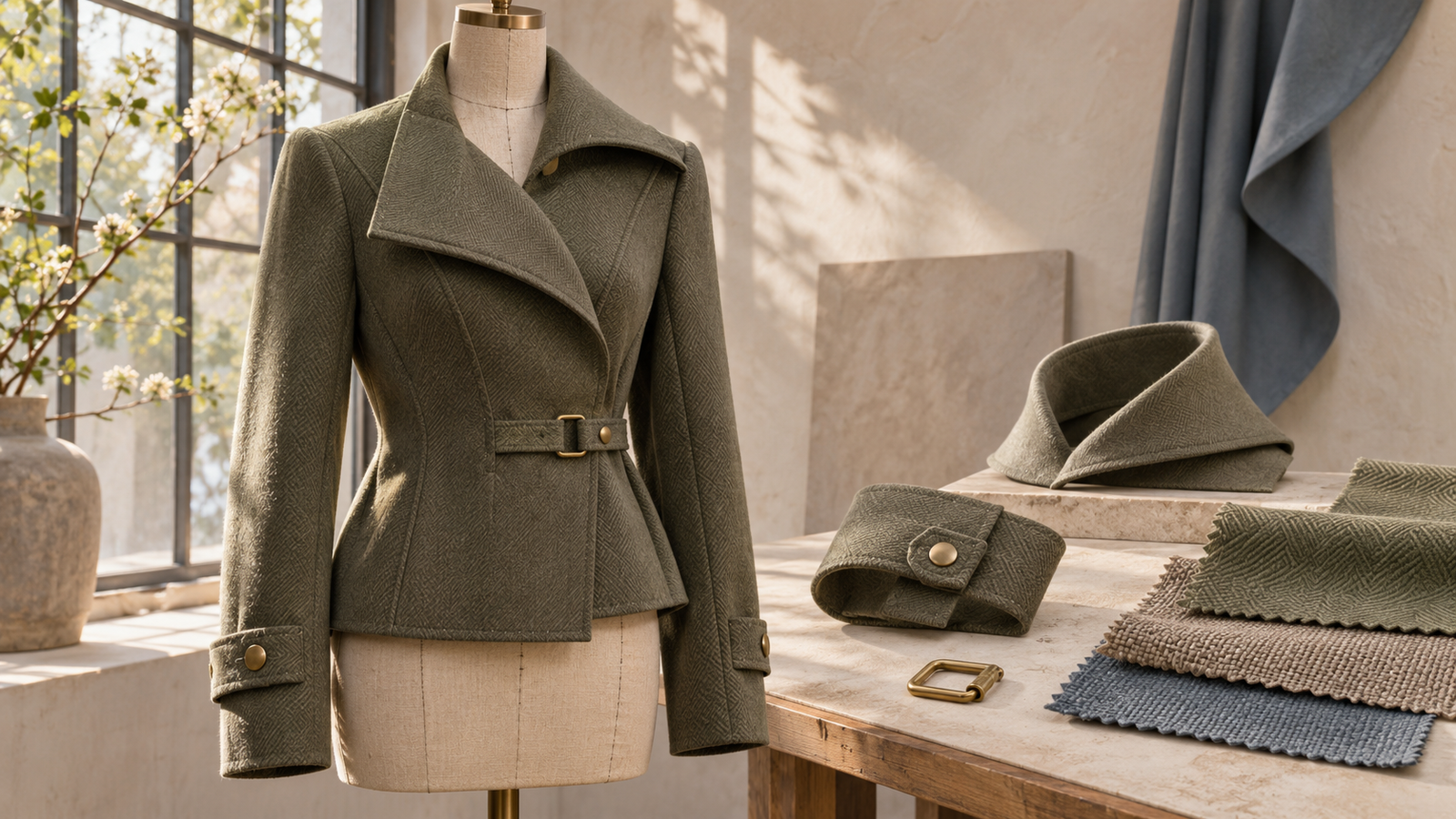
“Change it to a black jacket” could produce a sports jacket or a long coat. A realistic outfit reference makes length, collar, thickness and surface reflection visible together. Use an adult fictional character in an autumn street poster as the running example: keep the person and scene, then prepare a more specific clothing-edit brief.
Creator and project links
Original resource: COSTUME-DB-01, published by ギア (@giaaibusi). See the creator's announcement.
Original AI-generated editorial illustration, not a gallery asset by ギア or a tested APIXO model result.
See how the creator presents this collection
Start with Gia's original announcement, then adapt the references to your own project.
ギア · @giaaibusi
https://x.com/giaaibusi/status/2115639855178989745If the post does not load, open it on X.
An outfit concept or a try-on of an actual product?
This guide covers outfit concepts for fictional characters. ギア’s clothing resources are fictional, and the terms restrict uses depicting real people, so the base image here is an adult original fictional character. Checking a product’s actual cut, size or fit requires authorized product material and a suitable try-on workflow. This gallery cannot supply evidence about the real garment.
Read shape and surface separately
First examine the garment’s length, shoulder line, waist and hem. Then decide whether you want a smooth surface, visible weave or restrained reflections. “Keep this shape, but use a quieter surface” is a clearer design decision than asking for an undefined realistic style.
Put cut, material and preservation instructions into the prompt
Image 1 is an adult original fictional character in an autumn street poster. Replace only the jacket using the length, collar, cuffs and matte fabric appearance of the short jacket in image 2. Keep the face, proportions, pose, street background and original light direction. Make folds follow the bent arms. Do not copy the person in image 2 or add brand logos.
Check seams, folds and light before calling it realistic
Record three reference properties: length, collar and material appearance. Then inspect sleeve and shoulder connections, folds around bent arms, and reflections relative to the scene’s light. If only the shine is wrong, revise the material instruction; if the cut is wrong too, revisit the garment reference.
Use one outfit across three fictional portrait settings
Choose a distinctive short jacket and plan studio, street-corner and station portraits of the same adult fictional character. Keep the character and outfit references fixed; change only setting, lighting or framing in each comparison. Record jacket length, fastener positions and fabric appearance, then check whether soft and side lighting still show the same design. The resulting set can become a styling proposal, poster series or character dossier. Its purpose is visual development rather than evidence of how a real product fits.
Animate a portrait into a clothing showcase
Choose a finished image with a readable silhouette and hands clear of important details. Try: “The character turns slightly in place, camera locked, the short jacket hem sways gently; retain the collar and fastener positions.” Observe small movements before attempting a walking shot. Avoid changing outfit, background and body orientation together. Review collar deformation, broken seams and whether folds follow the body, rather than judging a single attractive frame. Possible extensions include fictional fashion films, atmospheric clips and several separate shots of one look.
Video models: Kling 2.6 · Seedance 2.5
Where to take the idea next
To combine clothing, poses and spatial layout, continue with the multi-gallery workflow from character references to video storyboards.
Before you begin
These scenes and instructions are creative plans, not APIXO generation tests. Use your own adult fictional character and select individual references under the original gallery's terms; do not bulk-download or redistribute gallery images. Check the selected model's input mode and current cost.
Official sites and sources
Finish one character image first, then choose the video input mode.
Build with APIXO
Explore image, video, and audio models in one place.